The scratch card popup that decides the prize on the server
A lottery-style scratch card, rendered as an overlay on your own site. Visitors rub the foil away with a finger or cursor, the prize underneath is picked by our servers, and the reward code appears only after a real win and an email. Same editor, same targeting and same report as every other ChilliPopup widget.
This is the Inferno Classic theme, the recommended starting point in the dashboard, rebuilt here so you can feel the mechanic. Its prize table is 20% OFF (35%), 10% OFF (40%), a free gift (15%) and a 10% chance of nothing.
Real brush: the foil is erased where you rub, like the live widget
55% threshold: the reveal completes once 55% of the foil has been cleared, exactly as the live widget does
Blank until decided: the panel text only fills in once the outcome is known
Demo only: this copy of the card rolls the outcome in your browser. On your site the roll comes from our servers and the browser is never told the odds or the codes.
How it works
Design, set the odds, publish
A scratch card is a popup with a game surface on its Play step. You build it in the same drag-and-drop editor as everything else, then install it with the pixel you already have.
1
Design the card
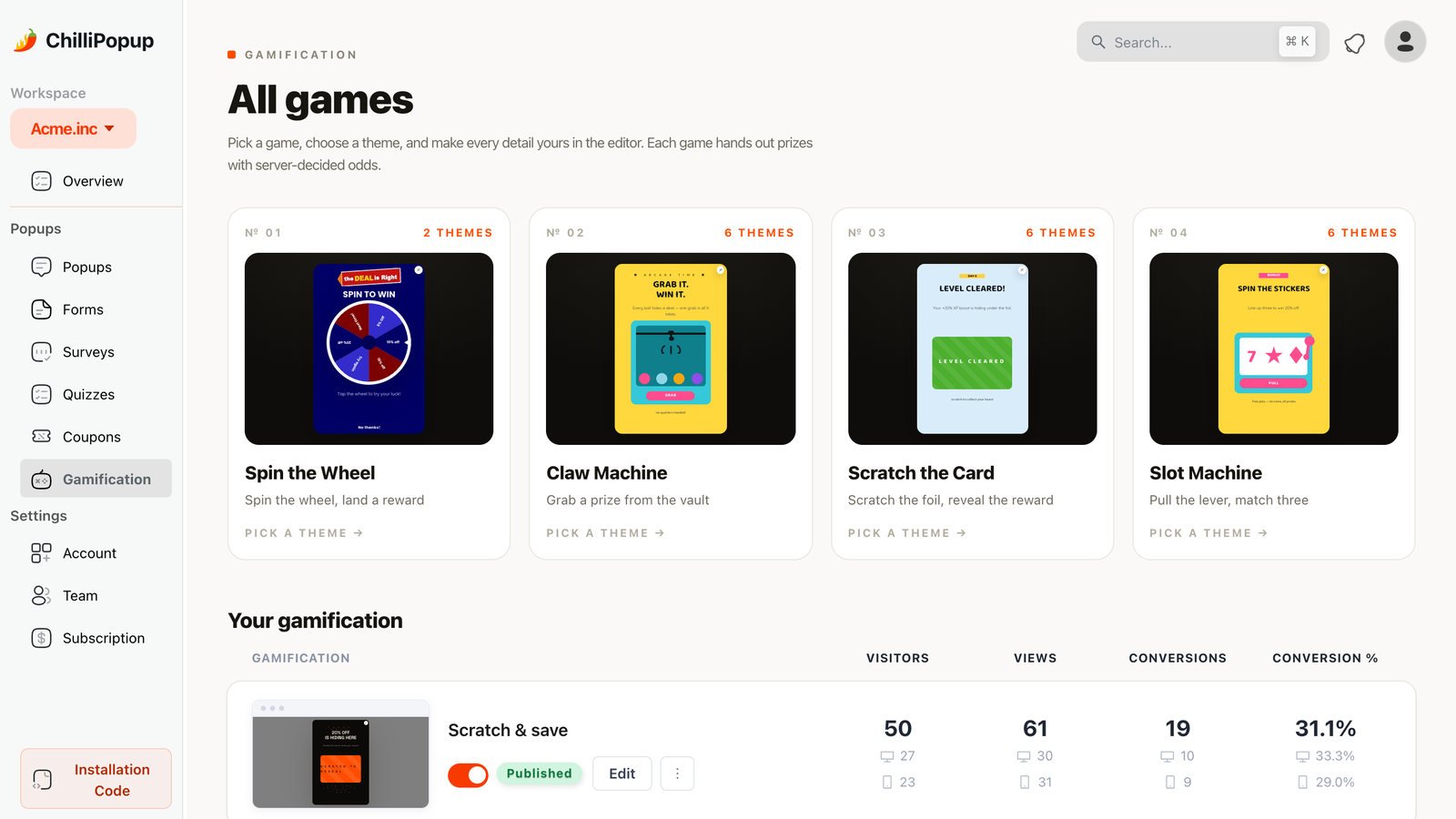
Open Gamification, choose Scratch the Card and pick one of six themes. Each theme arrives with its foil, reveal panel and card geometry already set; you rewrite the headline and every block around the card, and restyle the popup itself, in the drag-and-drop editor.
→
2
Set prizes and odds
In the Prizes panel give each prize a label, a reward code and a win chance. Whatever is left of 100% is the chance of winning nothing, shown live as you tune. Flip on equal chances, or flag a prize as a losing option.
→
3
Publish and watch
Set display rules, publish, and the card goes live through the single ChilliPopup script tag already on your site. Plays, wins, losses and claimed emails start arriving in the game report.
The prize engine
Odds you set, a roll nobody in the browser can see
Every ChilliPopup game shares one prize model. What makes the scratch card trustworthy is where the roll happens: when the first stroke lands on the foil, the player asks our analytics server for the outcome. The server reads the prize table from your dashboard, rolls a weighted pick, records the play, and answers with a win or a loss.
Per-prize probability: each prize carries its own chance in percent; the leftover is the chance of not winning
Codes only on a win: prize codes are stripped from the public popup payload and returned by the server only when the roll is a win
Losing outcomes allowed: leave a share of the odds empty, or mark a prize as a losing option that routes to the Losing screen
One play per card: a popup instance rolls once; if the request fails, the play falls back to a loss rather than a free prize
Blank until decided: the panel under the foil has no text until the answer arrives, so a fully scratched card still waits for the server
Prizes · Inferno Classic
🏷️
20% OFFReward code SCRATCH20
35% chance
🏷️
10% OFFReward code SCRATCH10
40% chance
🎁
Free giftReward code SCRATCHGIFT
15% chance
Chance of not winning10%
Make it yours
Six themes, then every block is yours
Each theme is a complete card: foil, reveal panel, headline, claim screen and win/lose copy. Start from the one closest to your brand, then rewrite the copy, restyle the popup and rebuild the prize table around it.
Four screens: Play, Post-Play (the email claim), Winning and Losing, each its own block canvas
Every block: headlines, paragraphs, images, buttons and the email field are dragged into place on any screen
Popup styling: background colour, gradient or image, default font and text colour, size, position, corner radius, shadow and overlay opacity
Per-screen overrides: Post-Play, Winning and Losing inherit the Play step's look; switch inheritance off to give one screen its own background, image, font or text colour
Placeholders: drop {{prize_label}} and {{prize_code}} into any text so the copy reflects the actual prize
Confetti on a win: one switch on the Winning screen turns the celebration burst on or off
Worth knowing before you pick: the foil colour and its printed label, the reveal panel colours, the losing label, the card's geometry and the 55% reveal threshold come with the theme you choose. They are not settings fields today, so pick the theme whose card you want.
Scratch to reveal
Inferno ClassicRecommended. Black card, ember-orange foil, Space Grotesk.
Paper PressCream newsprint, ink foil, newspaper masthead.
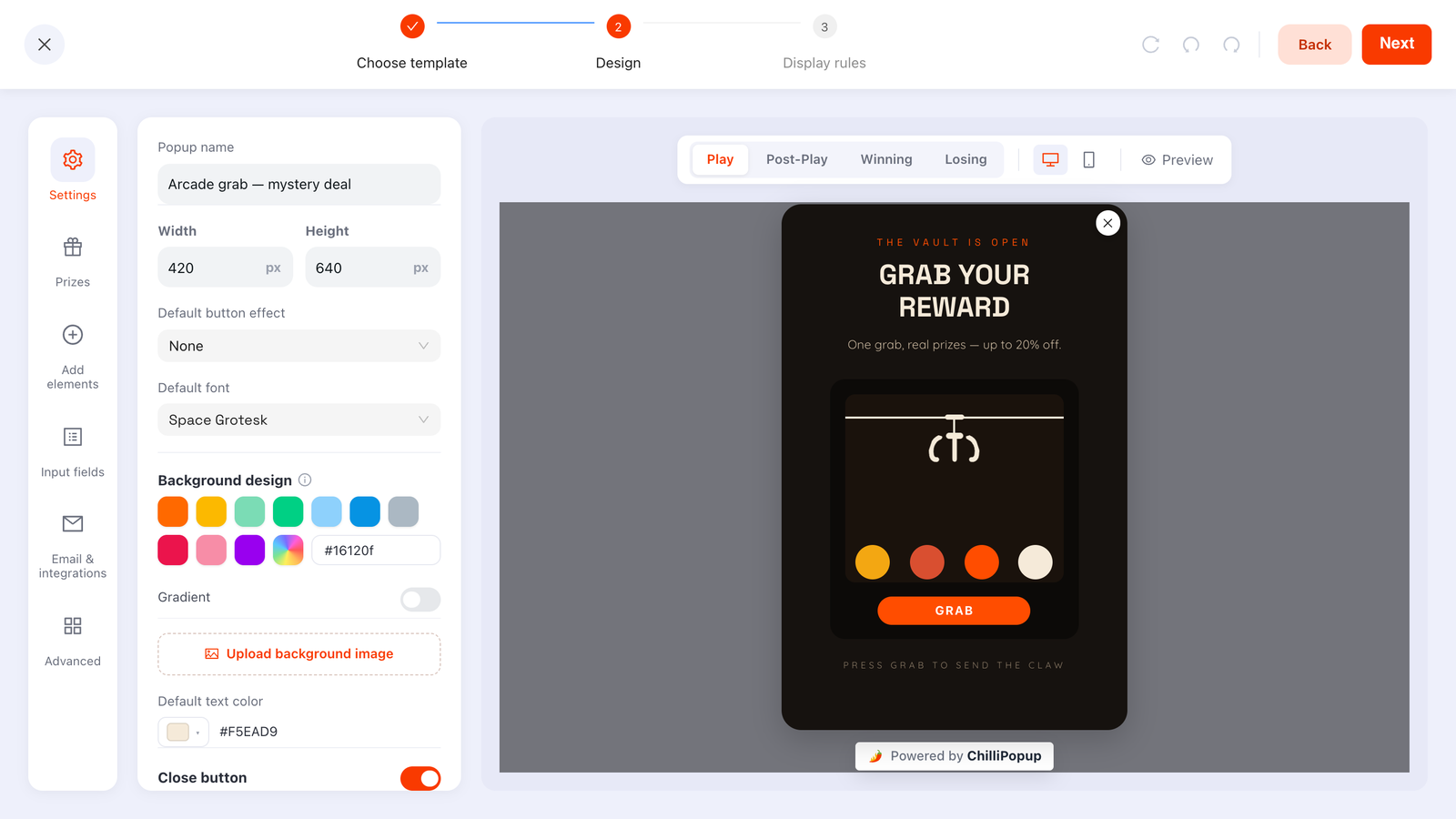
The game editor is shared by all four games (a claw machine is open here): Play, Post-Play, Winning and Losing are separate screens, and the Prizes tab holds the odds. Swap the game and the card takes the wheel's place.
Targeting & triggers
Show the card at the moment it earns its interruption
A scratch card is a popup, so it carries the same display rules as every other ChilliPopup overlay. Pick one or several triggers; the card appears as soon as the first one fires. Then narrow who sees it and how often.
Six triggers: exit intent, time delay, scroll depth, page-view count, click count and inactivity
Where: desktop and/or mobile, page-URL rules, OS and browser
Who and how often: new vs. returning visitors, frequency caps, and hide it from people who already converted
When: a start and end date, plus weekday and hour windows for a sale that has an actual end
A/B test it: one click creates a Variant B with a chosen split and sticky assignment, to compare two prize tables or two foils
Display rules
⏏
Exit intentWhen the cursor leaves the page
⌛
Time delayAfter 8 seconds on page
📜
Scroll depthAfter 50% of the page
📄
Page viewsFrom the 2nd page of the visit
👆
Click countAfter 3 clicks on the page
💤
InactivityAfter 30 seconds without input
Analytics
Every scratch, win and email in one report
Because the server rolls the outcome, it also records it. A scratch card gets the standard popup metrics plus a game report: how many cards were played, how the rolls split, and who claimed what.
Popup metrics: views, clicks, closes, conversions and conversion rate over any date range
Plays by outcome: wins against losses, straight from the server's own records
Claimed wins by prize: which prize is actually being claimed, so you can rebalance the odds
Winners table: each claimed win with the email, prize, time and device
PlaysCards scratched
WinsRolls that won
LossesRolls that lost
Claimed winsEmails submitted
Claimed wins
✉️
EmailThe address entered on the Post-Play screen
🏷️
PrizeThe prize label the visitor revealed
🕒
Time & deviceWhen it happened, desktop or mobile
Use cases
Where a scratch card fits
The mechanic is a small moment of suspense in exchange for an email. It works wherever a plain discount popup would, and it is more memorable than one.
Ecommerce discounts
Put a tiered discount under the foil instead of handing the same 10% to everyone. Weight the odds toward the smaller code, keep the bigger one rare, and reveal it only on a win so the margin math stays yours.
Newsletter growth
The claim step asks for an email after a win, so the ask arrives when the visitor is already pleased. Prizes do not have to be discounts: a guide, a template pack or early access works just as well as a code.
Seasonal campaigns
Scratch cards read as a holiday treat. Schedule the card with a start and end date, swap the theme and copy for the season, and take it down automatically when the sale ends.
Great forExit-intent offersFirst-order discountsLead magnetsHoliday salesProduct launches
The other games
Same prize engine, three more ways to play
Spin the Wheel, Slot Machine and Claw Machine share the scratch card's prizes, screens and report. Only the moment of play changes, so switching is a theme choice, not a rebuild.
No. The win or lose roll happens on ChilliPopup's servers when the visitor starts scratching, not in the browser. Prize codes are stripped from the public popup payload and are only sent back on a real win, the panel under the foil stays blank until the server's answer arrives, each popup instance allows one play, and if the request fails the play falls back to a loss so a broken connection can never hand out a prize.
Does the scratch card work on Shopify, WordPress and Wix?
Yes. Every ChilliPopup game renders from the same single script tag, so it works on any website. There is a public WordPress plugin, a Shopify embedded app and a Wix app, plus a Google Tag Manager guide; each has a step-by-step install guide in the help center.
Is there a free plan?
Yes. The Free plan is $0/mo, forever, with no credit card and no time limit. From there you can move to Pro ($29/mo) or Business ($79/mo), each with a 14-day free trial; all three include all four prize games, the full editor, AI generation, A/B testing and analytics. See pricing for the visitor and domain limits of each plan.
Can the scratch card lose?
Yes, in two ways. Whatever share of 100% your prize chances leave over is the chance of winning nothing, and the editor shows that number as you tune. You can also flag any prize as a losing option: the visitor can still reveal it, but it routes to the Losing screen and never carries a code. Prizes that add up to 100% with no losing flag never lose.
Does it work on mobile?
Yes. The foil responds to touch as well as mouse and pen, the page stops scrolling while a finger is on the card, and the brush size scales with the card. You can also restrict the popup to desktop or mobile in its display rules.
What happens after a visitor wins?
The card reveals the prize label, then the Post-Play screen asks for an email to claim it. Submitting opens the Winning screen, where the prize code is inserted with the {{prize_code}} placeholder, with an optional confetti burst. Each claim lands in your analytics as a claimed win with the email, prize, time and device.
Can I remove the "Powered by ChilliPopup" badge?
No. The "Powered by ChilliPopup" badge shows on every plan, including Business. Everything else is yours to change: the headline, every block on every screen, the popup styling and the whole prize table.
Where do the emails go?
Into your ChilliPopup dashboard: the game report lists every claimed win with its email, prize, time and device. ChilliPopup does not send emails itself and does not yet connect to email or CRM tools or export CSV, so you read and copy leads from the dashboard.
Put a prize under the foil
Pick a theme, set your prizes and odds, and publish through the pixel you already have. The roll happens on our servers; the email lands in your dashboard.