Popups

The right message, the right moment

Build triggered overlays, banners and slide-ins in a drag-and-drop editor. Point them at the exact visitor, on the exact page, at the exact moment they matter.
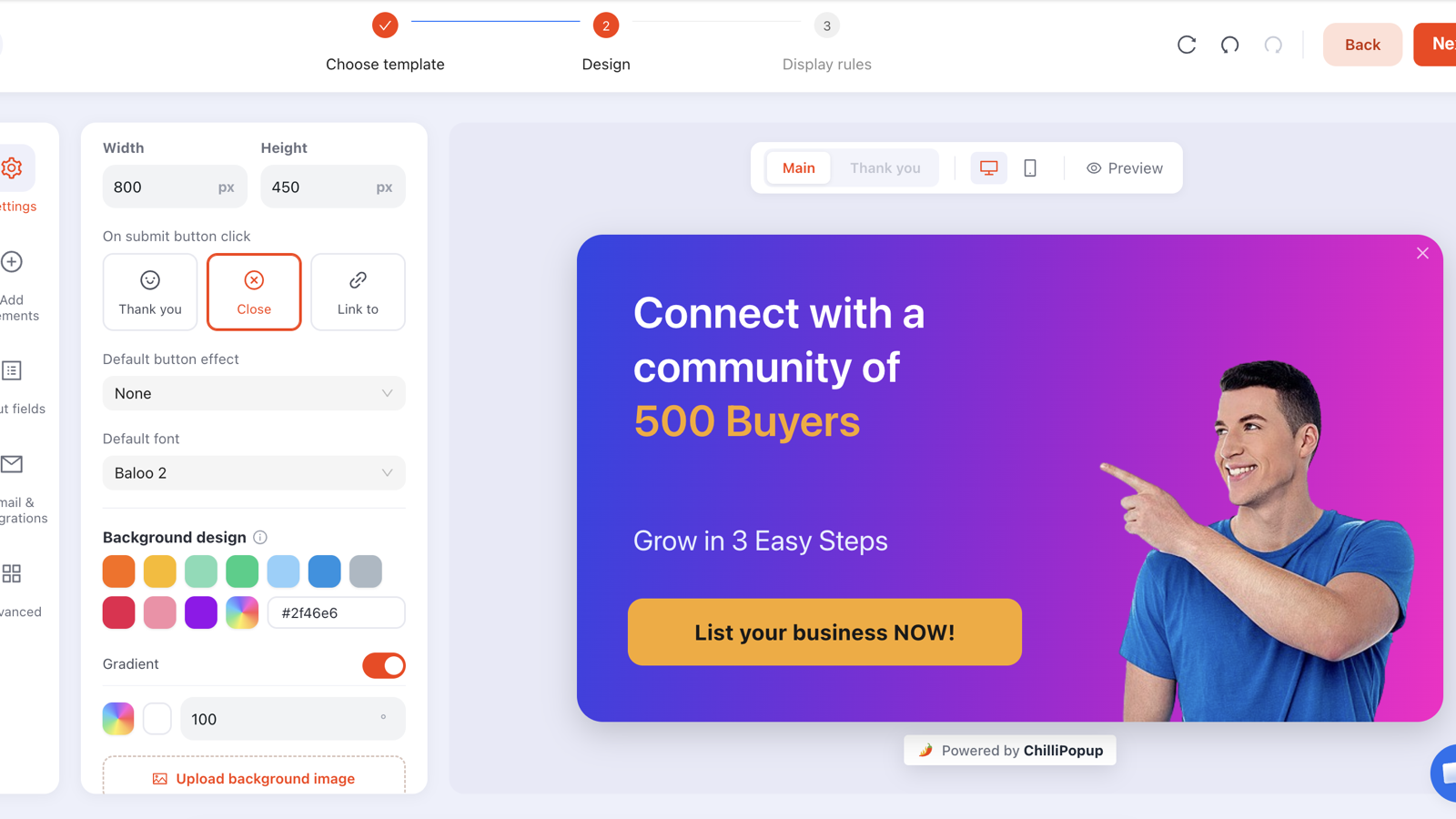
The ChilliPopup popup editor with a purple-gradient popup on the design canvas and the settings panel
The popup editor: a purple-gradient “Connect with a community of 500 Buyers” popup on the design canvas, with the Settings panel for width, height, background and gradient.
Why popups

Launch in an afternoon

Start from ~30 ready-made templates and drag blocks into place. No developer, no ticket, no waiting.

Reach the right visitor

Target by device, page URL, OS, browser and date-time, then fire on exactly the behaviour you choose. Fewer wasted impressions.

Never nag

Frequency caps and once-per-session display keep popups welcome. Show new and returning visitors different things.

Capabilities

Everything you need to build a popup that converts

One drag-and-drop editor, and it installs from a single pixel or a WordPress, Shopify, Wix or BigCommerce app.

  • Every block you need: text, button, image, input, timer/countdown, video, shape, icon, custom HTML and coupon blocks, dropped onto the canvas
  • Design freedom: ~30 templates, entry and exit animations, 9 dock positions, custom fonts, two-colour gradient backgrounds, background images, and full undo/redo history
  • Six triggers: exit intent, time delay, scroll depth, page count, click count and inactivity
  • Precise targeting: target by device, page URL, OS, browser and date-time
  • Smart frequency: frequency caps, once per session, and new vs returning rules so you never over-show
Great for Exit-intent discount offers Announcement banners Newsletter sign-up slide-ins Countdown sale reminders
AI generation

Describe your popup. AI builds it.

One sentence at the top of the template gallery is enough. AI drafts the whole popup (layout, colours, fonts, copy and every block) and hands it to the same editor you would have used anyway.
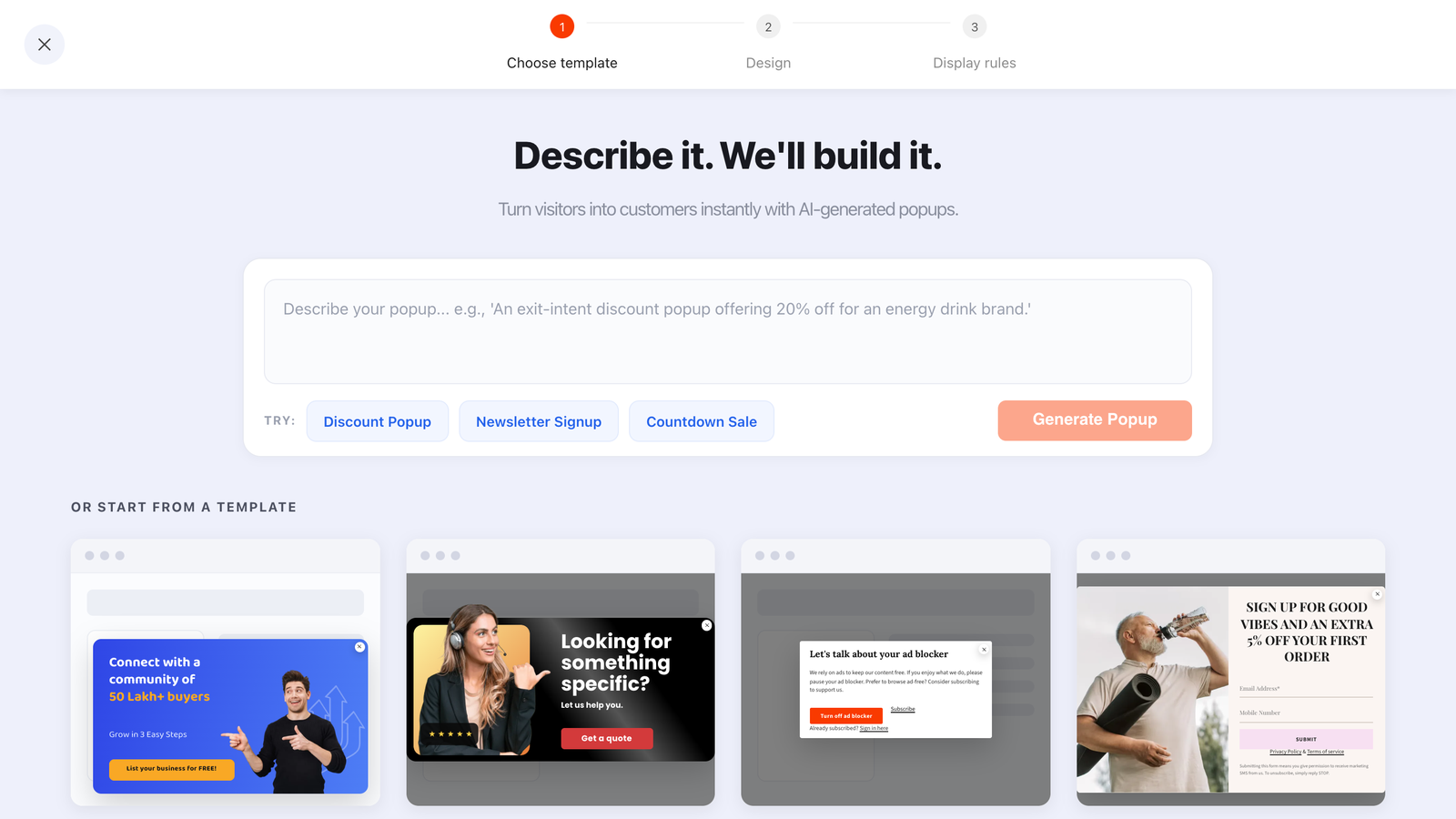
The ChilliPopup AI bar headed “Describe it. We'll build it.” above the popup template gallery
The AI bar sits above the popup templates. Describe the popup you want, tap an example brief, or ignore it and pick a template.
  • A whole design, not just copy: size, on-screen position, colours, fonts, animations and every block
  • Readable by construction: contrast-checked and laid out so nothing overlaps or overflows
  • Always a draft: it opens in the drag-and-drop editor; nothing publishes until you say so
  • Included on every plan: no add-on, just a fair-use daily limit per workspace

Build your first popup today

Pick a template, drag your blocks, set your rules, and paste one pixel. Your popup is live.