Interactive quizzes

Turn clicks into answers you can use

Ask a few multiple-choice questions, one step at a time, and let visitors tell you what they want. Every answer segments your audience and points them to the right thing.
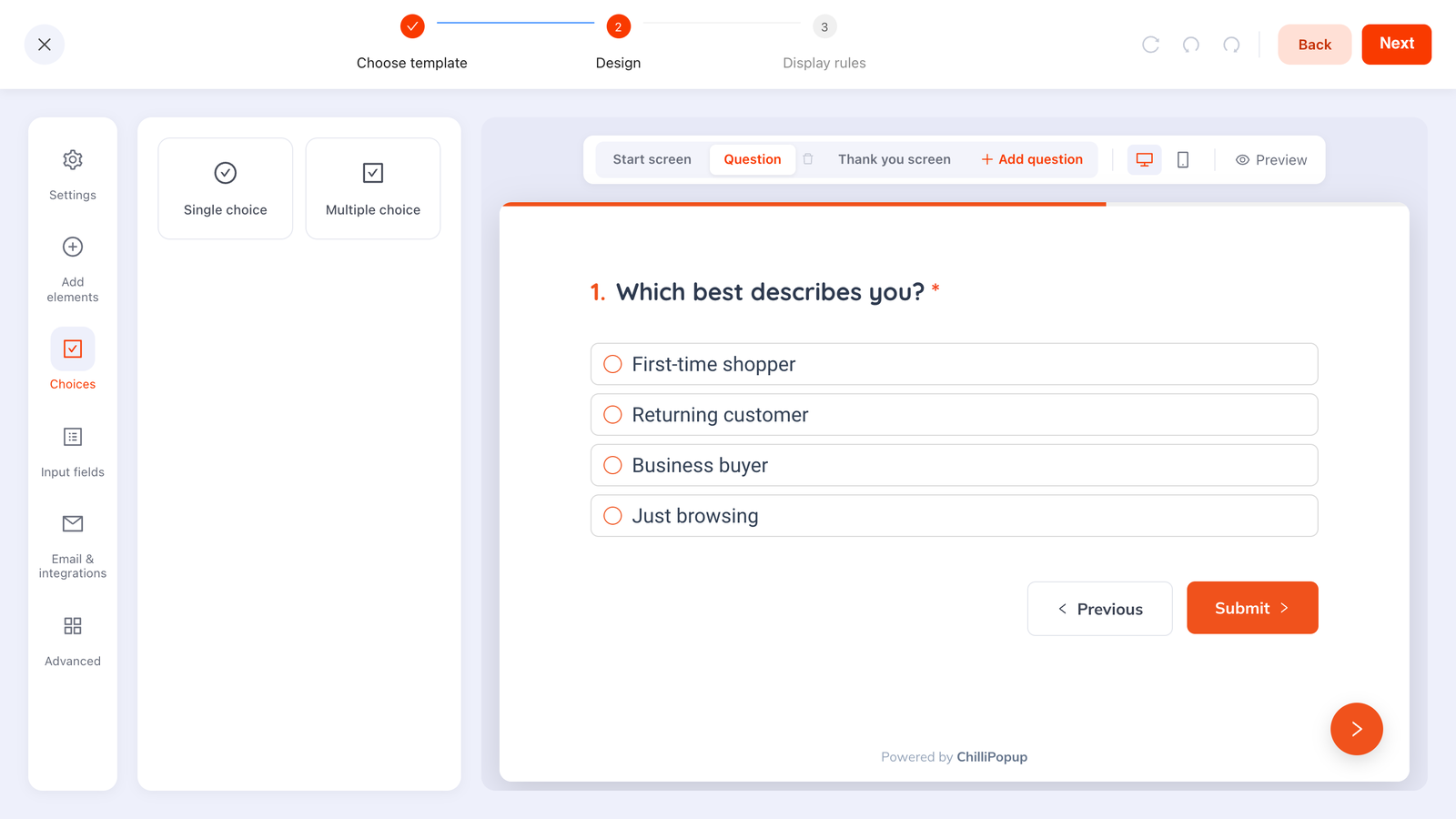
The ChilliPopup quiz editor: a “Which best describes you?” question with four single-choice options, the Choices rail, and Start screen / Question / Thank you screen tabs
The quiz editor: a single-choice question on the canvas, the Choices rail for single vs. multiple choice, and the Start / Question / Thank-you screens across the top.
Why quizzes

Match people to the right product

Run a product finder that asks a few questions and narrows the field for each visitor. They pick, you point them where to go.

Segment by what they choose

Every answer sorts your audience into groups. Use those choices to send the right people the right message next.

See what everyone picked

Quiz analytics count how many chose each option, question by question, so you learn what your visitors actually want.

Capabilities

What you can build

A quiz is a multi-step overlay you build block by block in the same editor as every other widget.

  • Multi-step flow: start screen, one or more questions, then a thank-you, with an optional progress bar
  • Two question types: single-select radio options (pick one) or multiple-select checkboxes (pick as many as apply), with text options
  • Per-question analytics: pick-counts show how many people chose each option
  • Templates to start from: Product finder, Preferences, and Knowledge-check, ready to edit
  • One editor, one install: same drag-and-drop builder, same targeting rules, one pixel
Great for Product finder quiz Preference and interest survey Knowledge check Segment new visitors
AI generation

Describe your quiz. AI builds it.

Describe the quiz you have in mind and AI drafts the steps, the questions and every answer option (single or multiple choice), ready to tune.
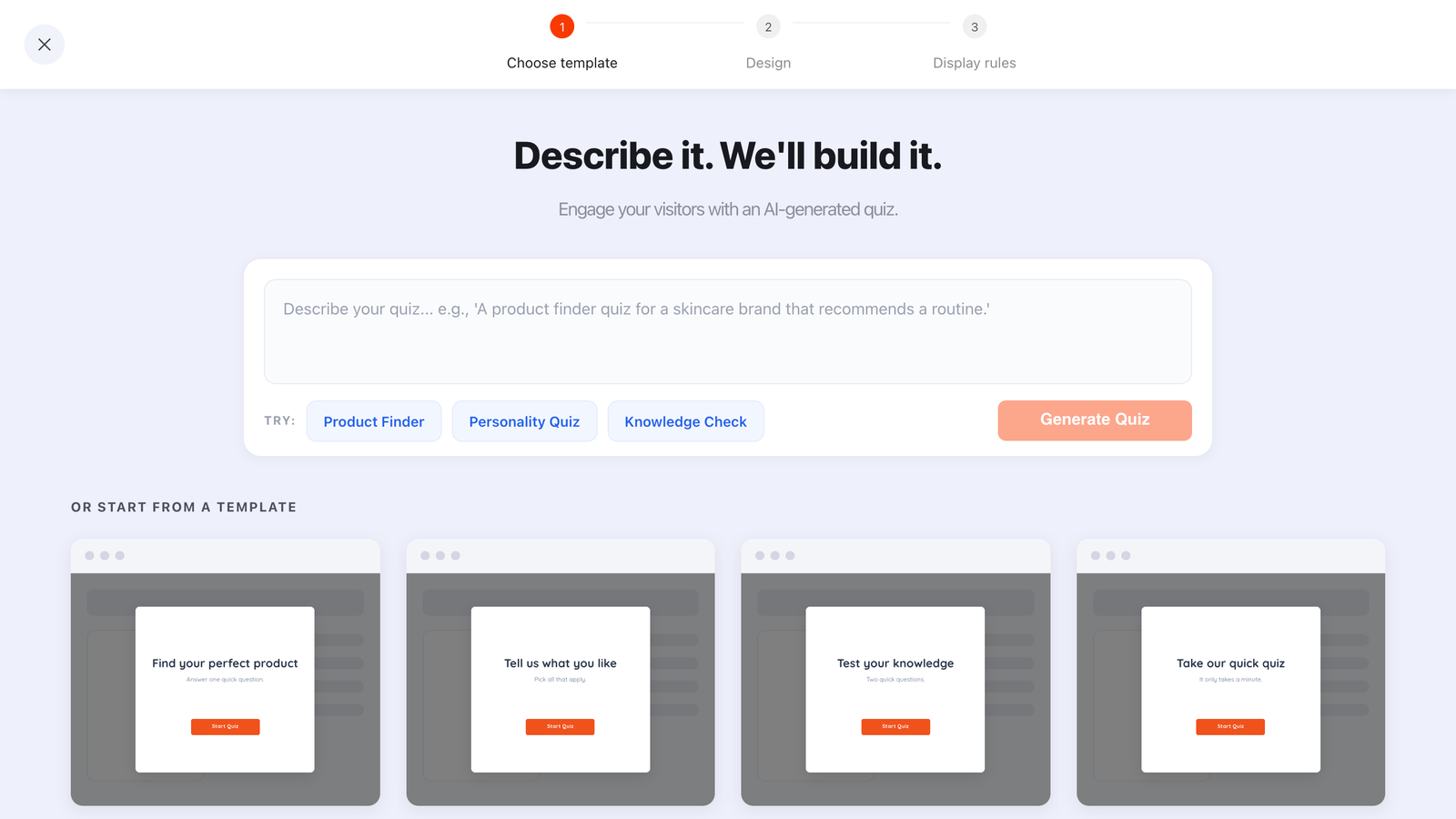
The ChilliPopup AI bar above the quiz template gallery, with example briefs for a product finder, personality quiz and knowledge check
“A product finder quiz for a skincare brand that recommends a routine.” The questions and options come back written.
  • Questions and options written: each step comes back with its answer choices, single or multiple choice
  • Every step, in order: a start screen, the questions, and a thank-you screen
  • Always a draft: it opens in the drag-and-drop editor; nothing publishes until you say so
  • Included on every plan: no add-on, just a fair-use daily limit per workspace

Ask better questions

Build a quiz in the editor you already know, target it with the rules you already use, and launch it from the one pixel you already installed.