Easter is the first proper retail moment of spring, and it's unusually forgiving: no gift-giving pressure, no shipping panic, and a mood that suits playful campaigns other seasons don't. That makes it the best time of year to run a game-based popup — an egg hunt, a scratch card, a spin wheel — and to clear winter stock while you're at it.
Below: ten Easter popup ideas, a full walkthrough of a website egg hunt, the copy that works for a season with no obligation attached, and the rules that stop a spring campaign running into June.
Key Takeaways
- Easter rewards play, not urgency. There's no deadline pressure, so make the campaign fun instead of frantic.
- A website egg hunt is three page-targeted popups plus a claim form — no development work.
- Games collect the email after the win, which is a much warmer moment than asking cold.
- Sell spring, not just Easter. The seasonal shift carries the campaign for the plenty of stores where chocolate isn't the point.
- Date-window everything — Easter moves every year, so nothing should be left to a manual switch-off.
What kind of season Easter actually is
Worth being honest about, because it decides the campaign. Easter has:
- No gift obligation for most categories. Nobody is anxious about getting it wrong, which removes the confidence problem that dominates Mother's Day and Christmas.
- A long weekend in many markets — browsing time, home projects, days out, hosting.
- A seasonal reset. Spring cleaning, garden, new wardrobe, lighter food. That's the angle for stores where chocolate is irrelevant.
- A moving date. Easter shifts by weeks year to year, so nothing should be hardcoded in your head — put it in the campaign's date window.
Put together: lower urgency, higher playfulness, and a genuine excuse to talk about renewal. Design the popups for that, not for a Black Friday rerun.
Ten Easter popup ideas
1. The website egg hunt
The flagship campaign, and it's simpler to build than it sounds — details in the next section. Hide three popups on three different pages, each revealing a letter or a code, with a final claim form. It rewards exploration, which means more pages per session and more product exposure.
2. The scratch card
The single best fit for the season, because scratching an egg to reveal a prize is exactly the Easter gesture. The visitor plays, wins, and the claim screen collects the email — they're claiming a prize, not filling in a form.
3. The spin-to-win spring wheel
Pastel slices, a mix of small prizes — free delivery, 10%, a free sample, a bigger discount for the lucky few. Full mechanics in the spin-to-win guide.
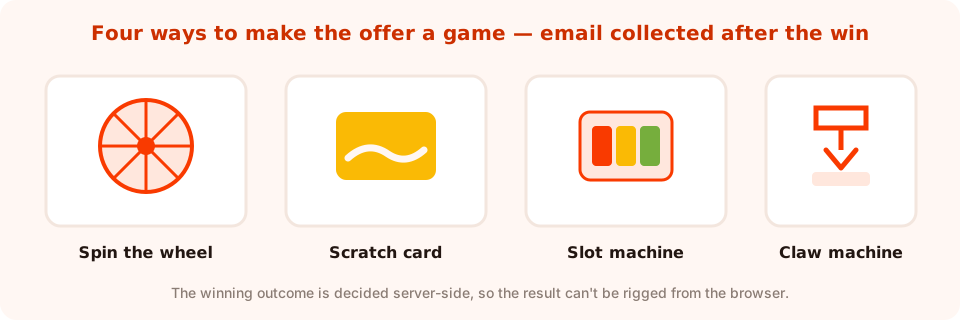
All four games work the same way — play, win, then claim by email.
4. The long-weekend flash sale
Four days, one banner: “Long weekend, long sale — 20% off until Monday night.” A bottom bar rather than a modal, so it's present without blocking anything, with a timer counting to Monday.
5. The spring refresh guide
For homeware, garden, beauty and fashion. “The spring reset checklist — five things worth doing this month.” One email field, no discount, and it builds a list you'll still have in summer.
6. The kids' activity download
If your audience includes parents, a printable — colouring sheets, an egg-hunt map for the garden, a recipe card. Genuinely useful during a long weekend with children at home, and a natural email exchange.
7. The chocolate-free alternative
Position against the season rather than with it: “Not into chocolate? Here's the Easter edit for everyone else.” Distinctive, memorable, and it works for most categories that have nothing to do with Easter food.
8. The winter clearance
The most commercially useful idea on this list. Easter is the natural line between seasons, so it's the moment to clear coats, boots and heavy stock. Exit intent on the sale collection: “Last of the winter stock — then it's gone until October.”
9. The Easter opening-hours notice
Unglamorous and genuinely appreciated. Local businesses, restaurants and services: a small bar with holiday opening times and dispatch delays. It prevents support tickets and it makes you look organised. More patterns in the restaurant popups guide.
10. The post-Easter feedback question
The Tuesday after, on the confirmation page: “How was the Easter order?” One rating and one optional comment. Cheap, and it's the raw material for next year's copy and for social proof.
How to build a website Easter egg hunt
The idea sounds like it needs a developer. It doesn't — it's page targeting plus a claim form.
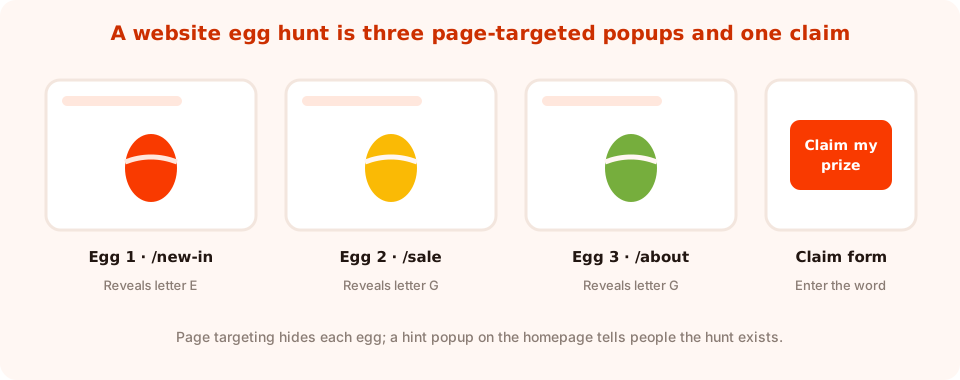
Three eggs, three page rules, one claim. The hint popup is what makes people play.
- Pick three pages that you'd like people to visit — a new-in collection, the sale page, your about page. Not your homepage; the point is to move people around.
- Build three small popups, one per page, each page-targeted to exactly that URL. Each reveals one letter, one number, or one word.
- Trigger them gently. A short time delay or a scroll threshold. Anchor them to a corner so they read as a discovery, not an interruption.
- Build the claim popup. Page-target it to one place, with a text field for the word and an email field. Anyone who found all three can enter.
- Announce it. A hint popup on the homepage — “Three eggs are hidden on this site. Find them all for 20% off.” Without this, nobody knows there's a hunt.
- Date-window all five so the whole thing retires itself on Easter Monday night.
Keep it findable. Three eggs on three linked pages is a game; eight eggs on obscure URLs is a chore that people abandon halfway. And check the hunt works on a phone — if the eggs are only reachable through a desktop menu, most of your traffic can't play.
The prize should be worth the effort. Someone who visits three pages hunting for eggs has earned more than 5% off — free delivery plus a real discount, or entry to a draw for something substantial.
Easter popup copy
| Campaign | Headline | Button |
|---|---|---|
| Egg hunt hint | “Three eggs are hidden on this site” | Start hunting |
| Scratch card | “Scratch the egg, see what's inside” | Scratch to reveal |
| Spin wheel | “Spin for your spring treat” | Spin to win |
| Long-weekend sale | “Four days, 20% off, then back to normal” | Shop the weekend |
| Spring guide | “Five things worth doing this month” | Send me the checklist |
| Winter clearance | “Last of the winter stock” | Show me what's left |
| Kids' printable | “Rainy long weekend? Free colouring pack” | Download the pack |
| Opening hours | “Easter weekend hours and dispatch” | Got it |
A tone note: Easter is a religious festival as well as a retail one. Playful is fine; using religious imagery to sell a discount is a risk that isn't worth taking. Chicks, eggs, spring flowers and pastels carry the season perfectly well.
Design: pastels without losing the button
Easter design pulls toward soft colours, and soft colours are where call-to-action buttons go to die. Three rules:
- Pastel background, saturated button. The palette can be gentle; the button must not be.
- One seasonal motif, not five. An egg, or a chick, or flowers. Three at once looks like a clip-art bin.
- Keep your brand recognisable. A seasonal popup that looks like nothing else on your site reads as an ad and gets closed.
Practically: a background image or gradient, a couple of shape or icon blocks for the motif, and your usual button colour. The full checklist is in popup design best practices.
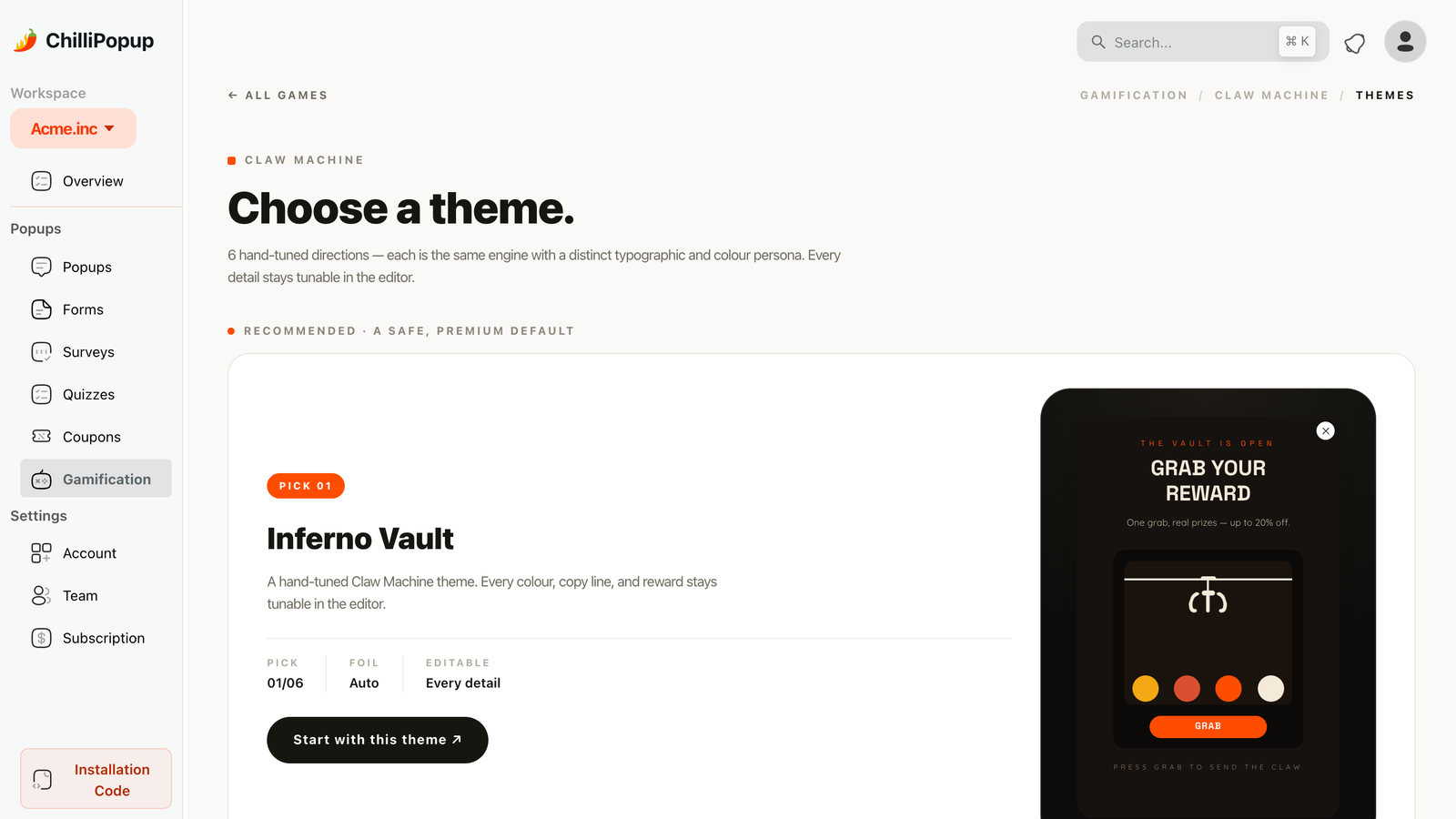
Start from a themed game and restyle the palette rather than building the artwork from scratch.
Scheduling: the rules that matter for a moving holiday
Easter moves every year, so put the dates in the campaign rather than in your memory:
- A date window per campaign, with a GMT offset, so a four-day sale really is four days.
- Page targeting per idea — clearance on the sale collection, egg hunt on its three pages, opening hours everywhere.
- A frequency cap, so long-weekend browsers don't meet the same popup on every page.
- Show again after conversion: off, so anyone who already played or claimed is left alone.
And decide priority. If the egg hunt and the clearance popup both qualify on the sale page, one of them has to go — page-target the other away rather than letting them compete.
A worked example: a homeware store
Three campaigns, one week of Easter, no chocolate involved.
1. Spring refresh guide — from two weeks out. Corner slide-in at 50% scroll: “The spring reset: five jobs worth doing this month.” One email field, no discount. This is the list-building campaign.
2. Winter clearance — Easter week. Exit intent on the sale collection: “Last of the winter stock, then it's gone until October.” No email needed; the button links straight to the collection.
3. Scratch card — the long weekend only. Time delay of 20 seconds on collection pages: “Scratch the egg — everyone wins something.” Email collected on the claim screen, date window covering Friday to Monday night.
Note the sequence. Build the list first with something useful, then convert with a game once the season is live. Doing it the other way round means discounting people you could have had for free.
What to measure
- Conversion rate per campaign, compared against itself rather than against your year-round popups — seasonal traffic behaves differently.
- Game completion. For a scratch card or wheel, the gap between people who played and people who claimed tells you whether the claim form is too demanding.
- Egg-hunt reach. Compare unique views on egg 1, egg 2 and egg 3. A big fall from the first to the second means the hunt is too hard or the hint isn't clear.
- What you keep afterwards. Subscribers gained is the metric that still matters in June; a discount redeemed in April isn't.
Six Easter popup mistakes
- Manufactured urgency. Easter has no shipping panic. Fake countdowns read as desperate.
- An egg hunt nobody knows about. Without the hint popup, the eggs are just three random popups.
- Prizes that don't justify the effort. Three pages of hunting for 5% off is an insult disguised as a game.
- Pastel buttons. Keep the call to action saturated.
- Assuming everyone celebrates. Keep it seasonal and light, and lean on spring rather than religious imagery.
- Campaigns still running in May. Date-window everything on the day you build it.
Build your Easter popups in ChilliPopup
An afternoon. If the pixel isn't installed yet, the install guide takes one line of code.
1. Put this year's dates in writing
Easter moves, so write down Good Friday and Easter Monday for this year before you build anything. Both go into every campaign's date window.
2. Launch the useful campaign two weeks out
The spring guide, the printable or the checklist — one email field, no discount. It builds the list the game will later convert.
3. Build the game for the long weekend
A scratch card or spin wheel, restyled from a theme in pastel colours, with prizes that are worth playing for and the email collected on the claim screen.
4. Hide the eggs, then tell people they exist
Three small page-targeted popups, one claim form, and a hint popup on the homepage. Test the whole path on a phone before you publish.
5. Set every date window and a frequency cap
Start and end dates with the right GMT offset, a cooldown so long-weekend browsers aren't nagged, and “show again after conversion” turned off.
Hide your first egg this afternoon
Build popups, games, quizzes and forms from one editor, and schedule each campaign to retire itself. Free plan, no credit card required. Paid plans from $29/month.
Start free →Related reading
Frequently asked questions
What is the best Easter popup for an online store?
A game — a scratch card, a spin wheel or a website egg hunt. Easter has no gift obligation and no shipping panic, so urgency-based popups underperform while playful ones suit the mood, and the email is collected on the claim screen after the visitor has already won something.
How do I create an Easter egg hunt on my website?
Build three small popups, each page-targeted to a different URL, each revealing one letter or code. Add a claim popup with a field for the word and an email field, then a hint popup on the homepage telling people the hunt exists. Give all five a date window so the hunt retires itself.
What should I offer for Easter if I don't sell chocolate?
Sell spring rather than Easter: a seasonal refresh guide, a winter clearance on the stock you want gone, a long-weekend sale, or a printable activity pack if your audience includes parents. A 'not into chocolate?' campaign also works well as a positioning against the season.
When should Easter popups start and stop?
Start the useful, list-building campaign about two weeks out and run the game or sale over the long weekend itself. Because Easter moves every year, put the start and end dates in each campaign's date window rather than relying on switching them off manually.
Are Easter countdown timers a good idea?
Only where the deadline is real, such as a four-day sale that genuinely ends on Monday night or a dispatch cut-off before the bank holiday. Easter has no gift-delivery panic, so an invented countdown reads as desperate rather than urgent.
How do I keep an Easter popup on brand?
Use one seasonal motif rather than several, keep a pastel background but a saturated call-to-action button, and keep your usual typography and logo so the popup still reads as part of your site. Lean on spring imagery rather than religious imagery.