
1
Add the app to your Wix site
Open the ChilliPopup install link (it is in the install guide and on your dashboard's Installation Code screen, under Wix), click Add to Site, pick the site you want popups on and approve the permissions.
Wix's built-in lightbox fires on page load, for everyone, and never tells you what happened next. ChilliPopup adds the popup app Wix is missing: exit-intent and scroll triggers, page targeting, frequency caps, lead forms, surveys, quizzes, four prize games, AI drafting and A/B tests, all installed by one app and reported in one dashboard.
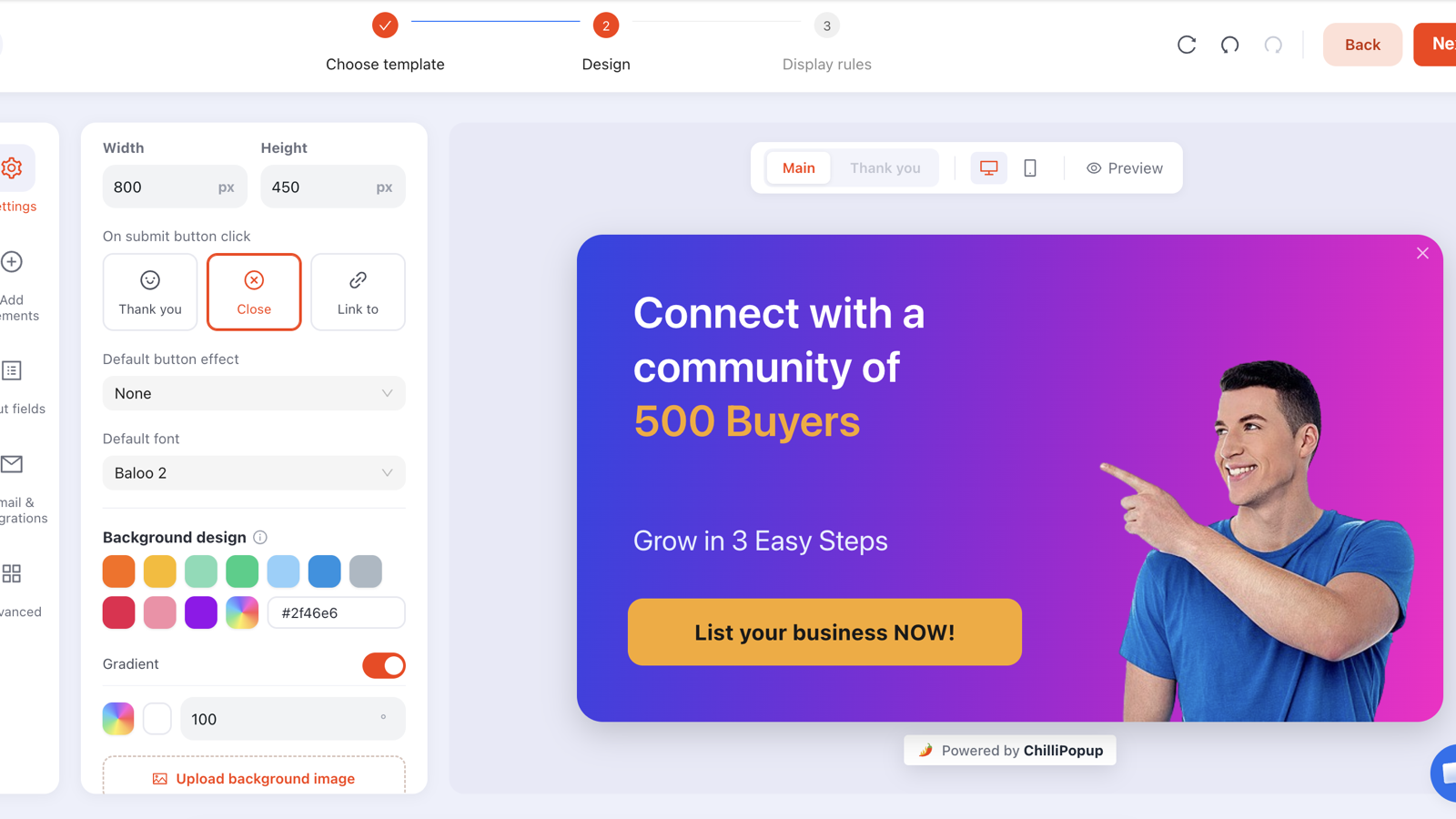
The ChilliPopup app injects the pixel for you, so you never touch Velo, Custom Code or your site's HTML. The full walkthrough with screenshots and troubleshooting is in the Wix installation guide; here is the short version.
Open the ChilliPopup install link (it is in the install guide and on your dashboard's Installation Code screen, under Wix), click Add to Site, pick the site you want popups on and approve the permissions.
Go to Apps → Manage Apps → ChilliPopup. The app's settings page connects your site to your ChilliPopup workspace and switches the pixel on; Wix then injects it into the <head> of every page for you.
Start from one of 77 templates or describe the campaign in a sentence and let the AI draft it, edit it in the drag-and-drop editor, set the display rules and flip it to Published. Drafts never serve.
Open your published Wix site, not the editor preview, which does not run app scripts the same way. A private window with ad blockers off is the honest test. From then on, anything you publish appears without another install.
If your Wix plan includes Custom Code (Settings → Custom Code, on some Premium plans), you can skip the app and paste the standard ChilliPopup snippet from the dashboard's Installation Code → Any website tab. Add it as a new custom code, loading on All pages in the Head, and save.
Use the app or Custom Code, never both. Two copies of the pixel can render or count a popup twice. If you switch to the app later, remove the pasted snippet first.
<script id="chillipopup-pixel"
  src="https://player.chillipopup.com/javascript/pixel.js?id=YOUR_WORKSPACE_ID"
  data-api="https://api.chillipopup.com"
async="true"></script>Everything below is a triggered overlay that rides on the same pixel the app installed. Build it once in ChilliPopup, publish, and it is live on your Wix site.
Welcome offers, announcements, coupon reveals and exit-intent saves, anchored to any of nine positions: centre, the four corners or any edge. 60 popup templates to start from. Popups →
Contact and enquiry forms with field validation that open on the visitor's moment of interest instead of hiding behind a menu link. Submissions land in your dashboard. Forms →
Multi-step NPS, CSAT and CES surveys, exit surveys and multiple-choice quizzes, with per-question results. Both also get a hosted share page and embed modes. Surveys →
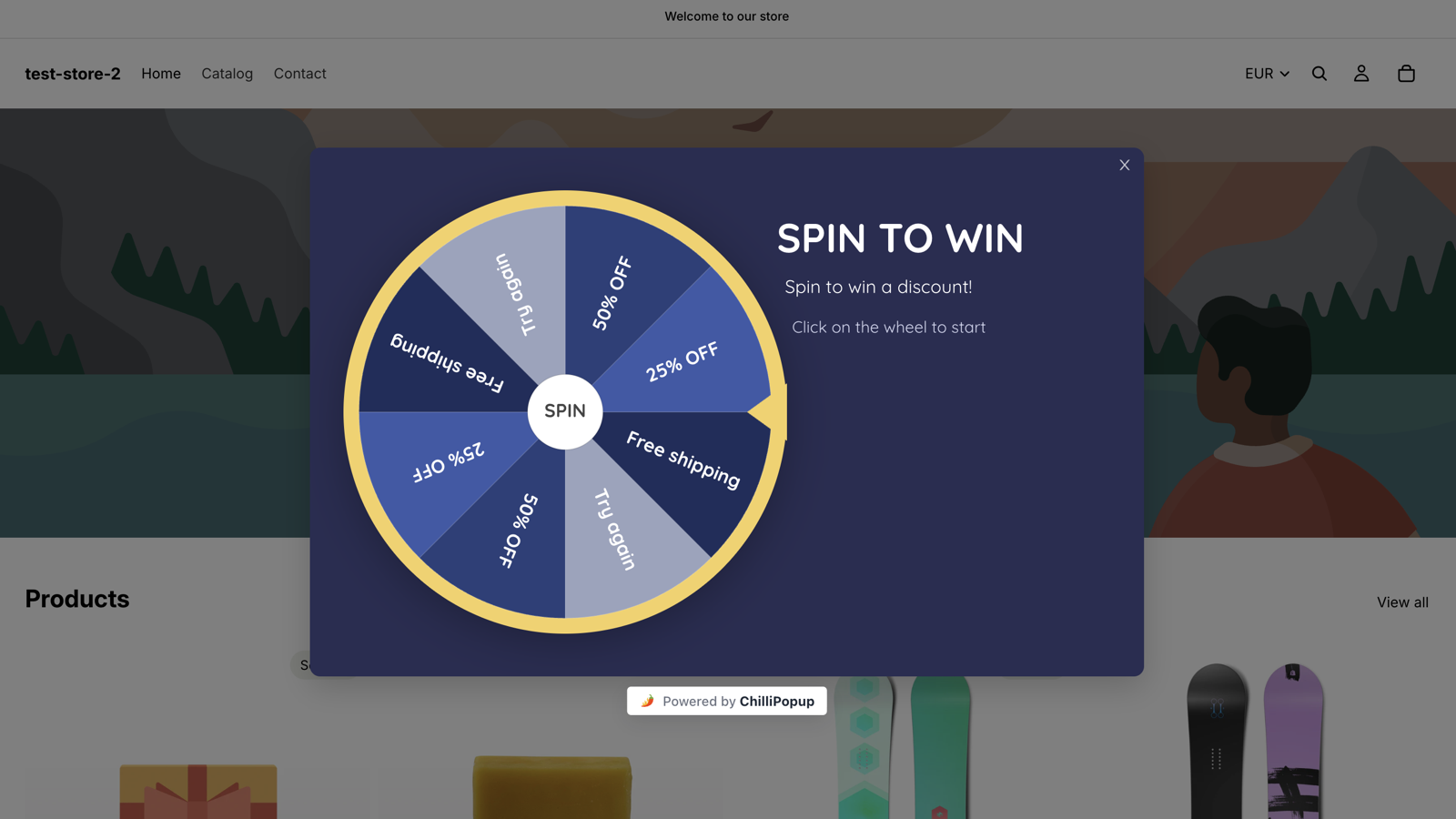
Spin the Wheel, Scratch the Card, Slot Machine and Claw Machine. The server decides the winner, prize codes never reach the browser before a win, and the odds are yours to set per prize. Gamification →
Describe the campaign in a sentence ("10% off the first ceramics workshop for new visitors") and the AI drafts the popup, form, survey or quiz. You edit the result in the same editor. 10 to 200 generations a day depending on plan.
One click creates a Variant B on any content type. Pick the traffic split, each visitor sticks to one version, and the results sit side by side with a confidence indicator. How to A/B test →
A visitor has read most of a service page. A small form asks for a name, an email and one line about what they need, triggered at 50% scroll, new visitors only, and kept off the booking flow with a does not contain URL rule. Enquiries land in your dashboard.
A Spin the Wheel on product pages (URL contains /product-page/), excluded from cart and checkout, trades a first-order discount for an email. You set the win chance of each slice; the server picks the winner; the coupon code reveals itself on the winning screen.
A newsletter popup on post pages (URL contains /post/) at 60% scroll, one email field, capped at once every 7 days and switched off after conversion. Pair it with a short exit survey asking what almost stopped the reader from subscribing. 12 newsletter popup examples →
The app adds a single script tag to your site's head. That tag is the whole product: it is framework-free, loads asynchronously so it never blocks your page from rendering, and draws the popup straight into your page rather than inside an iframe. Redesign your Wix site or change templates and the app stays where it is; your popups come along untouched.
Every campaign carries its own display rules. Device, audience, frequency and schedule rules all have to pass together, while page rules are any-match: the campaign shows on any page where at least one of its page rules is true. Page targeting matches the URL with contains, does not contain, is exactly, is not, starts with and ends with, so Wix's default URL structure works in your favour: Wix Stores product pages live under /product-page/ and Wix Blog posts under /post/ unless you changed them in your SEO settings.
/ rule plus contains /post/ keep a welcome offer on the home page and blog, and therefore off the cart, checkout, booking and legal pages; list the pages you want rather than the ones you don'tThe other thing the built-in lightbox never gives you: numbers. Every campaign reports its views, clicks, closes, submissions and conversion rate. Low views point at the rules; views without submissions point at the offer.

Four things worth knowing up front, so nothing surprises you after you publish.
ChilliPopup does not send emails or SMS and has no Mailchimp, Klaviyo, HubSpot, Zapier, webhook or CSV-export connector, so submissions do not sync into Wix Contacts or your email tool. You read them in the dashboard and copy them across as a routine.
The pixel runs on your live Wix site, not inside the Wix editor's preview. Publish, then test the real URL in a private window with ad blockers off; a privacy extension can hide the popup on your own machine only.
If your site shows Wix's cookie consent banner, Wix holds third-party app scripts, including this one, until the visitor consents. Your view counts then reflect consenting visitors only; that is Wix enforcing consent on your behalf, not a broken install.
The Free plan is $0 a month for good, with no credit card and no time limit, but it stops at 1,000 visitors a month, 1 domain and 1 team member. Past that it is Pro at $29 a month or Business at $79, each with a 14-day free trial. The app itself is free to add to your Wix site.
Every plan includes the full editor, every content type, all four games, AI generation, A/B testing and analytics. Plans differ on monthly visitors, domains, team members and daily AI generations. The Free plan needs no credit card and never expires; Pro and Business each start with a 14-day free trial.
Free forever, for a single Wix site
For growing sites and small teams
For high-traffic sites and agencies
Prices in USD, billed monthly. See the full plan comparison →
/product-page/ and Wix Blog posts under /post/, so a rule such as URL contains /product-page/ targets every product and nothing else. To keep an offer out of the checkout flow, use a single URL does not contain cart rule on its own; next to a contains rule it would widen the match rather than narrow it.What the built-in lightbox can and cannot do, the four popup types that fit Wix sites, a worked welcome offer and the rules that make it convert.
Read the guide →The step-by-step install walkthrough, the Custom Code alternative and the troubleshooting list for popups that will not show.
Open the help article →Twelve newsletter popups to copy word for word, with the placement, trigger and field rules that decide whether each one grows a list.
See the examples →The last-chance trigger in depth, including what to show mobile visitors, where there is no cursor to read.
Read the guide →How a prize wheel trades a spin for an email, how to set the odds per slice, and why the win is decided on the server.
Read the guide →Restaurants, studios and shops: the offers, schedules and page rules that suit a business with opening hours and a booking flow.
Read the guide →Add the app, activate it, publish a popup. Exit intent, page rules, frequency caps, forms, surveys, quizzes and four prize games, reported in one dashboard.