A spin-to-win popup that grows your list without discounting your product
A software company or a newsletter has nothing on a shelf to mark down, and a coupon on a subscription teaches customers to wait for the next one. What you do have is worth more to the right visitor: a longer trial, a template pack, thirty minutes with a founder, early access to what ships next. A wheel trades one of those for an email, and the odds decide how many of each you hand out. This page is the setup: a prize table with no discounts in it, copy for the four screens, exit-intent rules for the pricing page and a time delay for blog readers, and what the report tells you a week later.
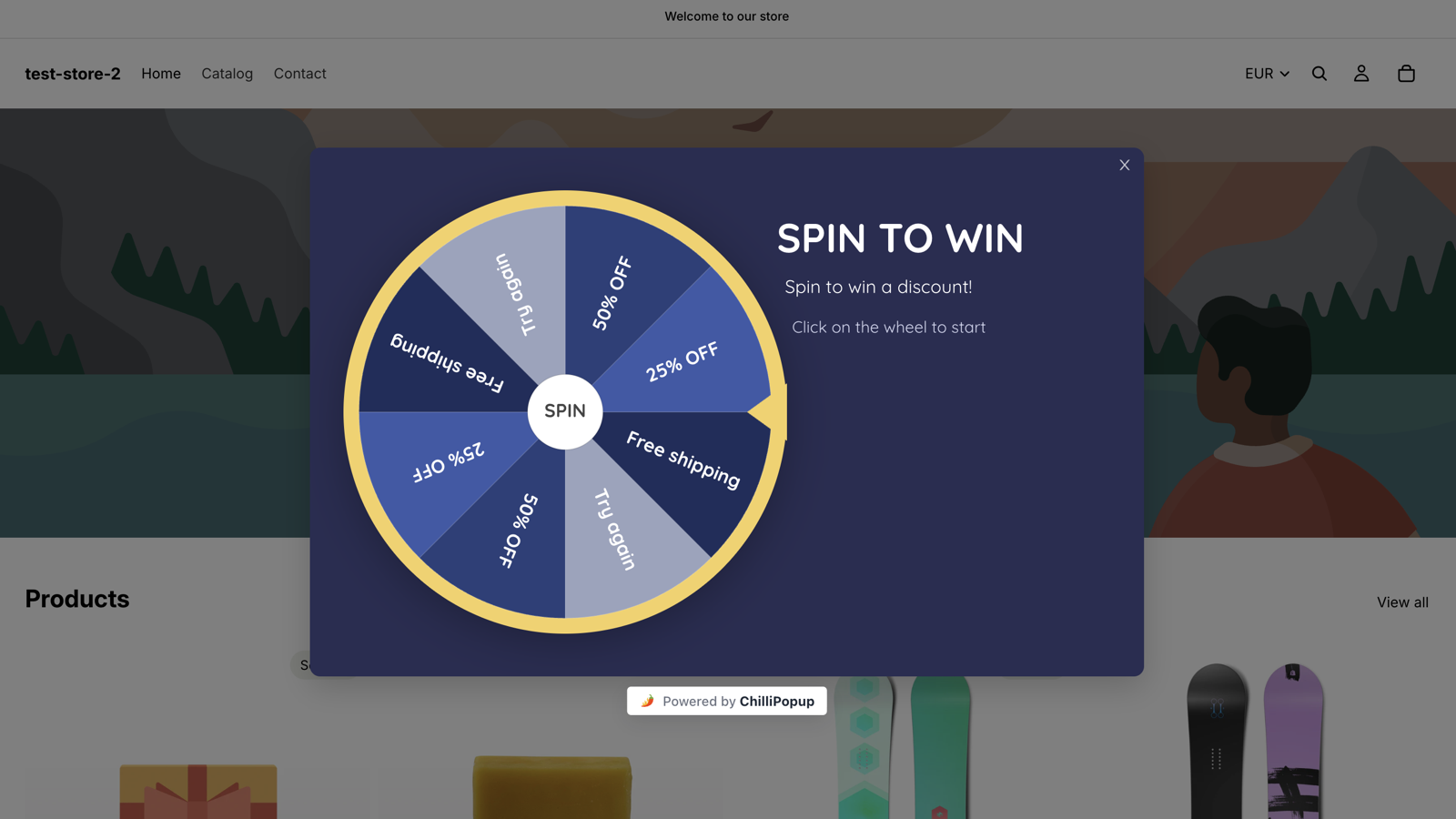
The Spin to Win theme live on a storefront. For a SaaS or a newsletter you keep the mechanics and change what the slices say: a longer trial, a template pack, a call, early access.
Why a wheel for software and newsletters
The prizes are things you already have
A trial extension is a date field in your billing tool. A template pack is built once and given away a thousand times. A founder's calendar has a few slots a month you would happily fill with the right lead. None of these is a discount, and each is exactly what a visitor on the fence wants.
Prizes that are not discounts
An extended trial, a paid feature unlocked for a month, a template or swipe-file pack, early access, a 30-minute call. Each has real value to the person who wins it and a marginal cost close to zero for you, and none of them teaches your customers to wait for a coupon.
The email is the point
A win asks for an email on the Post-Play screen before the Winning screen reveals the code, so the wheel is a signup form with a better reason to fill it in. The Losing screen can offer the newsletter itself, so nobody who spins leaves without a way to subscribe.
Odds set once, honoured every time
Each prize has its own win chance in percent, and whatever is left of 100% is the chance of a Try again. The roll happens on our server and the browser only animates to the result, so the founder-call slice comes up as rarely as you set it, however many tabs someone opens.
The prize table
A prize table with no discounts in it
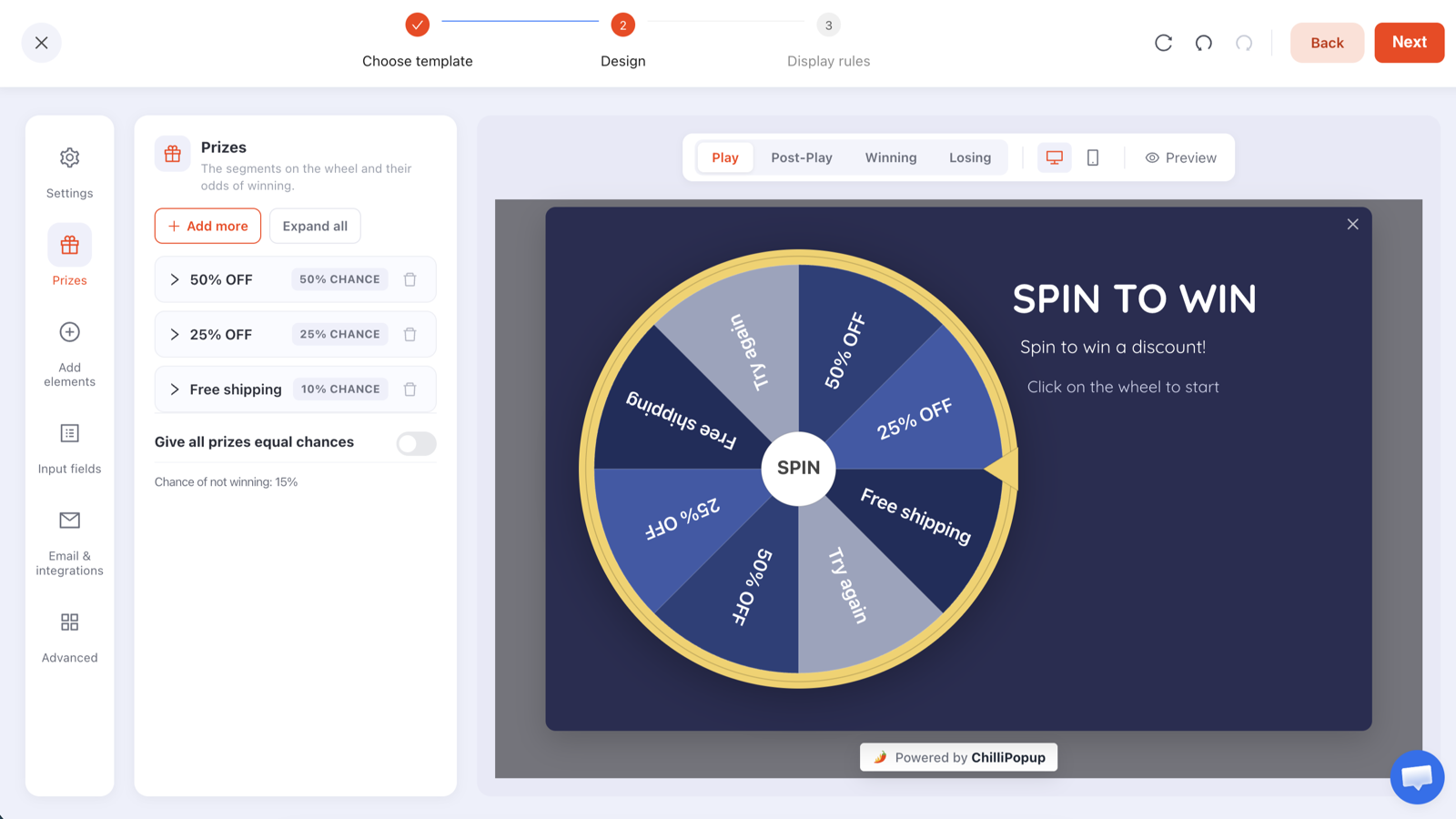
Five prizes and a leftover, none of them a percentage off. Type the labels, codes and chances into the Prizes panel like this and the wheel draws itself, Try again slice included.
Slice
Reward code
Win chance
Why it is there
Template pack
TEMPLATES
35%
The default prize. Built once, and it shows the product doing something useful. The code can be the password on the download page, and the Winning screen can carry a button straight to it.
Trial extended by 14 days
TRIAL14
25%
For the visitor comparing plans at the end of a trial. Set it up as a redeem code in your billing tool, or apply it by hand from the claims table; the cost is two weeks of server time.
One month of a paid feature
PROMONTH
15%
Unlock a paid feature for a month instead of discounting the plan. After four weeks with priority support or the API, giving it up is harder than paying for it.
Early access to the next release
EARLY
15%
Costs a flag on the account and a place on a list. For a newsletter, this is the next paid issue or the archive, opened early.
30-minute call with the founder
CALL30
4%
The headline prize. Four calls per hundred spins is a calendar you can keep, and each one is a conversation with someone who wanted it enough to spin.
Try again
none
6% (leftover)
Drawn automatically as a grey slice because the prizes add up to 94%. Kept small: the wheel exists to start a relationship, and the Losing screen still offers the newsletter.
Read across the table: every hundred spins hand out roughly thirty-five template packs, twenty-five trial extensions, fifteen feature months, fifteen early-access places and four calls, and six visitors see the Losing screen, where the newsletter still waits. The only prize with a real ceiling is the call; if four in a hundred is too many for your calendar, move it to 2% and the editor shows the new chance of not winning as you type.
The Prizes panel where the table above goes: a label, a reward code and a win chance per prize, and the chance of not winning computed for you.
Decide how each prize is redeemed before you publish: a redeem code your app or billing tool accepts, a password on a download page, a booking link, or a step you do by hand when the claim appears. The claims table lists every winner with the prize, code, device and time, so nothing is lost.
ChilliPopup never creates or applies codes: it reveals the code you pasted, and only inside a winning result. The configuration that reaches the browser has every code stripped out, so CALL30 cannot be read from the page source.
Newsletters can make every spin win: raise the chances until they total 100%, or switch on equal chances, and the Try again slice disappears. When every prize is a piece of content you would happily give anyone, there is no reason to keep a losing slice.
Use the placeholders: {{prize_label}} and {{prize_code}} in the Post-Play and Winning copy fill in with the won prize, so one Winning screen serves a call and a template pack alike.
Copy for the four screens
What each screen says
A wheel has four screens: Play, Post-Play, Winning and Losing, each its own canvas in the editor. Write {{prize_label}} and {{prize_code}} anywhere in the Post-Play or Winning copy and the won prize fills them in.
Play
Spin for a head start
Headline: Before you go: spin for a head start.
Sub-line: A longer trial, a template pack, early access or thirty minutes with our founder. One spin, and your email to claim it.
The disc itself is the button. On a pricing page, one line saying that the prizes are not discounts pre-empts the search for a coupon field.
Post-Play
You won {{prize_label}}
Headline: {{prize_label}} is yours.
Sub-line: Enter the email on your account and your code appears right here.
One email field and one button. Ask for the account email when the prize is applied to an account, so the claims table matches your user list and the trial extension lands on the right person.
Winning
Your code is {{prize_code}}
Headline: Your {{prize_label}} code is {{prize_code}}.
Sub-line: Redeem it in the app under Settings, on the download page, or as the note on your booking.
Confetti is on by default and can be switched off. Add a button per redemption route: "Redeem in the app" for account prizes, "Download the pack" for content, and your booking page for the call, where the code becomes the note the winner types when they book.
Losing
Not this time, but the newsletter is free
Headline: No prize this spin. The newsletter is still free.
Sub-line: One email a week on what we shipped and what we learned. Unsubscribe in a click.
Add a "Subscribe" button that opens your signup page. The whole reason to run a wheel on a software or newsletter site is the list, and a losing spin that still ends in a subscription costs you nothing.
Display rules
Rules for the pricing page and the blog
A wheel carries the same display rules as every ChilliPopup popup: six triggers, targeting, frequency caps and a schedule. A software or newsletter site has two places where a wheel earns its interruption, and they want different rules, so build one campaign, duplicate it, and change the trigger and the URL rule.
Pricing page, exit intent: a page-URL rule set to contains /pricing, and the exit-intent trigger, which fires when the cursor leaves the page. The visitor who has read the plans and is leaving without a trial is the one person a perk can still turn.
Phones get a delay: a phone has no cursor to leave with, so add a time delay of about 20 seconds as a second trigger. The first to fire opens the wheel.
Blog posts, a slower ask: the duplicate gets a URL rule of starts with /blog/ and either a time delay of about 30 seconds or a scroll depth around half the page, so the wheel appears once the reader has decided the article is worth finishing. Target returning visitors here; a second visit is the signal that the reader is worth asking.
Not in the app: because page rules are any-match (a campaign shows wherever at least one rule is true), target with contains rules, /pricing here and /blog/ in the duplicate, rather than with exclusions; the wheel then never appears on /login, /signup or inside the app, where a logged-in customer does not need a trial extension and a wheel over a signup form competes with the form.
Frequency: once every 30 days, plus "hide from visitors who already claimed", so a reader who comes back for three articles a week sees the wheel once a month.
Schedule: none for an evergreen wheel. For a launch, add a start and an end date around release week and raise the early-access chance for those days.
Display rules
🔗
Page URLContains /pricing
⏏
Exit intentWhen the cursor leaves the page
⌛
Time delayAfter 20 seconds on page
🧑
AudienceEveryone
🔁
FrequencyOnce every 30 days
🎁
Already claimedHidden after a claimed prize
How it works
Perks, wheel, rules: three steps
A wheel is a popup with a game on its Play step, built in the editor you would use for any ChilliPopup popup.
1
Decide the perks and how they are redeemed
Pick five things you can give away without a discount and decide how a winner gets each one: a redeem code your app accepts (TRIAL14, PROMONTH), a link on the Winning screen (TEMPLATES), your booking page (CALL30), or a flag you set by hand from the claims table (EARLY).
→
2
Build the wheel
Pick Spin to Win or The Deal Is Right, recolour it to your product's palette, type the prize table into the Prizes panel and write the four screens, with the newsletter on the Losing screen. Every block is drag-and-drop, and your product's own font is welcome.
→
3
Set the rules and publish
Exit intent on /pricing, a time delay on /blog/, once every 30 days, then publish. If the ChilliPopup script is already on your marketing site there is nothing else to install; otherwise it is one script tag, or a Custom HTML tag in Google Tag Manager.
Design
Your product's palette, and no coupon look
There is no SaaS or newsletter template, and you do not need one. Both wheel themes are fully editable; the aim is a wheel that looks like part of your product rather than a retail coupon.
Start from Spin to Win: the landscape layout puts the wheel on the left and a headline on the right, which suits a pricing page read on a laptop. The Deal Is Right is the portrait, mobile-first choice for a newsletter mostly read on phones.
Recolour to your product: the popup background in your app's surface colour, white or your dark mode; the rim, pointer and hub in your primary colour; the slices alternating between that colour and a neutral so the prize names stay legible. Pick the Google font your product uses or upload your own.
Say what the prizes are in the headline: "A longer trial, a template pack or a call with the founder" tells the visitor this is not a coupon wheel before they spin.
Quieten the reveal if it jars: confetti is on by default on the Winning screen and can be switched off, which a developer-tools product may prefer.
A/B test one thing: one click creates a Variant B, you pick the split, every visitor sticks with their version, and results sit side by side with a confidence indicator. Test the trial extension against the template pack as the most common prize, or exit intent against a 20-second delay on the pricing page.
The same editor for all four games: Play, Post-Play, Winning and Losing are tabs, Prizes is a panel, and every colour, block and font is yours to change.
A week later
What the report tells you
A wheel gets two reports: the popup report every ChilliPopup campaign has, and a game report built from the server's own record of each play.
Opens against submissions: how many visitors saw the wheel, how many spun and how many left an email, by day and by device. The pricing wheel and the blog wheel are separate campaigns, so each has its own numbers to compare.
Claimed wins by prize: the chart shows which perks were actually claimed. If early access is claimed less often than the template pack, it is worth less to your visitors than you thought, and its odds can go to the call instead.
The claims table: each winner's email, prize, code, device and time. It lives in your dashboard; ChilliPopup does not send emails and has no Mailchimp, Klaviyo, HubSpot, Zapier or CSV export connector today, so the redemption steps you own, the trial extension or the calendar invite, start from this table.
What happened next lives in your own billing and CRM tools: whether the extended trials converted and whether the calls closed. Match them to the claims table by email.
The popup report every wheel gets. The game report adds spins, wins, losses and claimed wins by prize.
Matching the ask to the page: content upgrades on the blog, routing questions in docs, demo offers on pricing and trial CTAs on feature pages, plus list quality and lead handoff.
Newsletter Signup Popups: 12 Examples That Grow a List
Twelve newsletter popups with the copy, placement and triggers behind each one, plus the field rules, timing and metrics that turn a popup into a list.
What can a SaaS give away on a wheel if not a discount?
Anything your product already has. A trial extended by 14 days, a paid feature unlocked for a month, a template or swipe-file pack, early access to the next release, a 30-minute call with a founder. Each is a row in the Prizes panel with a label, a reward code and a win chance. The code can be a redeem code your app or billing tool accepts, the password on a download page, or simply the reference you look for in the claims table before applying the prize by hand.
Can the Losing screen still offer the newsletter?
Yes. The Losing screen is its own canvas in the editor with the same blocks as any popup, so write a line that offers the newsletter and add a button that opens your subscribe page. A visitor who spins and loses then leaves with a way to subscribe rather than a dead end. A winning spin collects the email on the Post-Play screen before the code is revealed, so a win and a loss both end at an email form.
How do I show the wheel only to people leaving the pricing page?
Add a page-URL rule set to contains /pricing and switch on the exit-intent trigger, which fires when the cursor leaves the page. Phones have no cursor, so add a time delay of about 20 seconds as a second trigger; the first one to fire opens the wheel. Readers get a separate campaign: duplicate the first, change the URL rule to starts with /blog/ and the trigger to a longer delay or a scroll depth, and the two wheels report separately.
How does a winner actually get an extended trial or a call?
ChilliPopup reveals the code and records the claim; fulfilment is yours. For account prizes, create the code in your billing tool or app so it can be redeemed, or apply the prize by hand from the claims table, which lists each winner's email, prize, code, device and time. For a call, point the Winning screen's button at your booking page. ChilliPopup does not send emails or SMS and has no Mailchimp, Klaviyo, HubSpot, Zapier or CSV export connector today, so the claims live in the dashboard and you work from there.
Will people just reload the page and spin again?
Frequency rules limit the wheel to once a day, once per visit, once per session, or once every few days or visits, and a switch hides it from visitors who have already claimed a prize. The outcome is decided on the server and every play is recorded there, so a second spin, where you allow one, is a fresh roll at the same odds. Prize codes are stripped from the configuration that reaches the browser, so reloading and reading the source reveals labels, never codes.
Is the wheel free to run on a small newsletter?
Yes. The Free plan is $0 per month, forever, needs no credit card and includes all four prize games with the full editor, A/B testing and analytics; it covers 1,000 visitors a month on one domain. Pro is $29 per month and Business $79 per month, each with a 14-day free trial. A small "Powered by ChilliPopup" badge shows under the wheel on every plan. See the plans →
Give away what you already have
Type in five perks and their odds, write the four screens, set exit intent on the pricing page, and publish. The server decides every spin, the code is revealed only on a win, and every prize you hand out comes with an email.