Surveys

Ask the right question at the right moment

Build multi-step surveys that pop up when it matters and turn quiet visitors into clear feedback. Start screen, questions, thank-you: all in the same editor you already use.
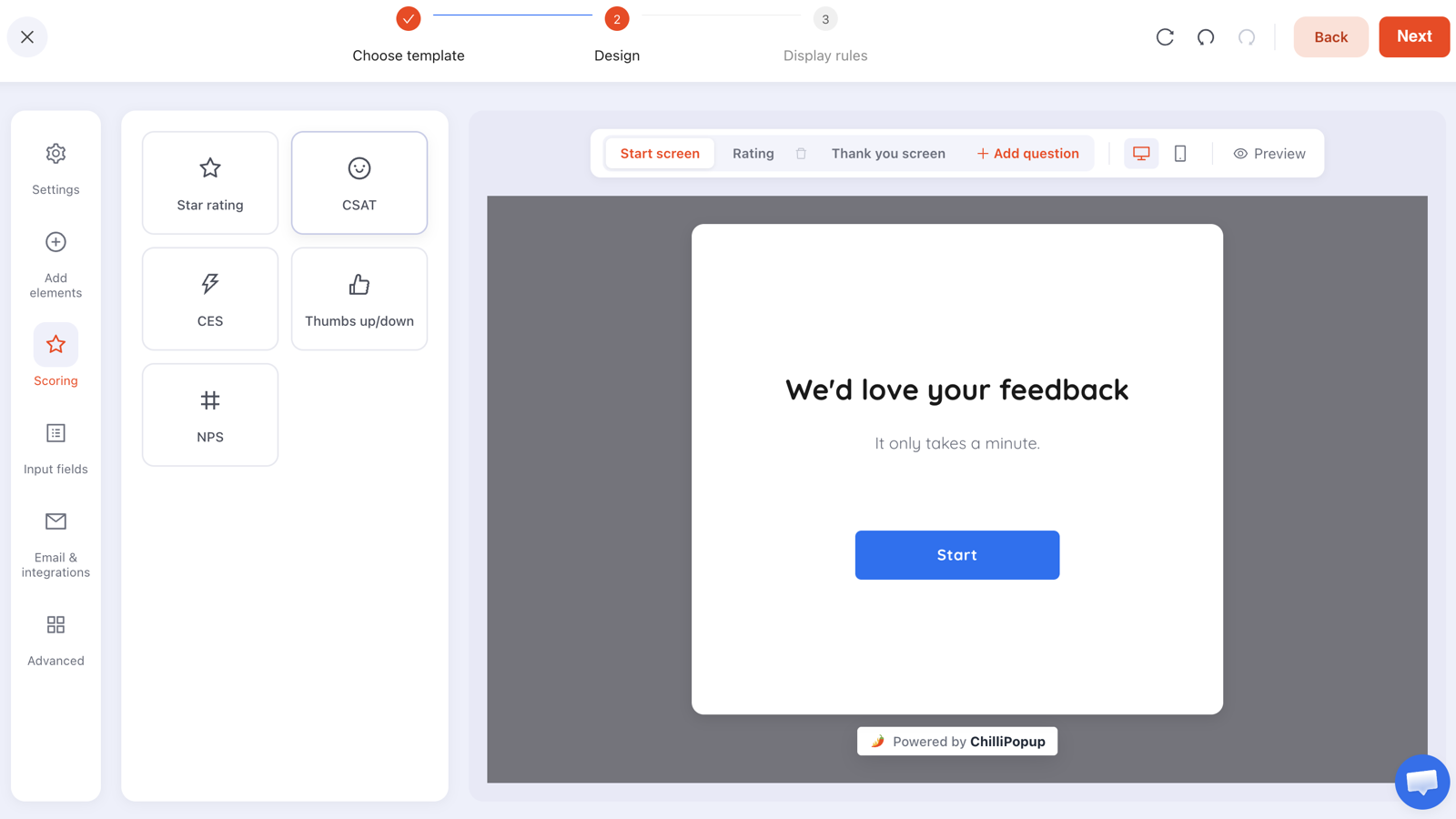
The ChilliPopup survey builder with the Scoring rail and a feedback start screen on the canvas
The survey builder with the Scoring rail (Star rating, CSAT, CES, Thumbs up/down, NPS) and a “We'd love your feedback” start screen on the canvas.
Why surveys

Measure the metrics that count

Track NPS loyalty, CSAT satisfaction, and CES effort with the same scoring standards your team already reports on. No spreadsheets, no guesswork.

Get answers people actually finish

Multi-step flows with an optional progress bar keep surveys short and moving, so more visitors reach the thank-you screen.

See the story in your scores

Per-question distributions and averages show you NPS, CSAT percentages, and promoter-versus-detractor splits at a glance.

Capabilities

Everything you need to run feedback on-site

Surveys are a multi-step content type that appears right on your pages, built and targeted like every other ChilliPopup widget.

  • Multi-step flow: a start screen, one or more questions, and a thank-you screen, with an optional progress bar
  • Five scoring types: Star rating (1-5), CSAT (1-5), CES (1-7), Thumbs up/down, and NPS (0-10)
  • Ready-made templates: start from CSAT, NPS, or CES and edit anything you want
  • Score analytics: per-question distributions and averages, plus NPS score, CSAT %, and promoter/detractor breakdowns
  • Same editor and targeting: the drag-and-drop builder, targeting rules, and one-pixel install you use for popups
Great for Post-purchase CSAT check Measure NPS loyalty Rate a support experience Spot friction with CES
AI generation

Describe your survey. AI builds it.

Name the thing you want to learn and AI drafts the whole multi-step survey: a start screen, the questions with the right rating widgets, and a thank-you screen.
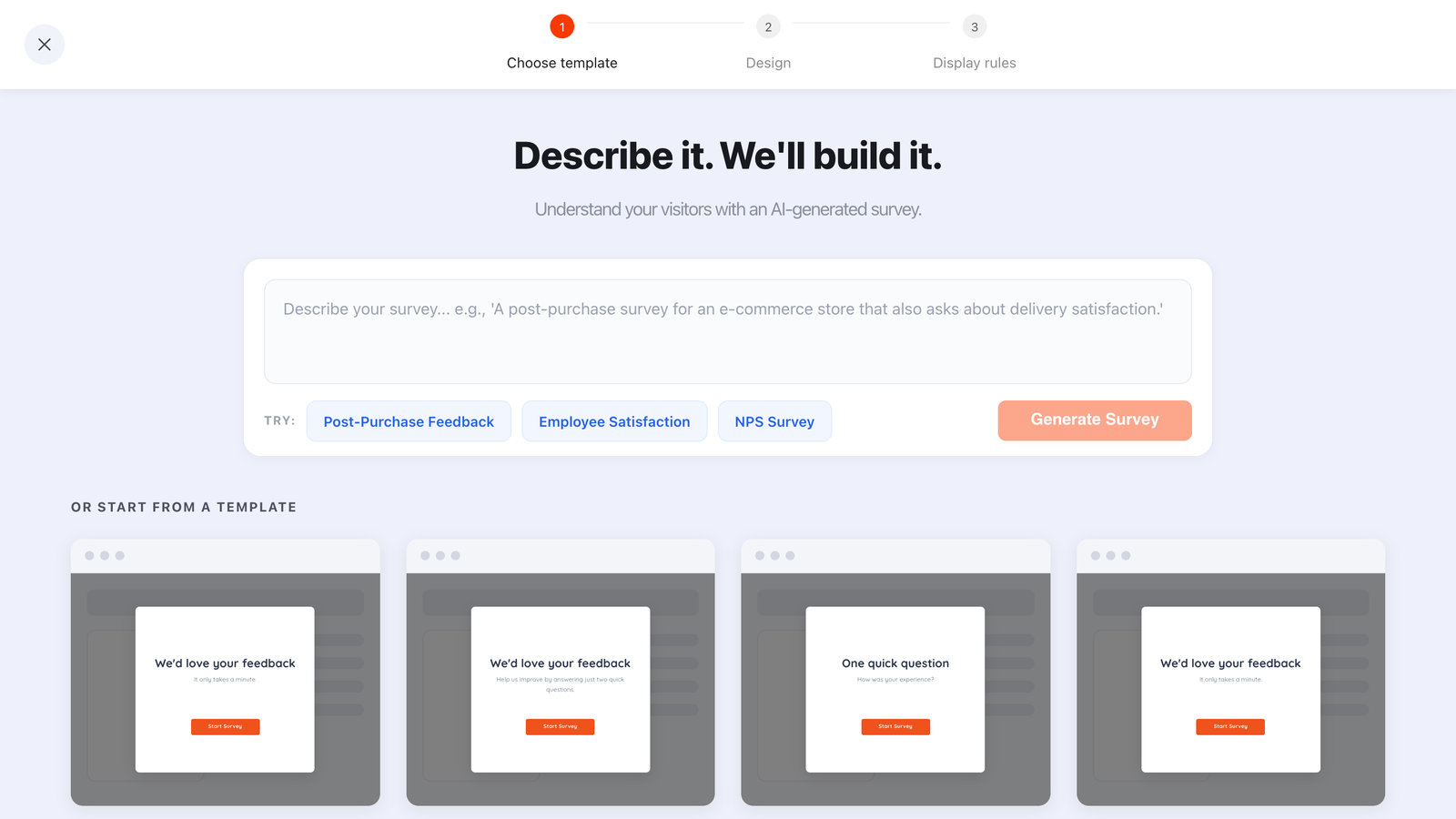
The ChilliPopup AI bar above the survey template gallery, with example briefs for post-purchase feedback, employee satisfaction and NPS
“A post-purchase survey for an e-commerce store that also asks about delivery satisfaction.” One sentence in, a full multi-step survey out.
  • Every step, in order: a start screen, one or more questions, and a thank-you screen
  • The right rating type: star, CSAT, CES, thumbs or NPS, chosen from what you asked about
  • Always a draft: it opens in the drag-and-drop editor; nothing publishes until you say so
  • Included on every plan: no add-on, just a fair-use daily limit per workspace

Find out what your visitors really think

Pick a template, drop in your questions, and set who sees it. Your first survey can be live today.