Lead Capture

Turn visitors into leads you can reach

Forms are a purpose-built way to collect email, name, phone and consent. Build one in the drag-and-drop editor, and it pops at the right moment on every page.
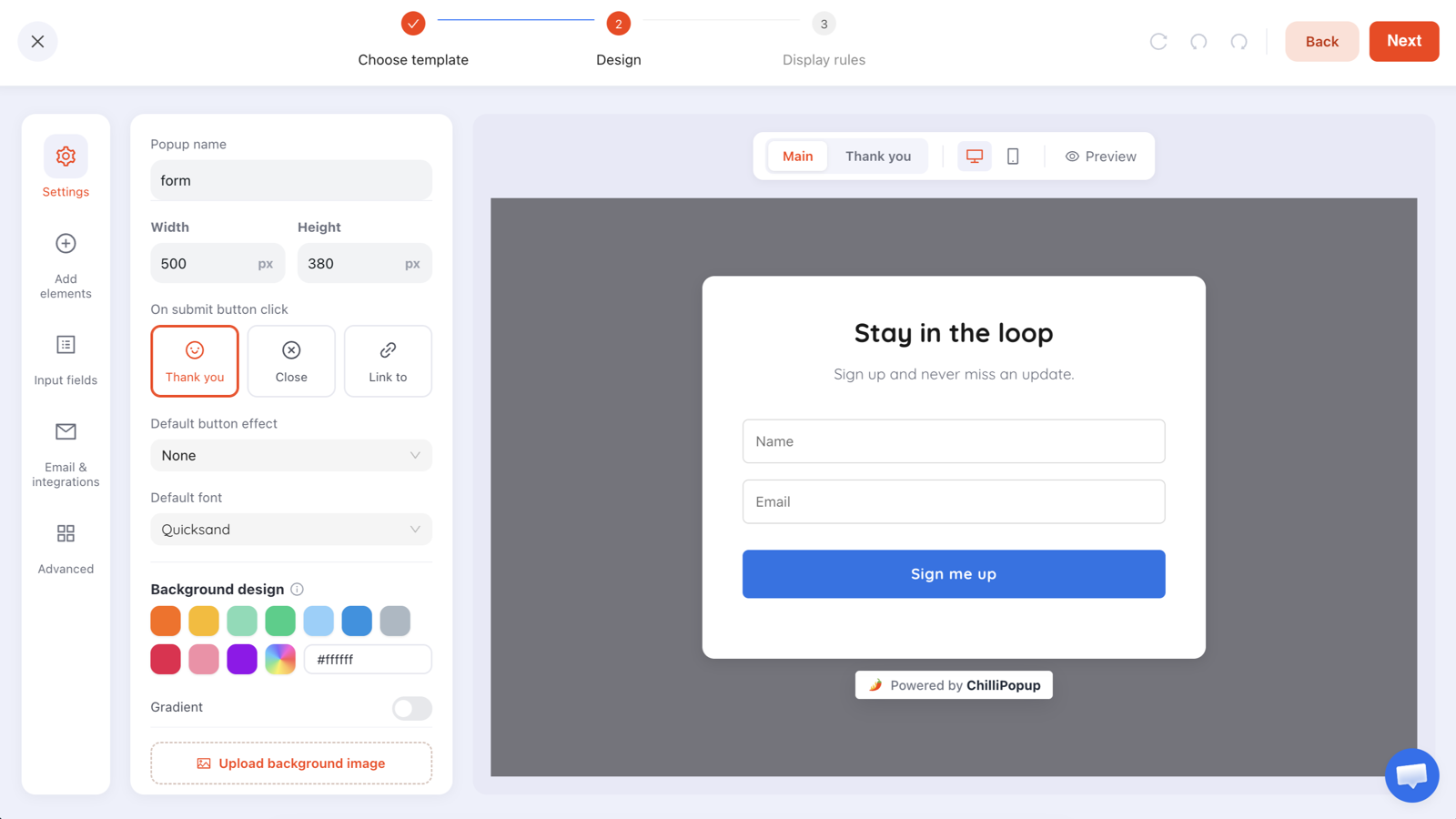
The ChilliPopup form builder with a Stay in the loop form on the canvas and the Input fields rail
The form builder with a “Stay in the loop” form on the canvas, and the Input fields and Settings rail on the left.
Why forms

Clean data, not typos

Email-format and business validation catch bad entries before they hit your list, so the leads you collect are ones you can actually contact.

Shown at the right moment

Forms fire on exit-intent, time on page or scroll depth, with frequency capping so the same visitor isn't asked twice.

Know what's working

Track Visitors, Views, Conversions and Conversion %, then open the collected-leads table to see exactly who signed up.

Capabilities

Everything you need to capture a lead

A dedicated form content type, built in the same editor as your popups and powered by the same single pixel.

  • Input-fields manager: collect email, name, phone and consent; add, reorder and mark fields required
  • Built-in validation: email-format and business checks keep your list clean, plus consent checkboxes for compliance
  • Triggered overlays: exit-intent, time and scroll rules with device and domain targeting, same as popups
  • Frequency capping: control how often a visitor sees a form so you never over-ask
  • Conversion analytics: Visitors, Views, Conversions and Conversion %, plus a collected-leads table you can inspect
Great for Grow your newsletter list Capture leads on exit-intent Collect phone numbers for SMS Gate a downloadable resource
AI generation

Describe your form. AI builds it.

Say what you need to collect and AI drafts the form around it: the right fields, labels and validation, styled to match, ready to edit.
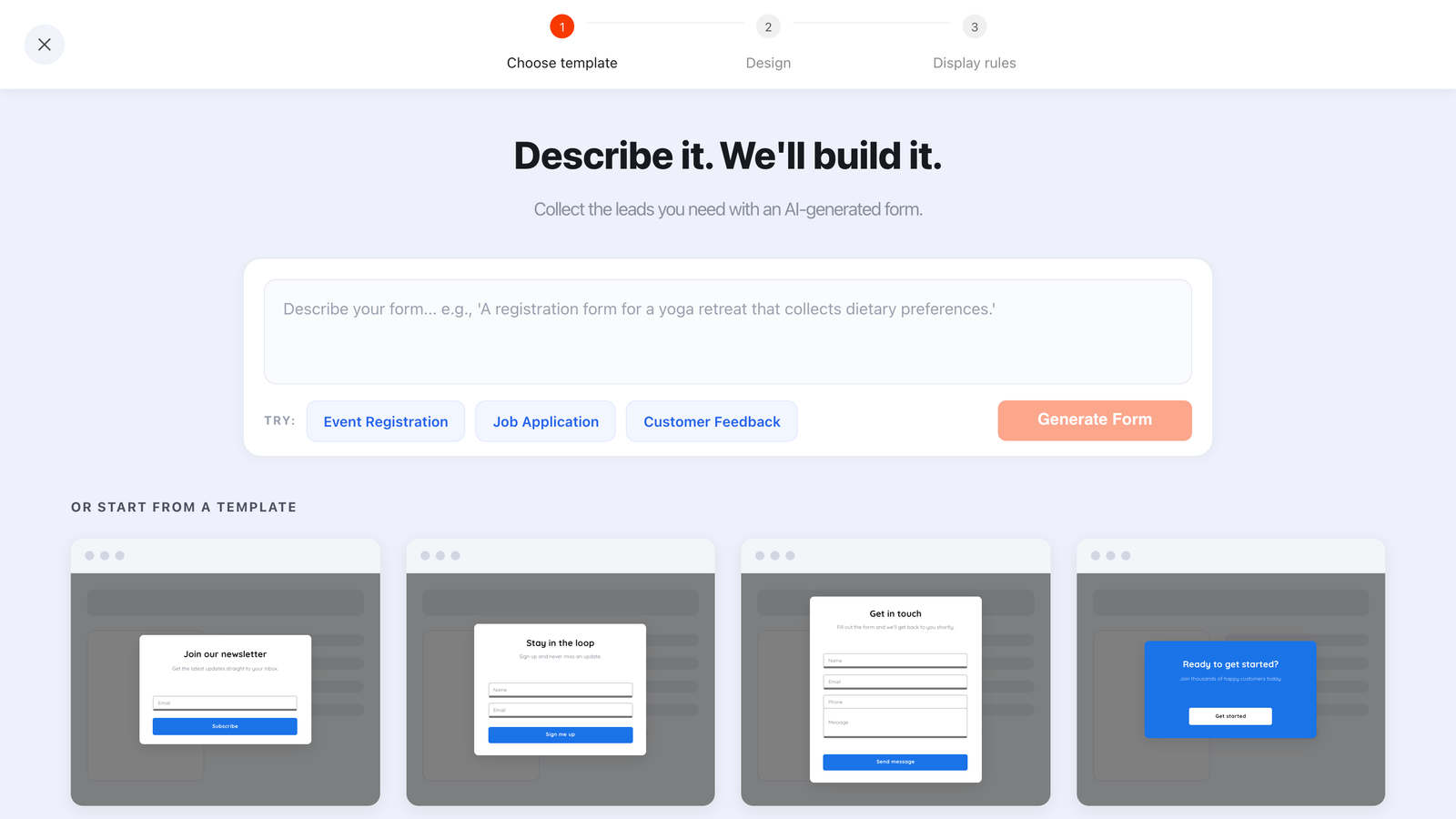
The ChilliPopup AI bar above the form template gallery, with example briefs for event registration, job application and customer feedback
“A registration form for a yoga retreat that collects dietary preferences.” That brief is the whole input.
  • The right fields, first time: name, email, phone, message and consent inputs, picked from what you described
  • Styled, not just structured: colours, fonts, spacing and button copy come back with it
  • Always a draft: it opens in the drag-and-drop editor; nothing publishes until you say so
  • Included on every plan: no add-on, just a fair-use daily limit per workspace

Start collecting leads today

Design your form, set the trigger, and go live with one pixel. No inline embeds to paste, and nothing extra to maintain.