Most popup advice is written for stores. Copy it onto a B2B site and you get a discount offer aimed at someone who has no budget authority, no urgency and no interest in your newsletter. B2B popups work — they just have to offer something different: the thing that makes the buyer's next internal meeting easier.
Below are twelve B2B popup examples grouped by buying stage, each with the page it belongs on, the trigger, sample copy you can adapt, the fields to ask for, and the display rules that keep it from becoming noise. At the end: the consumer tactics that don't transfer, and how to measure a campaign whose payoff arrives three months later.
Key Takeaways
- Offer usefulness, not urgency. Benchmarks, templates and calculators get forwarded to the buying committee. Discounts don't.
- One field on the first ask. A work email. Qualification questions belong on forms the buyer chose to open.
- Fire later than you would on a store — 50–70% scroll, or after two or three pages. B2B research sessions are long.
- Match the stage to the page. Blog visitors are researching; pricing-page visitors are evaluating. Those are different people.
- Measure pipeline, not signups. A popup that produces 40 leads and no meetings is a worse campaign than one producing 8 and three meetings.
Why B2B popups need a different playbook
Four structural differences change everything about what you should build:
- The buyer isn't spending their own money. Price sensitivity is replaced by risk sensitivity and internal-justification anxiety. "Save 10%" doesn't land; "here's the business case template" does.
- There are five to ten people involved. Your best asset is something forwardable — a document the champion can send to the people you'll never meet.
- The cycle is weeks to quarters. The point of capture isn't a fast conversion, it's staying present until the buying window opens.
- Volume is low and value is high. Forty extra newsletter subscribers is noise; one extra qualified meeting can be a quarter.
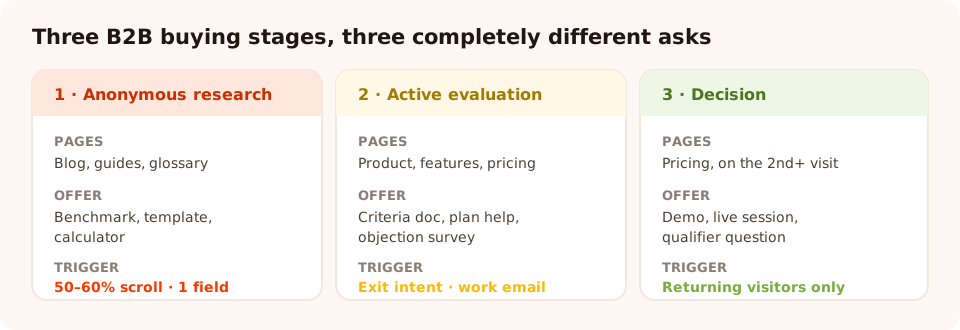
Match the stage to the page. A pricing-page visitor and a blog reader need completely different asks.
Stage 1 — Anonymous research (blog, guides, glossary)
This visitor doesn't know they have a vendor problem yet. They're reading. Every ask here should be a single field, and the offer should be worth more than a newsletter subscription.
1. The benchmark offer
Page: blog posts about metrics. Trigger: 60% scroll.
Ask: work email.
"How do your numbers compare? Get the industry benchmark report — average, median and top quartile
across 400 teams." Only run this if you actually have the data. Benchmarks are the most forwarded
B2B asset there is, because they make the reader look informed in a meeting.
2. The template or checklist
Page: how-to guides. Trigger: 50% scroll or exit intent.
Ask: email.
"Want this as a checklist? We'll send the one-page version you can share with your team." The
offer is the same content in a more usable shape — the highest-converting lead magnet on a how-to page,
because it requires zero new interest.
3. The calculator or self-assessment
Page: solution and category pages. Trigger: scroll, or inline in the
page. Ask: a few tappable choices, then email for the result.
A short quiz — "How mature is your process?
Five questions, one score." — does two jobs at once: the buyer gets a number they can quote
internally, and their answers segment them for you before a salesperson ever gets involved.
4. The subscribe-with-a-reason
Page: blog. Trigger: exit intent. Ask: email.
Not "join our newsletter". "One teardown a week: a real B2B funnel, what's working and what isn't.
No pitch." Specificity is the whole offer — say what arrives, how often, and what doesn't.
Don't block free email addresses at this stage. Business-email validation is right for demo requests and wrong for content offers — a genuine buyer researching at 10pm on a personal address is still a genuine buyer, and you can qualify them later.
Stage 2 — Active evaluation (product, features, pricing)
This visitor has a problem and is comparing options. They are the highest-value traffic on your site, and most B2B sites offer them nothing except a "Book a demo" button they've already decided not to click.
5. The pricing-page rescue
Page: pricing. Trigger: exit intent, or inactivity after ~25 seconds.
Ask: work email, business validation on.
"Not sure which plan fits? Tell us your team size and we'll send a straight answer — no call
required." The phrase "no call required" is doing most of the work: the reason people leave a
pricing page is fear of being pursued.
6. The comparison document
Page: product and feature pages. Trigger: 70% scroll.
Ask: work email.
"Building a shortlist? Get the evaluation criteria we'd use — including the questions to ask every
vendor." An honest criteria document positions you as the expert and reaches the whole committee.
Note: describe your own capabilities and let the buyer do the comparing — a document that attacks named
competitors tends to come back at you in the meeting you're not in.
7. The implementation-anxiety answer
Page: pricing, integrations, security. Trigger: exit intent.
Ask: email.
"Worried about migration? Here's exactly what week one looks like, hour by hour." For anything
replacing an incumbent system, implementation risk kills more deals than price does.
8. The objection survey
Page: pricing. Trigger: exit intent. Ask: one
question.
"Before you go — what's missing from this page?" with options like Price isn't clear ·
Not sure it fits our stack · Need approval · Just researching. Two weeks of this rewrites your
pricing page for you, using the buyers' own words. It's the highest-value thing on this entire list and
it asks for nothing.
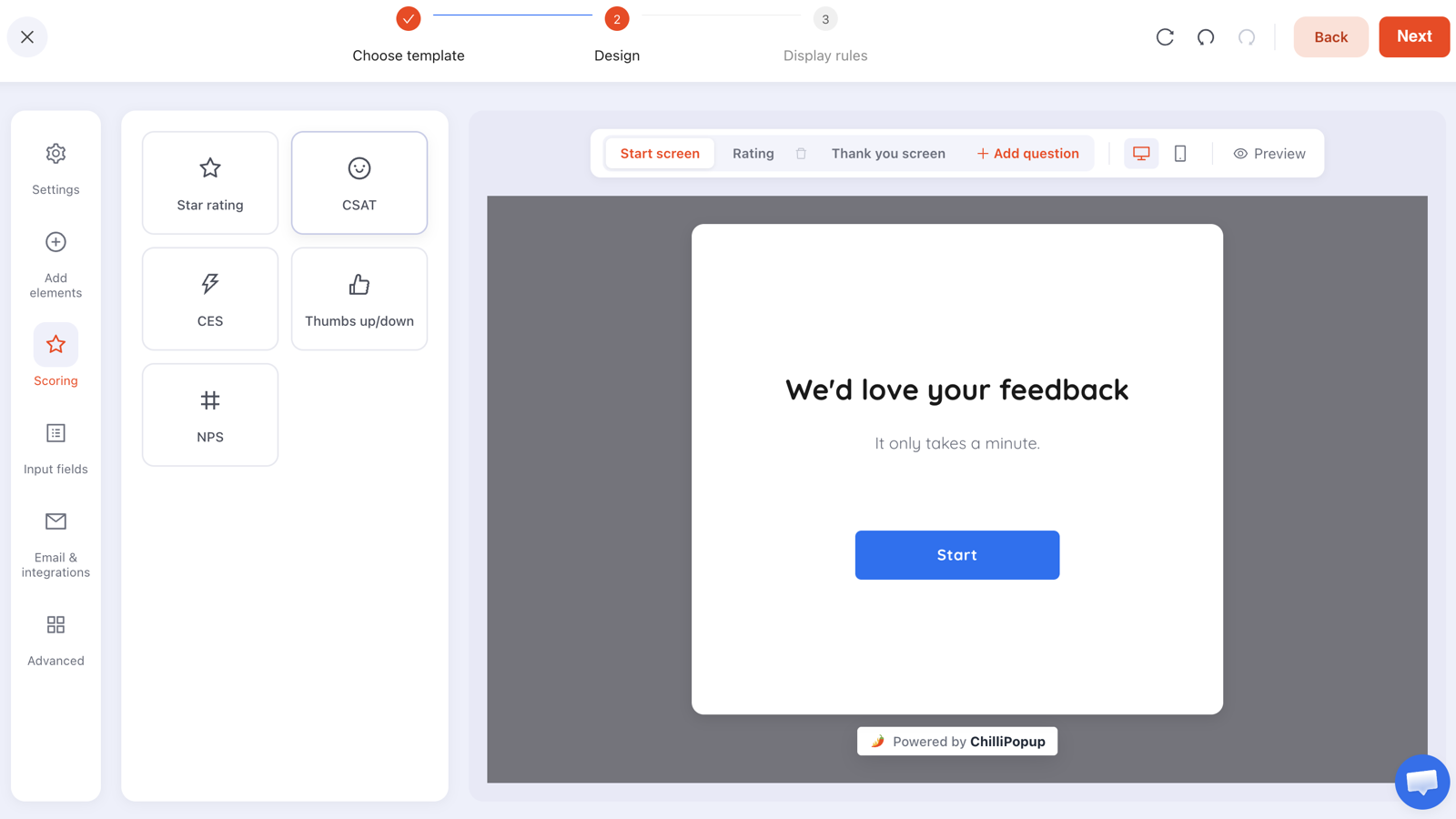
The cheapest B2B research there is: one question, on the page where deals stall, for two weeks.
Stage 3 — Decision and re-engagement
9. The returning-visitor demo prompt
Page: product and pricing. Trigger: exit intent, audience set to
returning visitors. Ask: email plus one qualifier.
"Third visit — want fifteen minutes with someone who's set this up for a team your size?"
Repeat visits to a pricing page are the strongest intent signal a B2B site produces, and almost nobody
acts on them.
10. The webinar or live session
Page: blog and resources. Trigger: 50% scroll, with a date window so
it retires itself. Ask: work email plus role.
"Live next Thursday: [specific problem], solved in 30 minutes. Recording sent to everyone who
registers." The recording promise is what converts the people who can't attend — which is most of
them.
11. The trial-nudge for logged-out visitors
Page: homepage, features. Trigger: page count after two pages.
Ask: email.
"Try it on your own data — free for 14 days, no card." Every objection you remove in the
sentence ("no card", "no call", "cancel anytime") measurably widens the top of the funnel.
12. The progressive qualifier
Page: anywhere, returning visitors only. Trigger: scroll.
Ask: one tappable question plus email.
"So we send the right things — what best describes you?" with options for Founder, Marketing,
Operations, Engineering. One tap, a clean value you can segment on, and no free-text mess. This is the
second rung of a progressive
profiling ladder — the way to get role and company size without putting them on the first ask.
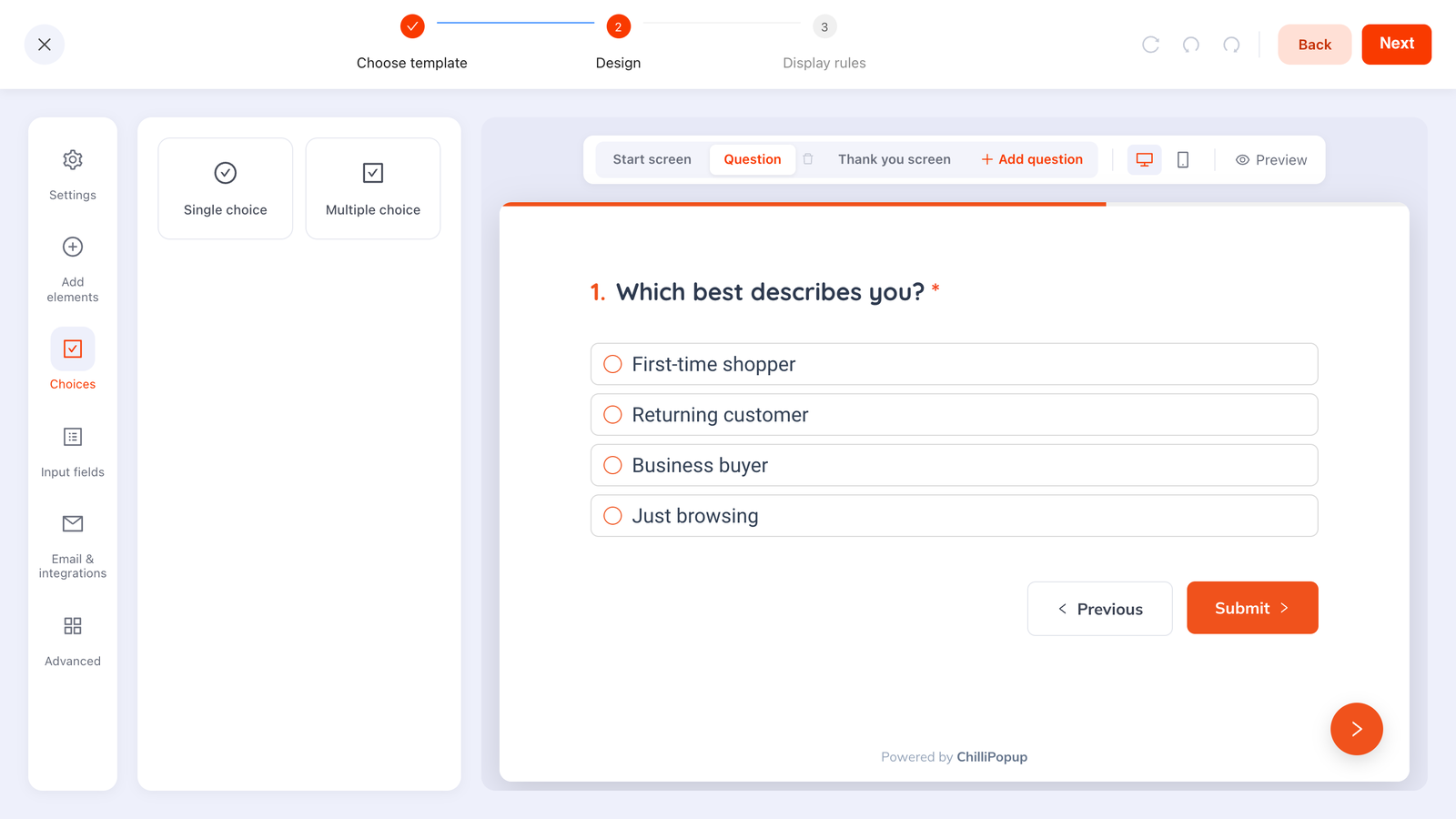
Tappable options return normalised values. Free-text "role" fields produce three spellings of the same job.
The rules behind each example
Every campaign above is the same builder with a different rule set. In ChilliPopup, each popup, form, survey and quiz carries its own display rules, and these are the ones that matter for B2B:
| Rule | B2B setting | Why |
|---|---|---|
| Trigger | 50–70% scroll, page count, exit intent, or inactivity | Research sessions are long. A timer fires while they're still reading paragraph two. |
| Page targeting | contains /blog/, /pricing, /product — different campaign per stage | Stage is a property of the page, not of the visitor |
| Audience | Returning visitors for demo prompts and qualifiers | Repeat visits are your strongest intent signal |
| Frequency | Once every 7 days, or once every N visits | A buyer researching for a month must not meet the same overlay daily |
| Show again after conversion | Off, always | Nothing says "we don't know who you are" like re-asking a known lead |
| Email validation | Business-only on demo and pricing forms; format-only on content | Clean high-intent leads without throttling top of funnel |
| Date window | On, for webinars and events | The campaign retires itself instead of promoting last month's session |
One more that's specifically useful in B2B: every campaign gives you a direct link that launches it on arrival. Put that link in a sales email or a LinkedIn message and the qualifier opens for the person you're actually trying to reach — no waiting for them to browse back to the right page.
Build the pricing-page survey first
Popups, inline forms, surveys and qualifier quizzes from one editor — with business-email validation and per-campaign rules. Free plan, no credit card required. Paid plans from $29/month.
Start free →Consumer tactics that don't transfer
- Discounts. The person reading your pricing page usually can't approve spend and isn't paying personally. A discount answers a question they didn't ask.
- Countdown timers. A fake deadline against a three-month buying cycle reads as desperation, and the buyer will still be there in March.
- Prize games. Excellent on a store, awkward on an enterprise security page — and in many organisations the recipient can't accept the prize anyway.
- Arrival popups. Worse in B2B than in retail, because you interrupted a professional doing research on work time.
- Big personal-detail asks. Phone number on a cold popup is the fastest way to collect ten fake numbers and no meetings.
- Aggressive social proof. "142 people signed up today" isn't credible for a product with a quarterly sales cycle. Named logos and a real case study are.
How to measure a B2B popup
The hard part of B2B measurement is that the payoff arrives long after the campaign. So measure in two layers.
Layer 1 — the campaign itself, weekly. Each campaign reports its own opens, unique views, clicks, submissions and conversion rate, plus a breakdown of the values collected per field. This tells you whether the offer is landing, and nothing more.
Layer 2 — what happened next, monthly. Tag the source when you move addresses into your email or CRM tool, then track: how many became meetings, how many meetings became opportunities, and what those opportunities are worth. A campaign producing 40 leads and no meetings is losing to one producing 8 leads and three meetings, every time.
The B2B-specific check: read the collected email addresses. If your "enterprise benchmark" offer is being claimed entirely by students and consultants, the offer is fine but the traffic is wrong — and no amount of popup tuning fixes that.

Layer one, weekly. The number that decides whether the campaign survives is the meeting count, and that arrives later.
A starting set: the four campaigns to run first
- The pricing-page objection survey. Exit intent, one question, two weeks. Asks for nothing and rewrites your pricing page.
- One content offer on the blog. The checklist or template version of your best post, at 50–60% scroll, email only.
- The pricing-page rescue. Exit intent on pricing, business-email validation on, "no call required" in the copy.
- The returning-visitor demo prompt. Audience set to returning, exit intent, frequency once every seven days.
Four campaigns, one afternoon, and they don't compete with each other because each is page-targeted to a different stage. Add the qualifier quiz once the first four have a month of data behind them.
Related reading
Frequently asked questions
Do popups work for B2B websites?
Yes, but the offer has to change. B2B buyers are researching on behalf of an organisation, often over weeks, so discounts and urgency have little effect. What works is anything that makes their internal job easier — a benchmark, a template, a calculator, a comparison document, or a straight answer about pricing and implementation.
What should a B2B popup ask for?
One field in the first ask: a work email. Everything else — company size, role, budget, timeline — belongs on a later ask or on a form the buyer chose to open, such as a demo request. Every extra field on a cold popup costs you leads without meaningfully improving qualification.
Should B2B popups block free email addresses?
On high-intent forms, yes. Business-email validation rejects free providers on submit, which keeps demo requests clean. On top-of-funnel content offers, be careful — plenty of genuine buyers use a personal address for research, and blocking them costs you leads you would have qualified later anyway.
When should a B2B popup fire?
Later than a consumer one. B2B pages are long and research-heavy, so a scroll percentage of 50 to 70 percent, a page-count trigger after two or three pages, or exit intent all outperform a timer. Firing on arrival interrupts someone in the middle of doing exactly what you want them to do.
What is the best offer for a B2B popup?
The one that helps the buyer look competent internally. Benchmarks, checklists, templates, calculators, sample reports and implementation guides all beat a generic newsletter, because they get forwarded to the rest of the buying committee — which is how a single email address becomes a deal.
How many popups should a B2B site run at once?
Three to five is plenty: one content offer on the blog, one demo or contact prompt on the product and pricing pages, one exit-intent campaign, and optionally a returning-visitor qualifier. More than that and they start competing with each other for the same visitor.