Mother's Day shopping is done by people who are uncertain, late, or both. They don't know what to buy, they're worried it won't arrive, and they're browsing a store they may never have used before. A good Mother's Day popup removes one of those three problems — which is why a gift-finder quiz or a delivery countdown outperforms yet another 15%-off banner.
Below: nine campaigns, the four-week timeline they slot into, the copy for each, and the scheduling rules that make them retire themselves.
Key Takeaways
- Sell certainty, not discount. “Arrives before Sunday” beats 10% off for a gift buyer.
- Start four weeks out by building the list, not by discounting.
- A gift-finder quiz is the highest-value campaign — it solves the real problem, which is indecision.
- Schedule a date window so every campaign switches itself off; a live shipping countdown after the cut-off costs you orders.
- Offer an opt-out. Mother's Day is genuinely painful for some people — and one line of copy handles it.
What makes Mother's Day different from a normal sale
Three things, and each one changes the popup you should run:
- The buyer isn't the user. Someone is shopping for a person whose size, taste and preferences they only half know. Confidence is the product.
- There's a hard deadline. After the day, the sale is worthless. That makes delivery dates and cut-offs more persuasive than any percentage.
- The traffic is unfamiliar. Lots of first-time visitors sent by search or social, with no relationship to your brand and no idea whether you're reliable.
So the winning Mother's Day popup usually answers “what should I buy?” or “will it get there?” — not “do you want 10% off?”
The four-week Mother's Day popup timeline
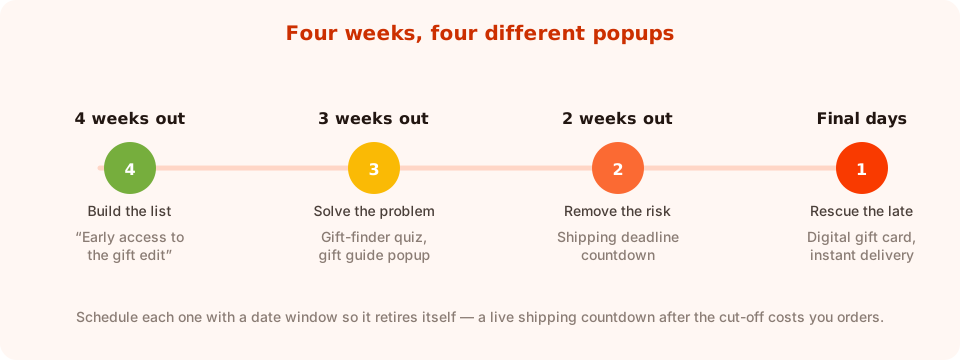
Each phase has a different job. Running the discount popup for all four weeks wastes the first three.
| Phase | Job | Popup | Trigger & rules |
|---|---|---|---|
| 4 weeks out | Build the list | Early-access signup | Scroll 50%, all pages, date window opens now |
| 3 weeks out | Solve indecision | Gift-finder quiz | Time delay on collection pages |
| 2 weeks out | Remove delivery risk | Shipping-deadline countdown | Product pages, date window ends at cut-off |
| Final days | Rescue the late | Digital gift card | Exit intent, date window covers the last 72 hours |
The scheduling rule matters more than usual here. Advanced targeting lets you give a campaign a start and end date with a GMT offset, and a weekday-and-hour schedule on top — so the countdown popup can expire at your shipping cut-off without anyone remembering to switch it off at 11pm on a Thursday.
Nine Mother's Day popup ideas
1. The early-access gift list
Four weeks out, before anyone is ready to buy. “Mother's Day edit drops Monday — subscribers see it first.” One email field, button Send me the edit. You're building an audience for the campaigns that follow, at zero margin cost.
2. The gift-finder quiz
The single most useful thing you can run, because indecision is the actual obstacle. Three questions — who it's for, budget band, her style — ending in a recommendation and a link to the matching collection.
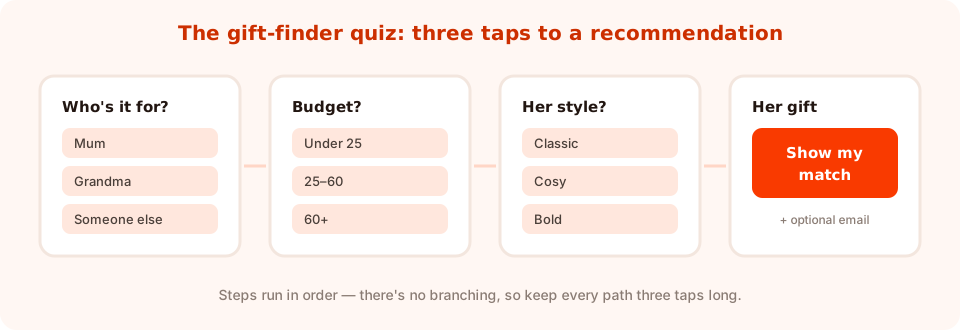
Three taps, one recommendation. Add the email field at the end, and make it optional.
Two design notes. Steps run in order with no branching, so keep every path the same short length rather than trying to build a decision tree. And put the email field on the result screen as optional — the recommendation is the reward, not the bait. There's a full build in the product recommendation quiz guide.
3. The shipping-deadline countdown
The highest-urgency campaign you can run, and completely honest, because the deadline is real.
“Order in 06:14:22 for guaranteed Mother's Day delivery.” Use a timer block counting down to your actual cut-off, page-targeted to product pages, with a date window that ends when the cut-off does. There's more on timer mechanics in the countdown timer popups guide.
4. The last-minute gift card
Once physical delivery is impossible, switch the message rather than losing the sale. “Too late to post? A digital gift card arrives in her inbox in seconds.” Exit intent, final 72 hours, button links straight to the gift-card product.
5. The gift-wrap and personal-message upsell
Cart or checkout page. “Add a handwritten card and gift wrap for £3?” High margin, genuinely useful for a gift buyer, and a small increase in order value across a busy fortnight. More patterns in upsell and cross-sell popups.
6. The “shopping for someone else?” segmenter
A one-question popup on collection pages: “Shopping for Mum, Grandma, or a new mum?” Three taps, three different collections. It routes them instantly and it tells you which audience your seasonal traffic actually contains.
7. The spin-to-win gift bonus
For stores whose brand suits it, a spin wheel with gift-flavoured prizes — free gift wrap, a free card, express shipping, a small discount. The email is collected on the claim screen after the visitor has won, which is a much warmer moment than asking cold. The outcome is decided server-side, so it can't be rigged from the browser.
8. The exit-intent delivery reassurance
Someone about to leave a product page in gift season is usually worried about timing, not price. “Wait — order today and it arrives Thursday.” No discount at all, just the answer to the question they were actually asking.
9. The post-purchase preference question
On the confirmation page, one question: “Want a reminder next year?” A yes and an email gives you the single best-timed campaign in your calendar — a reminder to a customer who has already proved they buy for this occasion.
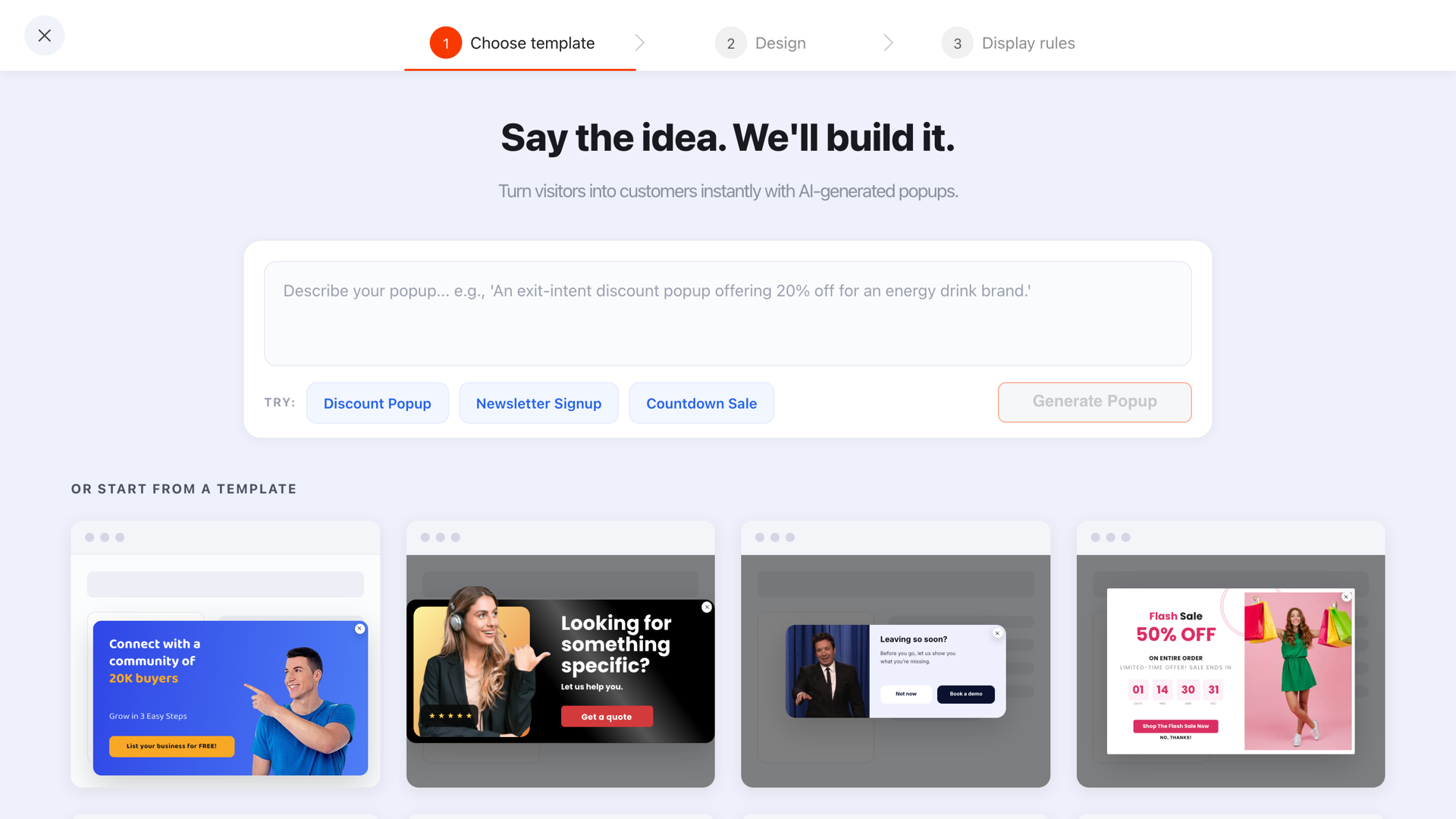
Start from a template and restyle it, or describe the seasonal popup you want and edit what comes back.
Copy that works for gift buyers
Gift-season copy has one job: make the buyer feel like they won't get it wrong.
| Generic sale copy | Gift-buyer copy | What changed |
|---|---|---|
| 15% off everything | Stuck for ideas? Three taps and we'll pick. | Solves indecision instead of price |
| Shop the sale | Order by Thursday, arrives before Sunday | Removes the delivery worry |
| Limited time only | Last posting day: Thursday 5pm | Real deadline, not manufactured urgency |
| Perfect gifts for Mum | Gifts under £30 she'll actually use | Budget and usefulness, the two real filters |
| Don't miss out | Free handwritten card with every order | Adds a gift-specific benefit |
Offer a way out. Mother's Day is a painful date for people who have lost a mother, who wanted to be one, or who are estranged. Many brands now give subscribers a chance to opt out of the campaign — and a popup is a good place to offer it: “We'll be sending Mother's Day emails this month. Prefer to skip them?” with a single button. It costs you almost nothing and it is remembered.
The rules that keep a seasonal campaign clean
Seasonal popups go wrong in predictable ways — usually by outliving their own deadline. Four settings prevent it:
- A date window on every campaign. Start and end dates with a GMT offset, so the countdown expires with the cut-off and the early-access popup stops once the edit has launched.
- Page targeting per phase. Gift quiz on collection pages, countdown on product pages, upsell on the cart. Rules can match on contains, starts with, ends with, is exactly, is not, or does not contain.
- A frequency cap. Seasonal traffic browses hard — without a cooldown the same visitor meets the same popup a dozen times in one session.
- Show again after conversion: off. Anyone who already took the gift quiz or joined the list shouldn't be asked twice in a fortnight.
One more: only one campaign should be able to fire on a given page at a given time. If the quiz and the countdown both qualify on a product page, decide which wins and page-target the other away.
A worked example: a small gift and homeware store
Four campaigns, built in an afternoon, each with its own date window.
Weeks 4–3. Corner slide-in, 50% scroll, all pages: “The Mother's Day edit lands Monday — subscribers get first pick.” One email field, button Send me the edit.
Weeks 3–2. Centered quiz, 15-second delay on collection pages: “Not sure what to get her?” Three questions, result screen linking to the matching collection, optional email field.
Weeks 2–1. Bottom bar on product pages with a live timer to the posting deadline: “Order in 1d 06:14 for Mother's Day delivery.” Date window ends at the cut-off.
Final 72 hours. Exit intent, all pages: “Too late to post — but a digital gift card arrives instantly.” Button links to the gift card.
Only one of the four discounts anything. The other three sell certainty, and that's what a gift buyer is short of.
What to measure — and what to write down for next year
Seasonal campaigns run once a year, so the reporting job is as much documentation as optimisation.
- Conversion rate per phase. Compare the quiz, the countdown and the gift card to each other — that ranking tells you where to invest next year.
- Quiz answers. The collected-fields breakdown shows the top values per question: which budget band dominates, who people are shopping for. That's merchandising information.
- Drop-off on the quiz. If one question loses everyone, delete it next year.
- Views by day. When the season actually started for your store, which is rarely when you assumed.
Then write a one-page note: which popups ran, what the cut-off date was, what converted. Next year it's a forty-minute job instead of a rebuild. The seasonal popup calendar is a good place to keep it.
Six Mother's Day popup mistakes
- Running a shipping countdown past the cut-off. You promise delivery you can't make — the worst possible way to acquire a first-time customer.
- Discounting from day one. Four weeks of 15% off trains people to wait, and you lose margin on orders that would have happened anyway.
- Only offering a percentage. The gift buyer's problem is confidence, not price.
- Assuming the recipient. Not every Mother's Day gift is for a mother. One “who's it for?” question avoids a lot of clumsy copy.
- No opt-out. A single line offering to skip the campaign costs nothing and matters to the people it matters to.
- Leaving the popups live in May. Set the date window when you build it, not when you remember.
Build your Mother's Day popups in ChilliPopup
An afternoon for all four. If the pixel isn't installed yet, the install guide takes one line — and there are walkthroughs for Shopify and WordPress.
1. Fix your dates first
Write down the date of Mother's Day in your market — it differs by country — and your real last posting day. Every campaign's date window comes from those two numbers.
2. Launch the early-access popup four weeks out
One email field, 50% scroll, all pages, with a date window that closes when the edit goes live.
3. Build the gift-finder quiz
Three questions with tappable options, a result screen linking to the matching collection, and an optional email field at the end. Page-target your collection URLs.
4. Schedule the countdown to expire at the cut-off
A timer block counting to the posting deadline, page-targeted to product pages, with the date window ending at the cut-off so it can't outlive the promise.
5. Queue the gift-card rescue for the last 72 hours
Exit intent, date-windowed to the final three days, linking to your digital gift card. Then write the one-page note for next year.
Get your Mother's Day campaign live this week
Build popups, quizzes, countdowns and games from one editor, and schedule each one to retire itself. Free plan, no credit card required. Paid plans from $29/month.
Start free →Related reading
Frequently asked questions
What is the best Mother's Day popup for an online store?
A gift-finder quiz, because indecision rather than price is what stops most Mother's Day shoppers. Three tappable questions — who it is for, the budget band and her style — ending in a recommendation and a link to the matching collection.
When should Mother's Day popups start?
About four weeks before the date, and the first campaign should build a list rather than discount. Move to a gift-finder quiz around three weeks out, a shipping-deadline countdown two weeks out, and a digital gift card in the final 72 hours.
Should Mother's Day popups offer a discount?
Only for one phase. Gift buyers are short of confidence, not money, so delivery guarantees, gift-finder help, free gift wrap and handwritten cards usually convert better than a percentage — and they protect your margin during a season that would have sold anyway.
How do I stop a seasonal popup running after the deadline?
Give the campaign a date window with a start and end date and a GMT offset when you build it, so it retires itself. This matters most for a shipping countdown, which promises delivery you cannot make once the cut-off has passed.
Should I let people opt out of Mother's Day marketing?
Yes. The date is genuinely painful for some people, and a single popup asking whether they would prefer to skip this month's Mother's Day emails costs almost nothing and is well received. Give it one button and honour the choice.
Is Mother's Day on the same date everywhere?
No — it falls on different dates in different countries, so check the date for each market you ship to before scheduling anything. Your campaign's date window and your posting cut-off both depend on it.