Adding a Drupal popup is not hard. What makes it feel hard is that Drupal offers half a dozen legitimate places to put a script, caches everything aggressively, and shows you a different page when you are logged in — so the first attempt very often looks like it failed when it did not.
This guide covers the three routes worth using, which suits which kind of Drupal site, how to get past the caching layer while testing, how to target Drupal's paths, and what to run once the pixel is live.
Key Takeaways
- Deployed sites: put it in the theme. Admin-managed sites: use an asset-injector module.
- Flush the caches after adding the script, and purge any CDN in front of the site.
- Always test logged out. An authenticated page is not the page your visitors get.
- Exclude admin paths so the script never loads behind the login.
- Do the routing in the campaign, not in Drupal — then a rule change never needs a deployment.
Three ways to add the script
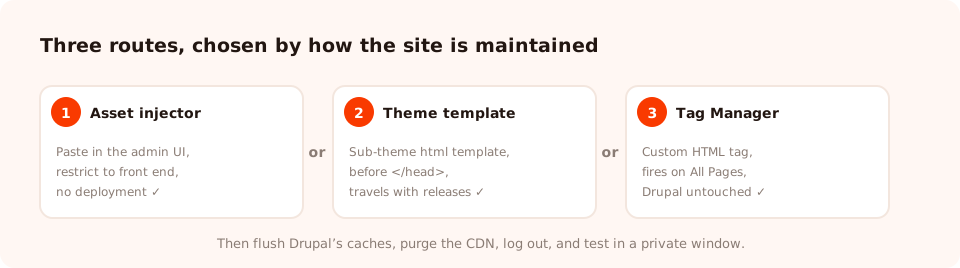
All three put the same one line on every front-end page. Choose by how your site is maintained, not by which is technically nicest.
| Route | Who it suits | Needs a deployment to change? | Trade-off |
|---|---|---|---|
| Asset injector module | Sites maintained through the admin UI | No | One more contributed module to keep updated |
| Theme template | Sites deployed from version control | Yes | Marketing cannot change it without a developer |
| Google Tag Manager | Sites already running Tag Manager | No | Another layer between the site and the tag |
Route 1 — the theme template
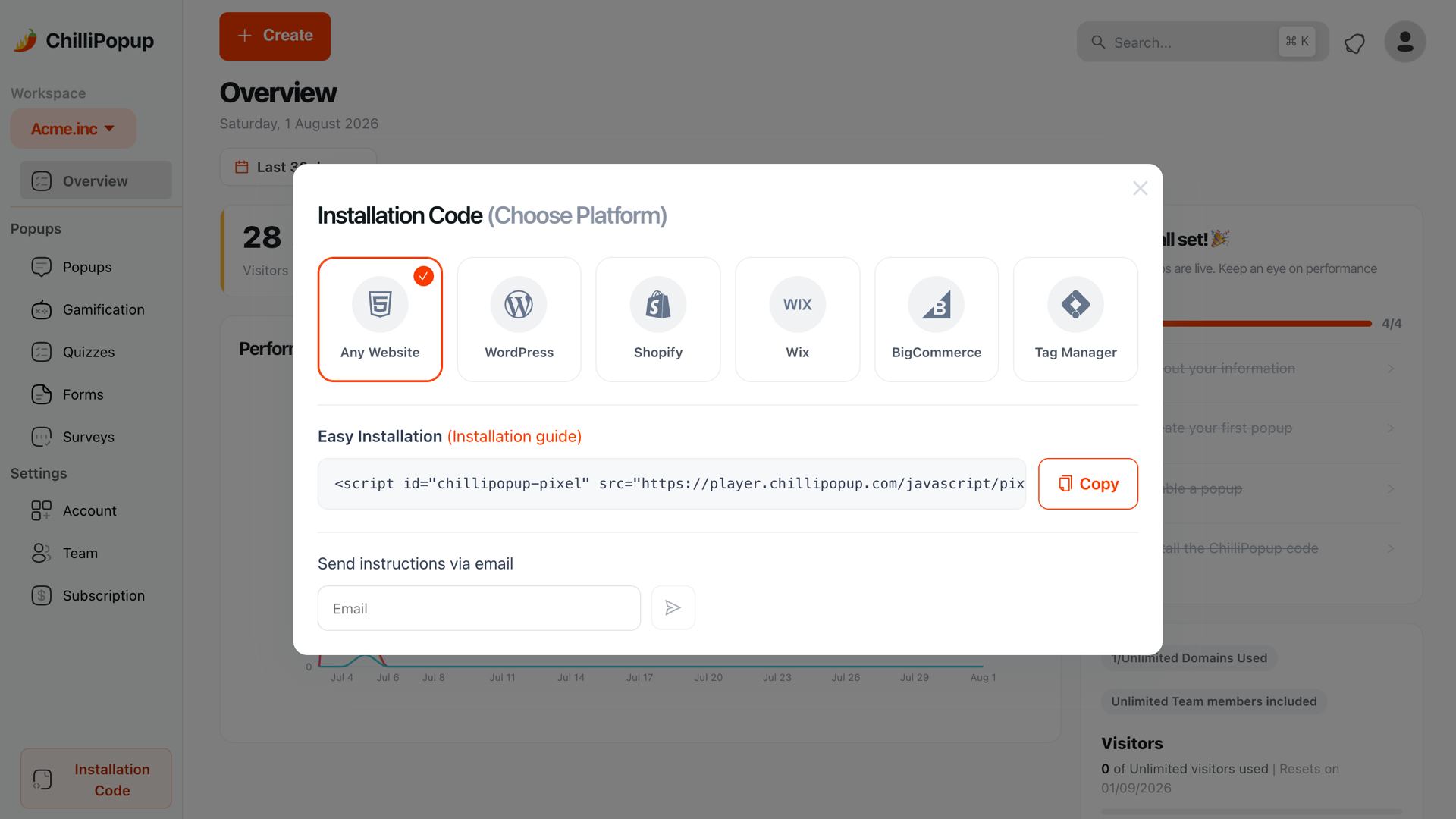
In ChilliPopup, open Installation Code and choose Any Website. Copy the snippet — it already contains your workspace id.
In your sub-theme, open the template that renders the document and its head. Paste the snippet immediately before the closing head tag. Never edit a contributed base theme directly — the next update will overwrite it.
Deploy, flush the caches, and open the site in a private window while logged out.
<script id="chillipopup-pixel"
  src="https://player.chillipopup.com/javascript/pixel.js?id=YOUR_WORKSPACE_ID"
  data-api="https://api.chillipopup.com"
  async="true"></script>
</head>
Route 2 — an asset injector module
If the site is run by editors rather than developers, a contributed asset-injector module is the kinder option: it gives you a form in the admin UI where you paste the JavaScript, choose which paths it applies to, and save. No deployment, and the snippet is visible to whoever inherits the site. Restrict it to the front end and exclude the admin paths, then rebuild the cache.
Route 3 — Google Tag Manager
If Tag Manager is already on the site, add the pixel as a Custom HTML tag firing on All Pages and change nothing in Drupal at all. See the Tag Manager install guide.
The two-minute debugging checklist. Nothing showing? In order: flush Drupal's caches, purge the CDN or reverse proxy, log out, open a private window, and view source on a front-end page to confirm the script tag is actually in the HTML. Almost every Drupal installation problem is one of those five, and it is nearly always the first two.
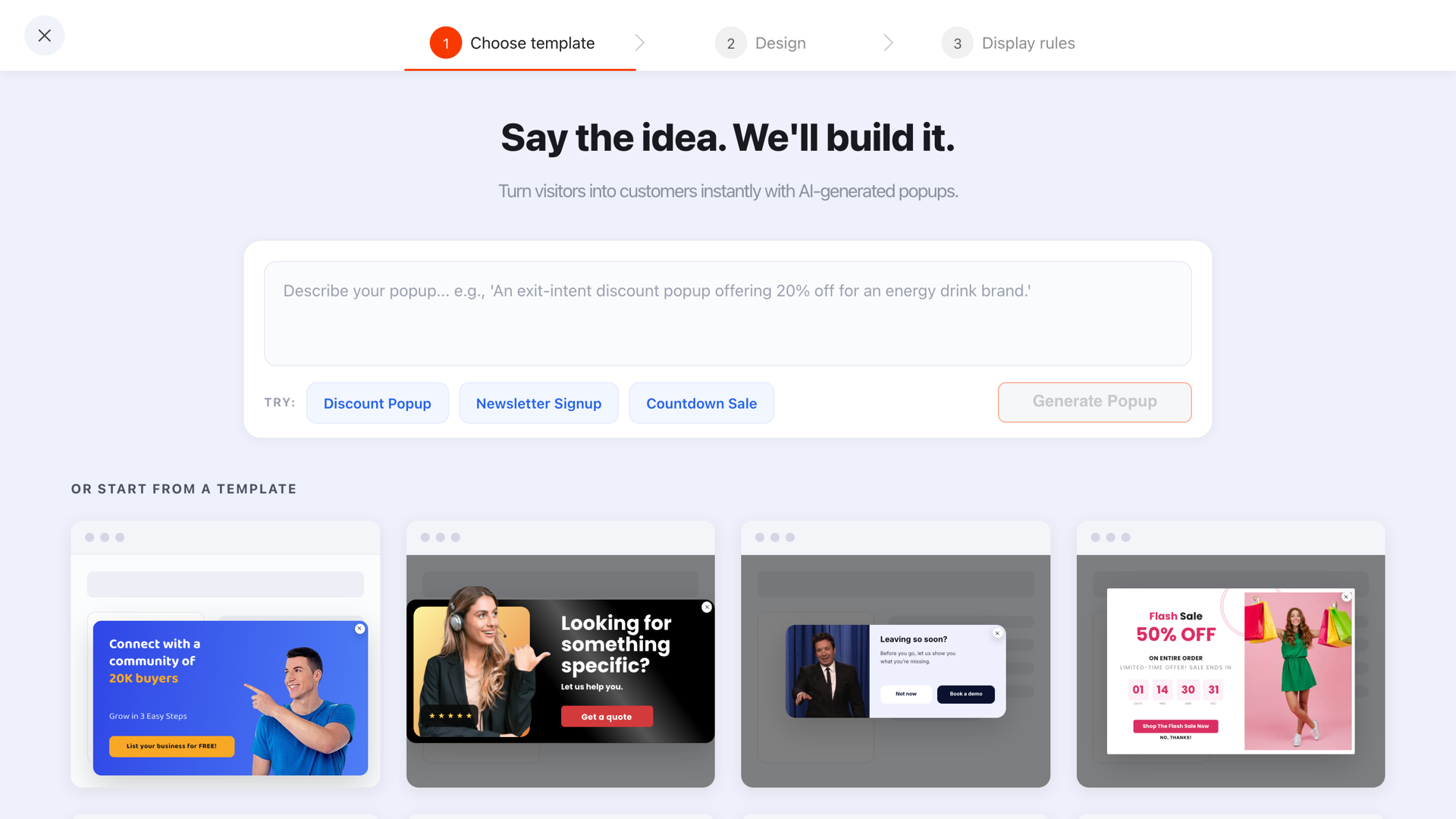
Once the script is on the site, nothing else touches Drupal — templates, editing and publishing all happen outside it.
Targeting Drupal URLs
Drupal sites almost always use path aliases, so target the aliases your visitors see rather than the internal node paths. Both work, but the alias is what appears in the address bar and in your analytics.
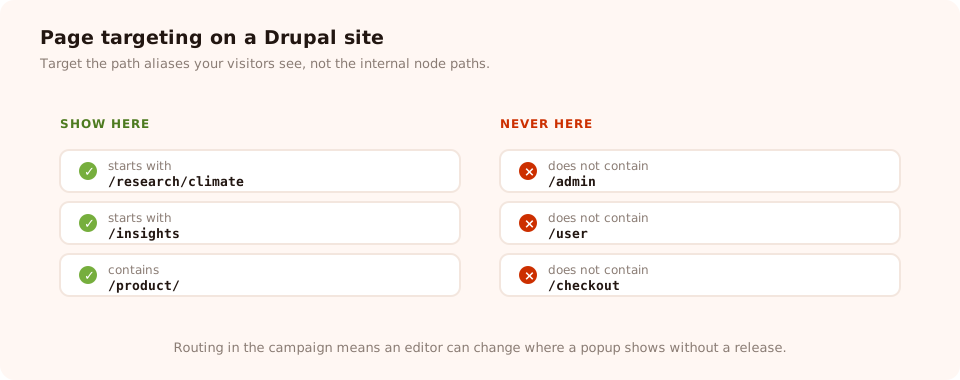
Target the path aliases, and always exclude the admin and user paths.
| Goal | Condition | Value |
|---|---|---|
| A whole content section | starts with | /insights |
| One landing page | is exactly | the full alias URL |
| Commerce product pages | contains | /product/ |
| Never in the admin | does not contain | /admin |
| Never on user pages | does not contain | /user |
| Never during checkout | does not contain | /checkout |
You can restrict which pages load the script in Drupal itself and where the popup appears in the campaign. Doing the routing in the campaign is the better default on a Drupal site: it means an editor can change where a popup shows without raising a ticket, and without a release.
Six campaigns worth running on a Drupal site
Drupal tends to run larger, content-heavy sites — universities, government, non-profits, publishers, healthcare, and a fair amount of commerce. These fit that profile.
- The section-specific newsletter. Not one site-wide list. A research site with five topic sections should have five campaigns, each targeted at its section and each feeding a different segment. That single change usually doubles the signup rate.
- The document download. A report, a prospectus, a whitepaper, in exchange for a short form.
- The event registration bar. A slim bar with a date window so it removes itself the day after the event.
- The page-level CSAT question. "Was this page useful?" on documentation and guidance. Public-sector sites are measured on this constantly, and one rating plus one comment is enough.
- The donation nudge for non-profits: targeted at people who have read two or three pages, never at first-time arrivals, and never on a page where someone is already giving.
- The commerce cart save. Exit intent on the cart, answering the real objection — delivery time, shipping cost, returns.
Segment by section, not by site. The biggest available win on a large Drupal site is simply not asking everyone to join the same list. Page targeting makes one campaign per section trivial, and the relevance does the rest.
A worked example: a university research site
The situation. A faculty site on Drupal with heavy organic traffic to individual research articles, and a single "subscribe to our newsletter" link in the footer that nobody clicks.
Campaign 1 — climate section. Page targeting starts with /research/climate, 60% scroll, new and returning visitors, once every 30 days.
"Climate research, summarised monthly. No jargon, no filler."
Campaign 2 — health section. The same popup, duplicated, targeted at /research/health, with its own wording and its own list.
Campaign 3 — was this useful. A one-question thumbs rating on all guidance pages, 30-second delay, once per visitor per 90 days. Followed by one optional comment box.
Three campaigns, no deployment between them, and the two newsletter campaigns can be compared directly because each reports its own views and conversion rate.
Copy that works on a content-heavy site
Drupal sites usually sell expertise rather than products, and the visitor arrived from a search result looking for one specific answer. That changes what a popup can credibly ask for.
| Where | Headline | Button | Why it works |
|---|---|---|---|
| Long research or guidance article | "One email a month, on this topic only." | Send it to me | Narrow scope and a stated frequency beat "subscribe to updates" |
| Report or publication page | "Want the full 40-page version as a PDF?" | Email me the PDF | A concrete artefact, and the reason for the email is obvious |
| Non-profit programme page | "You've read three pages. Want to know what your £10 does?" | Show me | Earned by behaviour, and asks for attention before money |
| Documentation | "Did this answer your question?" | 👍 / 👎 | One tap, and the comment box only appears after a no |
Two things to avoid on this kind of site: urgency that is not real, and asking for a donation or an enquiry before the visitor has read anything. Trigger on scroll depth or page count so the ask always follows something delivered. Our popup copywriting guide covers the structure in more detail.
Add popups to Drupal without a release
One script tag, then popups, forms, surveys, quizzes and prize games from a single editor — retargeted and republished without touching the CMS. Free plan, no credit card required. Paid plans from $29/month.
Start free →Drupal gotchas
- Caching hides your changes. Flush Drupal, purge the CDN, then look. In that order.
- The admin theme is a different page. Test logged out, on a front-end URL.
- Never edit a contributed base theme. Work in a sub-theme, or the next update erases it.
- Path aliases, not node paths. Target what the visitor sees in the address bar.
- Multilingual sites need one campaign per language. See the multilingual popups guide.
- Check your content security policy. Locked-down public-sector Drupal sites sometimes ship one; the script host has to be allowed or the browser will block it silently.
Five mistakes on Drupal sites
- One site-wide newsletter popup. On a site with a dozen topic sections, that is the least relevant thing you could ask.
- Firing instantly on a long article. Content sites earn attention before they can ask for anything. Use scroll depth.
- Letting the script load in the admin. It does nothing useful there and confuses editors.
- Leaving "show again after conversion" on. Subscribers get asked to subscribe, forever.
- Debugging before flushing the cache. You will lose twenty minutes to a page that was rendered yesterday.
How to tell whether it worked

Per-campaign views, submissions and conversion rate — which is how you prove the per-section approach beat the site-wide one.
- Zero views means the script is not on the page. View source on a logged-out front-end page before anything else.
- Views but no submissions means the ask is wrong for that section. Rewrite one campaign, not all of them.
- A sudden drop after a release means the theme change was reverted or overwritten. Add the check to your deployment checklist.
Related reading
Frequently asked questions
Do I need a module to add a popup to Drupal?
Not necessarily. If you deploy your theme from version control, adding the script to the theme's html template is the most maintainable option and needs no module at all. If the site is maintained through the admin UI by people who do not deploy code, an asset-injector style module is the friendlier choice because it puts the snippet behind a form.
Where should the popup script go in a Drupal theme?
In the theme's html template — the one that renders the document, its head and its body — just before the closing head tag, in a sub-theme rather than in a contributed base theme. Putting it there means it loads on every front-end page and travels with your deployments instead of living in the database.
Why does my Drupal popup not appear when I am logged in as admin?
Two likely reasons. Either the script was added in a way that excludes admin paths and you are looking at a page rendered with the admin theme, or you are seeing an uncached authenticated render that differs from what anonymous visitors get. Always test logged out, in a private window, on a normal front-end page.
Does Drupal caching break popups?
It does not break them, but it will hide your changes. Drupal caches rendered pages aggressively, and a reverse proxy or CDN in front of it caches them again. Flush Drupal's caches after adding the script, purge the CDN if you have one, and only then start debugging. The popup content itself is fetched by the script at runtime, so it is never part of the cached page.
Can I show a popup on specific Drupal pages only?
Yes, and you should decide where to do it. Drupal's own tools can restrict which pages load the script by path, while the campaign's page targeting restricts where it appears using six URL conditions. Loading the script on every front-end page and doing all the routing in the campaign is simpler to maintain, because changing a rule never requires a deployment.
Will this work with Drupal Commerce?
Yes. The script runs on the rendered page regardless of which module produced it, so Commerce product and category pages are just URLs like any other. Point your targeting at those paths, and exclude the cart and checkout routes so a popup never lands in the middle of a purchase.