Zero-party data is the information customers tell you on purpose: their size, their budget, their taste, who they are shopping for, how often they want to hear from you. It is the only category of customer data that arrives already true, already permissioned, and completely independent of cookies.
It is also the only one you have to earn. Nobody hands over a preference for nothing. This guide covers what counts as zero-party data, which questions are worth asking, the on-site mechanics that collect it without annoying anyone, and what to do with the answers once you have them.
Key Takeaways
- Declared beats inferred. Observed behaviour is a guess; an answer is a fact.
- Every question needs a named consequence. If nothing changes because of the answer, delete the question.
- Tappable options, not text fields. Normalised values are the difference between data and a pile of strings.
- It is a trade. Give something back on the same screen — a recommendation, a size, a shortlist.
- It decays. Re-ask one question a year rather than trusting a three-year-old answer.
What counts as zero-party data
Zero-party data, in two sentences
Zero-party data is information a customer intentionally and proactively shares with you — preferences, intentions, context, personal details they choose to declare. The defining feature is intent: they knew they were telling you, and they expect you to use it.
The four-way split is worth having straight, because the words get used loosely and the difference decides how much you can trust what you have.
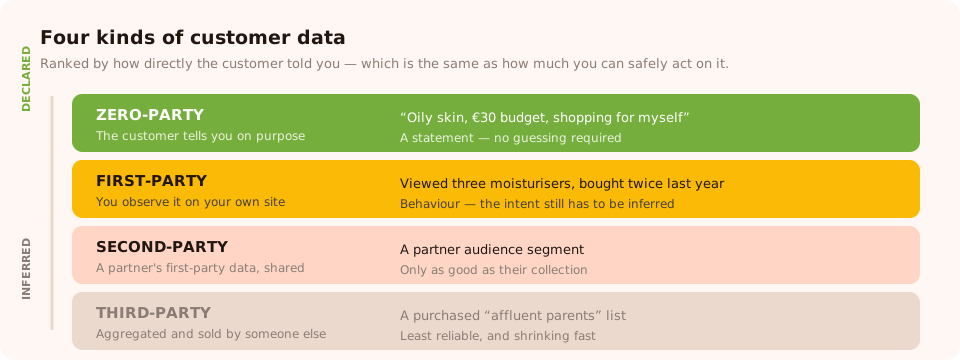
The closer to the top, the more the customer knew they were telling you — and the more you can safely act on it.
| Type | Where it comes from | Example | How much to trust it |
|---|---|---|---|
| Zero-party | The customer tells you, on purpose | "I have oily skin and a €30 budget" | High — it is a statement, not an inference |
| First-party | You observe it on your own site | Viewed three moisturisers, bought twice last year | Good, but it is behaviour, so intent has to be guessed |
| Second-party | Another company's first-party data, shared with you | A partner's audience segment | Depends entirely on the partner's collection |
| Third-party | Aggregated and sold by someone else | A purchased "affluent parents" list | Low, and shrinking fast as tracking is restricted |
The classic illustration: someone browses children's coats on your site. First-party data says they are interested in children's coats. It cannot tell you whether they are a parent buying for their own child, an aunt buying a gift, or a stylist buying for a shoot — three people who should receive three completely different emails. One question answers it.
Why it is worth the effort
- It does not depend on tracking. Third-party cookies have been shrinking for years and the remaining behavioural signals get noisier every time a browser tightens its defaults. A stated answer is unaffected by any of that.
- It comes with implicit permission. Someone who tells you their size expects to see their size. Using declared data feels like service; using inferred data often feels like surveillance.
- It is cheap to act on. You do not need a model to segment on an answer someone typed.
- It makes the first email relevant. Which is the single biggest lever on whether a new subscriber ever opens the second one.
The honest caveat. Every question costs conversions. Zero-party data is not free data — it is data you bought with friction. That is why the rule below matters more than any other advice on this page: no named consequence, no question.
Which questions are actually worth asking
Start from the other end. Do not ask "what would be useful to know?" — ask "which decisions am I currently making badly?" Write those down, then write the one question that fixes each.
| Decision you make badly today | The question that fixes it | What changes |
|---|---|---|
| Everyone gets the same welcome email | "What are you shopping for?" | Four welcome flows instead of one |
| Recommendations are based on one page view | "What's your skin type?" | A shortlist that is actually right |
| You lead with the wrong price point | "What's your budget for this?" | The first product shown is affordable |
| You email everyone weekly and lose the rest | "How often do you want to hear from us?" | Fewer unsubscribes, better engagement |
| B2B leads all go to one generic follow-up | "How big is your team?" | Self-serve versus sales, decided correctly |
| Nothing | "How did you hear about us?" | Nothing. Delete it. |
The "so what" test
Before a question ships, name the exact email, segment, recommendation or sales action that changes because of the answer. If you cannot name one in a sentence, the question is friction with no payoff — and it does not get demoted to later, it gets deleted.
Options beat text boxes, every time
Three to five tappable options complete in one gesture, work on a phone, and — critically — return
normalised values. A free-text "role" field gives you Mktg,
marketing ops and Marketing, which you then cannot segment on. A
choice question gives you one value, spelled the
same way, every time.
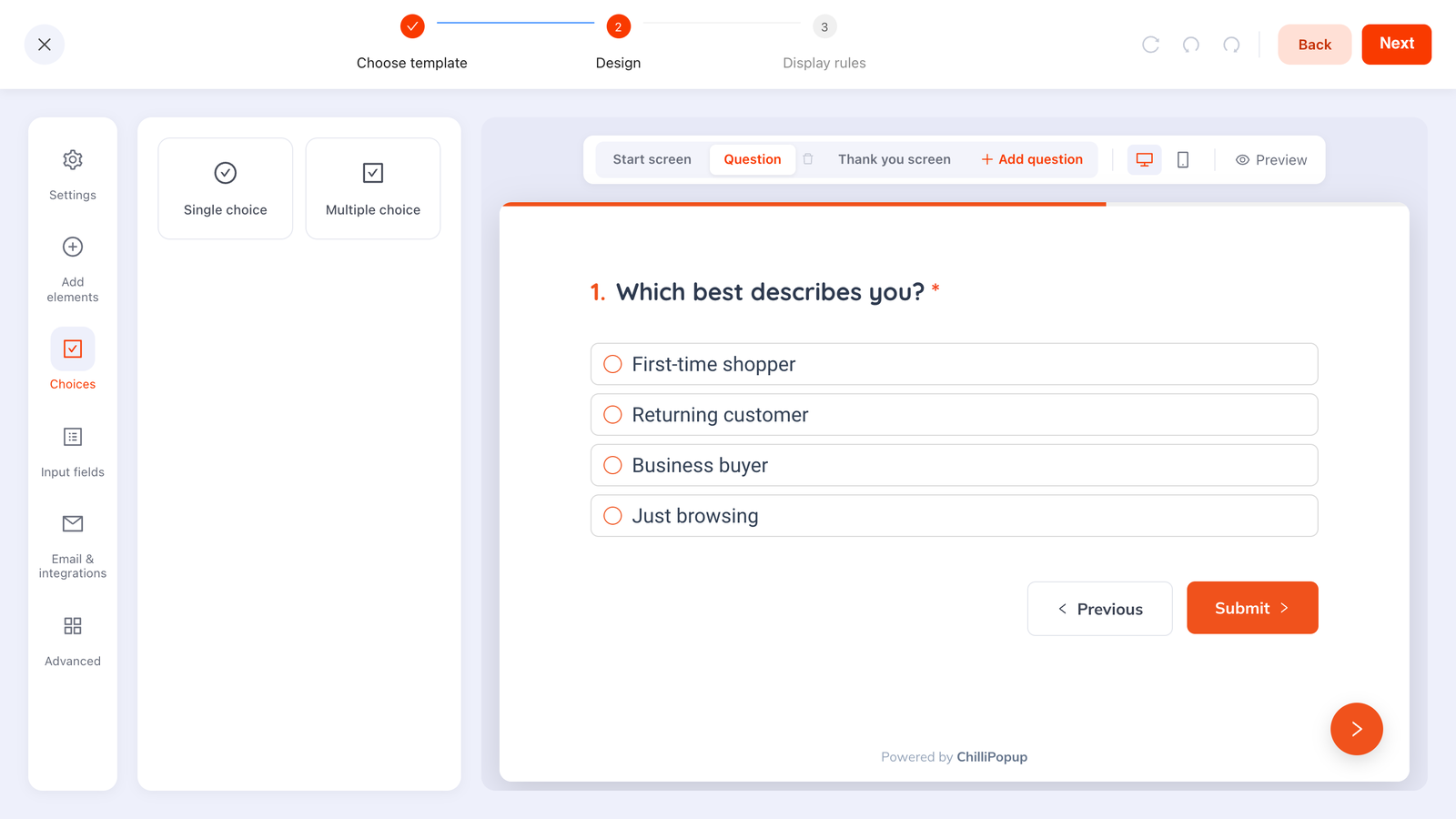
One question, four options, one tap — and a clean value you can route on.
Four mechanics that collect it
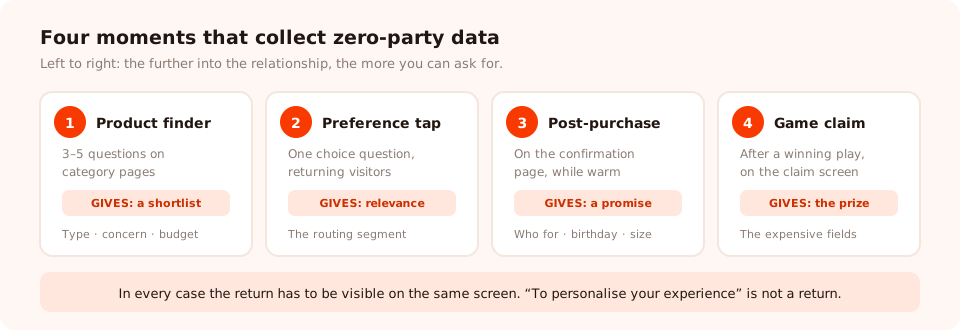
Four moments, in ascending order of how much you can ask for. The rule is the same each time: give something back on the same screen.
1. The product finder quiz
The highest-value one for retail. Three to five questions ending in a recommendation: "Find your shade in 30 seconds." The visitor gets a shortlist; you get skin type, tone, concern and budget in one sitting, because every answer visibly improves the result. Our product recommendation quiz guide covers how to build one.
2. The one-question preference ask
A single choice question shown to people who have already signed up: "So we only send you the good stuff — what are you shopping for?" One tap, and the answer routes them into the right flow. This is the cheapest rung on a progressive profiling ladder and usually the highest-completing thing you will ever run.
3. The post-purchase survey
After the transaction, when the customer is warm and has nothing to lose. This is where the expensive questions belong — birthday month, size, who the purchase was for. See the post-purchase survey guide.
4. The game claim screen
A prize game collects its details on the claim screen, after the visitor has won something. It is the most reliable way to get a field that would have destroyed a plain signup form, because they are claiming a prize rather than filling in a form.
The rule that runs through all four: the return has to be visible on the same screen. "We'll use this to personalise your experience" is not a return. A shortlist, a size, a code, a recommendation — those are.
A worked example: a skincare store
Before. One newsletter popup, one list, one welcome email. Everyone gets the same "10% off your first order" and the same monthly send.
After. Three campaigns, each collecting exactly one useful thing.
| Campaign | Where | Asks | Gives back |
|---|---|---|---|
| Routine finder quiz | Category pages, 40% scroll | Skin type, main concern, budget band | A three-product routine, on screen, immediately |
| Preference tap | Returning visitors, once | "What do you want to hear about?" | "Done — we'll only send you that" |
| Post-purchase survey | Order confirmation page | Who it was for, birthday month | A birthday treat, promised in writing |
Three small asks, spread across the relationship, each with something in return. The store now knows skin type, concern, budget, content preference and birthday month for a meaningful share of its list — none of which any amount of behavioural tracking would have told it reliably.
Start asking instead of guessing
Quizzes, surveys, forms, popups and prize games from one editor and one pixel — with per-question answer breakdowns built in. Free plan, no credit card required. Paid plans from $29/month.
Start free →Reading and using the answers
Collecting is the easy half. The dashboard gives you per-question answer breakdowns, per-option counts for choice questions, a response funnel and a drop-off analysis showing which question people quit on. Read them in this order:
- Per-option counts. A question where 90% of people pick the same answer did not need asking — you could have assumed it. Replace it with a question that actually splits your audience.
- Drop-off by question. Whichever question loses the most people is your rewrite list. It is usually the one that feels like an interrogation rather than a step.
- Completion rate and average time. If completion collapses, the quiz grew a question it did not need.
- Partial responses. On stepped content, what people entered before leaving without submitting is still recorded. Someone who answered two of four questions still told you something.

Per-option counts are the honest audit of your question set: one dominant answer means the question was not worth its friction.
Then actually use it. Nothing kills a data programme faster than a customer who answered five questions and then received the same generic email as everyone else — you have taught them that answering achieves nothing, and they will not do it again. Our list segmentation guide covers turning answers into segments.
Privacy: declared is not the same as unlimited
Zero-party data is the easiest kind to handle lawfully, because the customer supplied it knowingly. That is not a free pass:
- Say what it is for, where you ask. One line under the question, not buried in a policy.
- Collect only what you will use. The "so what" test is a privacy control as much as a conversion one.
- Be careful with special categories. Health, financial details and anything similar carry a much higher bar under GDPR. A "skin concern" question can drift into health data faster than you expect.
- Keep it current. Old declared data is not just useless, it is actively misleading — and holding data you no longer need is its own problem.
Our GDPR popup guide covers consent wording and the practical mechanics.
Six mistakes that waste the data
- Asking for everything at once. A six-question form in front of a stranger returns a small, skewed sample and nothing from everyone who bounced.
- Free text where options would do. You get strings you can never group.
- No visible return. "To personalise your experience" is a promise; a shortlist is a payment.
- Collecting a field nobody consumes. Data in a dashboard that changes no email is friction you paid for twice.
- Never re-asking. Preferences move. A three-year-old size is a returns problem.
- Answering the wrong question well. Perfect segmentation on a field that does not predict anything is still worthless.
Related reading
Frequently asked questions
What is zero-party data?
Zero-party data is information a customer deliberately and proactively gives you: their preferences, their intentions, their context, how they want to be contacted. The distinguishing feature is intent — they knew they were telling you, and they expected you to use it. A quiz answer about skin type is zero-party data; a record that they viewed three moisturisers is not.
What is the difference between zero-party and first-party data?
First-party data is what you observe on your own properties — pages viewed, items bought, emails opened. Zero-party data is what the customer states outright. Both are yours and both are useful, but observed data is inference and declared data is fact. Someone browsing children's coats might be a parent, or might be buying a gift; only asking tells you which.
Why does zero-party data matter now?
Third-party cookies and cross-site tracking have been shrinking for years, and the signals that remain get noisier as more traffic arrives with privacy protections on. Asking directly is the one collection method that does not depend on any of that. It also produces better data: a stated preference beats an inferred one, and it comes with implicit permission to use it.
What questions should I ask to collect zero-party data?
Only questions whose answers change something you do. Good ones: what are you shopping for, who is it for, what is your skin or hair type, what size, what is your budget band, how often do you want to hear from us. Bad ones: how did you hear about us, anything else we should know, and any question you have no plan to act on.
Is zero-party data GDPR compliant?
Declared data is the easiest kind to handle lawfully, because the customer supplied it knowingly — but it is still personal data. Say what you will use it for at the point of asking, collect only what you will use, keep it no longer than you need it, and take extra care with anything special-category such as health information. Our GDPR popup guide covers what that looks like in practice.
How do I keep zero-party data accurate?
Ask again, occasionally. Preferences move: sizes change, budgets change, the baby the pram was for starts school. Re-asking one question a year in a short survey is far cheaper than acting on a three-year-old answer, and it gives the customer a reason to believe the data is being used at all.