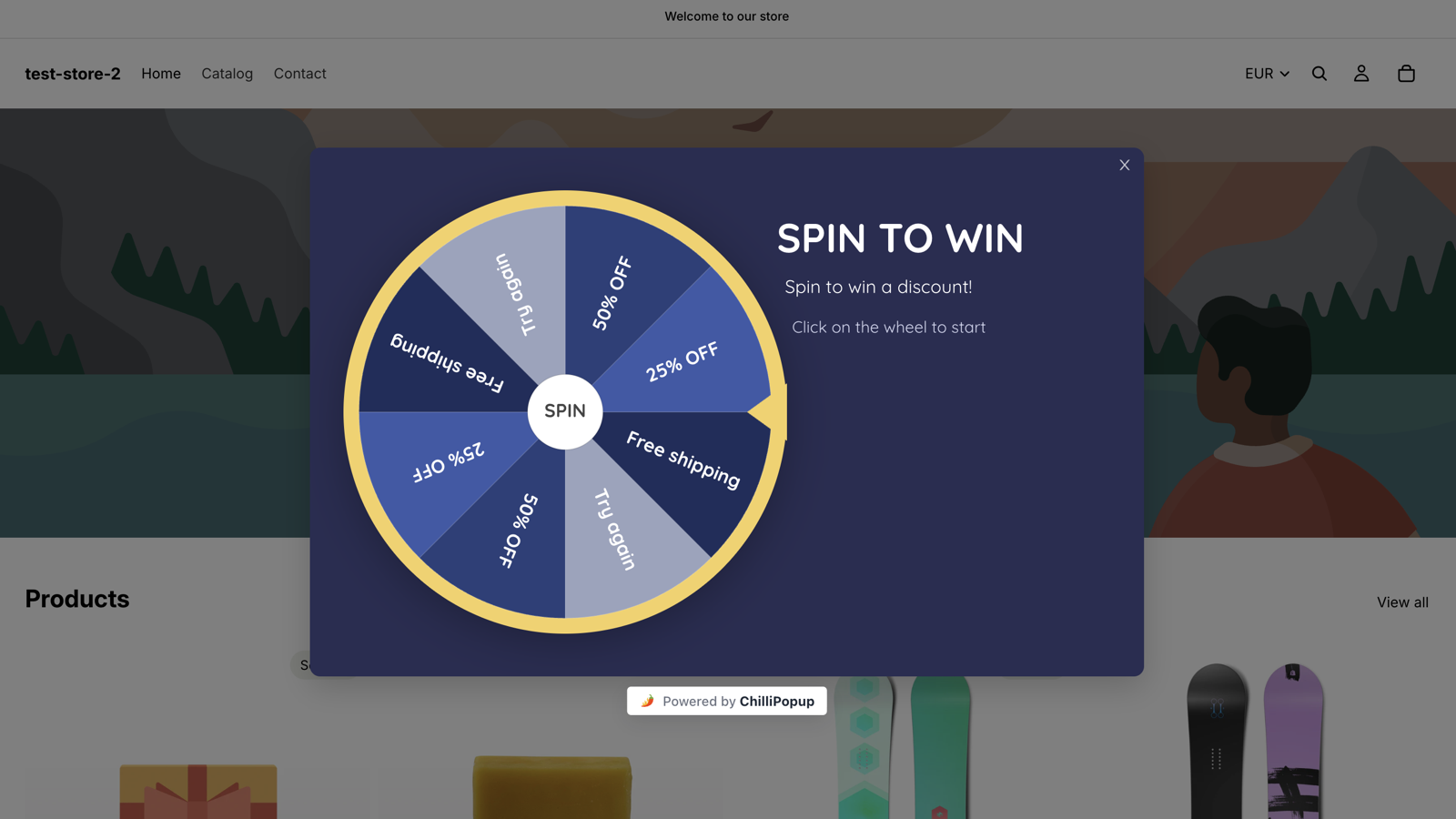
Black Friday popups work as a sequence, not as a single popup. Four phases: build an early-access list weeks before the sale, tease the offer in the final week, run the sale itself with an announcement plus a cart save, then turn one-time buyers into subscribers once it ends. Each phase is a separate campaign with its own dates, and the dates are what make it run itself.
The 2026 calendar to plan against: Black Friday falls on 27 November, Cyber Monday on 30 November. Shift the dates if your sale runs longer, but keep the phase structure.
Key Takeaways
- The work that decides the sale happens before it. The pre-launch list you build in October and early November is the audience the sale is aimed at.
- Four phases, four campaigns, four date windows. Pre-launch, teaser, live sale, post-sale — never one popup edited four times.
- The date window is the whole trick. A start and end date on each campaign means the sale popup appears at 00:00 on Friday and is gone on Tuesday, whether or not you are at your desk.
- During the sale, popups move people to the sale page. Collect emails before and after; on the day, the ask is a click.
- Write the deadline as a date and an hour, then make the campaign actually vanish at that hour. That is what makes urgency believable.
The four-phase Black Friday popup plan
A Black Friday campaign usually fails in one of two ways: a single discount popup that appears on Friday and disappears whenever someone remembers to unpublish it, or six popups fighting for the same screen. The fix is to treat the season as four separate jobs with four separate campaigns:
The four phases at a glance
1. Pre-launch (20 Oct – 19 Nov) — build an early-access list. No code yet; the
reward is being first.
2. Teaser (20 – 26 Nov) — announce the date and close the early-access door.
3. Live sale (27 – 30 Nov) — announce the offer, hold the deadline, catch full
carts.
4. Post-sale (1 – 20 Dec) — turn one-time buyers into subscribers.
| Phase & dates (2026) | Content type | Trigger | Audience | Frequency | The ask |
|---|---|---|---|---|---|
| 1. Pre-launch 20 Oct – 19 Nov |
Popup with one email field (or a spin wheel) | Exit intent on desktop, 50% page scroll on mobile | Everyone | Once every 7 days | Email, for early access |
| 2. Teaser 20 – 26 Nov |
Popup, no fields | Time delay, 8 seconds | Everyone | Once a day | A click — "see what's coming" |
| 3a. Sale announcement 27 Nov – 30 Nov 18:00 |
Popup, no fields, button links to the sale collection | Time delay, 5 seconds | Everyone | Once a day | A click — "shop the sale" |
| 3b. Cart save 27 – 30 Nov |
Popup, no fields | Exit intent, URL contains /cart or /checkout |
Everyone | Every session | Go back and finish |
| 3c. Final hours 30 Nov, from 18:00 |
Popup, no fields | Time delay 5s + weekday/hour schedule | Everyone | Every session | Last click before the deadline |
| 4. Post-sale 1 – 20 Dec |
Popup with one email field, on the order-confirmation URL | Time delay, 6 seconds | Everyone | Once every 30 days | Email, for next time |
Six campaigns sounds like a lot until you notice only two of them ask for anything typed, and the date windows mean at most two are ever live at the same time. That is the design goal: one popup per moment. (If two campaigns do end up eligible on the same page, they queue rather than stack — the second one waits until the first is dismissed — but a queue is a symptom, not a plan.)
Phase 1 — Pre-launch: build the early-access list
From late October until about a week before the sale, every popup on your site has one job: turning anonymous traffic into a list you can mail on launch night. This is the phase people skip, and the one that decides how good Friday looks.
The offer is not a discount — it is priority. "Early access" costs you nothing, does not train people to wait for a code, and is genuinely better for the customer, because the good sizes are still there.
Sample copy you can paste
Headline: Black Friday, 24 hours early
Body: Join the early-access list and we'll send your private link on 26 November —
one day before the sale opens to everyone else.
Field: Email address
Button: Get early access
Decline link: No thanks, I'll shop on Friday
Thank-you screen: You're in. Watch your inbox on 26 November — your link arrives
before the public sale opens.
One field. Grabbing a phone number, a birthday and a shopping category in October costs signups at the exact moment volume matters most. If you want more than an email, ask later — that is what progressive profiling is for.
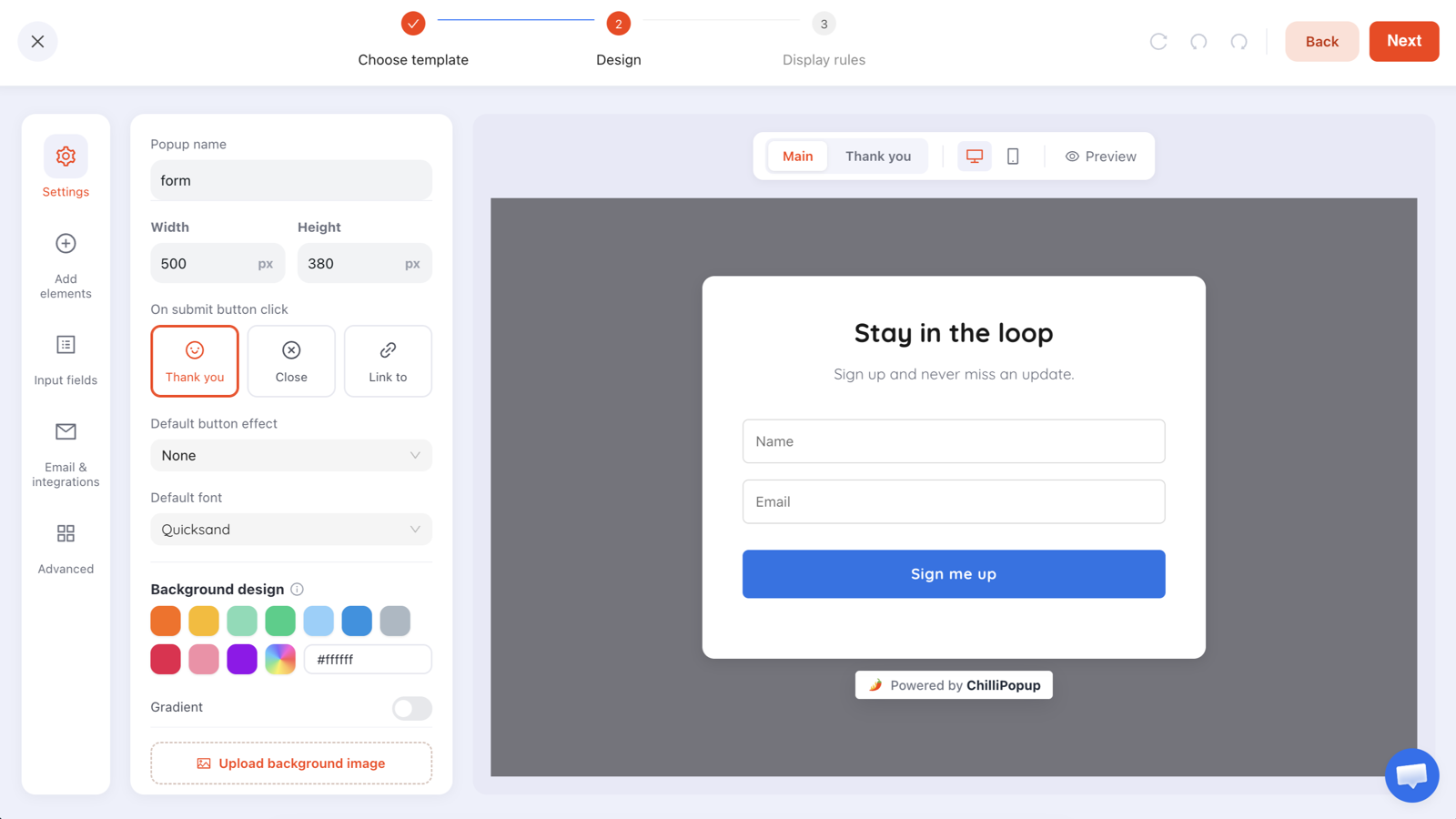
The editor's design step. The template here ships with two inputs — delete the name field for a pre-launch popup and keep a headline, one input, one button. Set On submit button click to Thank you so the confirmation screen can repeat the launch date.
Display rules for phase 1
- Trigger: exit intent on desktop. On mobile, exit intent is unreliable, so build a second campaign with a page scroll trigger at 50% and a device rule set to mobile.
- Audience: everyone. In October you have no reason to exclude anyone.
- Frequency: once every 7 days. Long enough that a regular reader is not nagged, short enough that a month of visits gives them four chances.
- Show again after conversion: off. Someone who joined the list must never see the join-the-list popup again. This is the single most important switch on the page.
- Date window: 20 October to 19 November. It stops itself the moment the teaser phase begins.
The gamified variant
If a plain email capture is under-performing, replace it with a spin to win popup whose prizes are early-access tiers and small extras — free shipping, an extra 5%, first pick of the doorbusters. The visitor plays, the claim screen collects the email, and submitting the claim reveals the prize. You set the odds per prize, and the outcome is decided on the server so nobody can rig it from the browser.
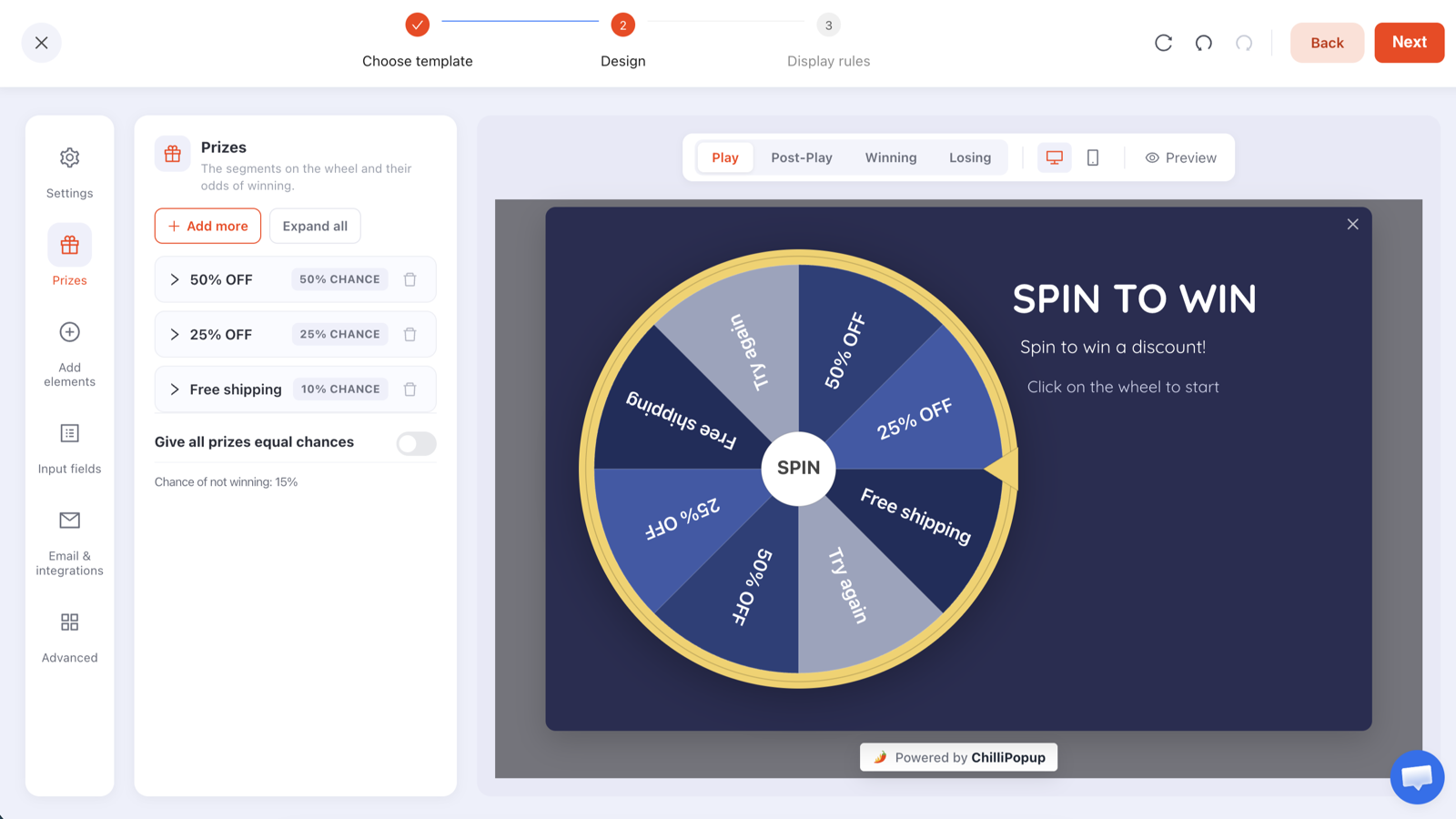
Each prize carries its own chance of winning, and the wheel has four screens — Play, Post-Play (the claim form), Winning and Losing. The email is collected on the claim screen, after the spin.
Be honest about the promise. If the popup says the link arrives on 26 November, something has to actually go out on 26 November. ChilliPopup collects and reports on submissions; it does not send email and does not push contacts anywhere on its own. Copy the addresses out of the Collected input data table by hand and into whatever you send from — on the 25th, not the 27th.
The how to build an email list guide covers the year-round version of this phase — offer types, field counts, placement.
Phase 2 — Teaser week: make the date real
The week before the sale, swap the ask for an announcement. The people arriving in that final week are increasingly deal-hunters, and they need to know one thing: when.
Headline: Our Black Friday sale opens Friday 27 November, 00:01
Body: 30% off everything, four days only. Early-access list gets in 24 hours before
— the door closes Thursday night.
Button: Join the early-access list
Secondary line: Already on the list? Nothing to do — your link is on its way.
Run it on a time delay of 8 seconds rather than exit intent — it is information, not a save attempt, so it should land while someone is still browsing. Frequency once a day, date window 20–26 November, audience everyone.
What you cannot do, and the honest workaround. There is no rule that says "show this only to people who joined the early-access popup" — display rules cannot target someone because they submitted a different campaign. The closest honest proxy is the returning visitors audience. So keep the teaser's copy safe for both groups (the secondary line above does that), and reach your actual list through email instead.
That workaround is better than it sounds. Every campaign gives you a copyable direct link that opens it on arrival. Put the link to your sale popup in the launch email and it opens the offer the second they land — which is how you reach the list you spent five weeks building, with no cross-campaign targeting at all.
Phase 3 — The live sale: announce, deadline, save the cart
From 27 to 30 November, stop asking for email addresses. Every field during a sale is friction between a ready buyer and a checkout. The job of a live-sale popup is to move somebody one click closer to buying.
3a. The announcement
Headline: Black Friday is live — 30% off everything
Body: Code BF30 applies at checkout. Ends Monday 30 November, 23:59.
Button: Shop the sale →
No inputs. Set On submit button click to Link to and point it at your sale collection. Trigger on a 5-second delay, frequency once a day, date window 27 November to 30 November with an end hour of 18:00 (see 3c for why), no page targeting — this one is site-wide on purpose.
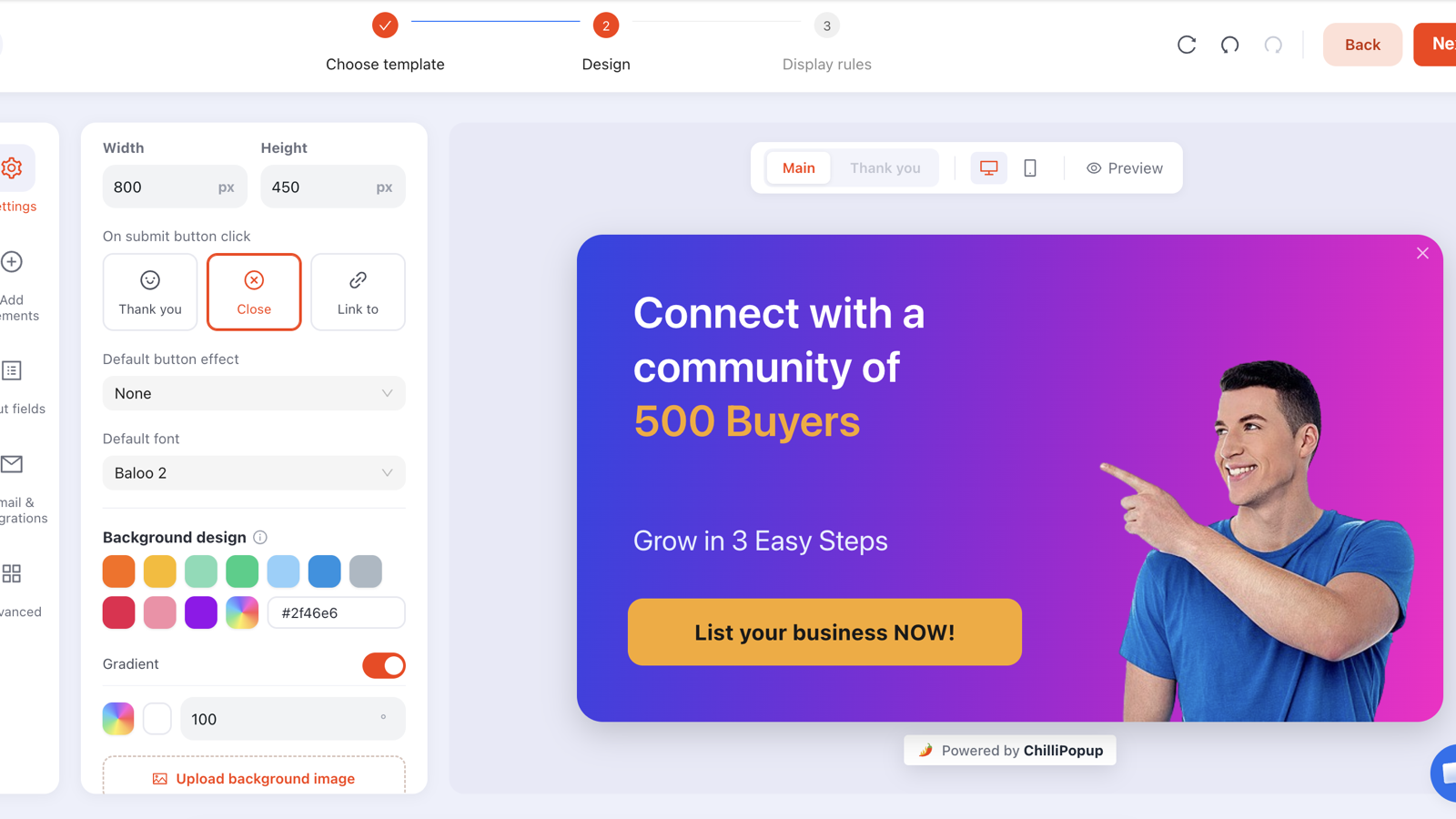
The design step, here on a no-field announcement layout. On submit button click → Link to is what turns an announcement popup into a one-click route to your sale collection.
3b. The cart save
The highest-value popup of the season, and the one most stores never build: someone with a full basket, on the cart page, moving their cursor toward the tab bar.
Headline: Your 30% is still in the basket
Body: Code BF30 comes off at checkout until Monday 23:59. After that
it's gone until next year.
Button: Back to my cart
Decline link: No thanks
Rules: exit intent, page targeting where the URL contains /cart
plus a second rule for /checkout — inside Page Targeting a visitor only has to match
one of the rules, so both live in the same campaign — frequency
every session, date window 27–30 November. Exit intent is a desktop signal, so pair it
with a mobile version triggered on inactivity — the
exit intent popups guide goes
deeper into that split.
Honest limit: a popup cannot read the cart. It does not know the basket total, the items, or whether the code is already applied — it knows the URL and the exit signal. That is enough for the copy above, but not for "you left the blue jacket behind". Write it as a reminder, not as a personalised message you cannot actually personalise.
3c. The final hours
On the closing evening, one narrow campaign earns its keep:
Headline: Six hours left
Body: 30% off ends tonight at 23:59. No extension, no second chance in December.
Button: Use my code now
Restrict it with the weekday and hour schedule: Monday only, 18:00 to 24:00 — the hour pickers work in whole hours, and 24:00 is how you say "until midnight". Frequency every session, so someone who comes back at 22:00 in a fresh session sees it again. Then let the date window kill it at midnight.
This is also the one hand-over in the plan worth setting deliberately: give the announcement (3a) an end hour of 18:00 on 30 November and the final-hours popup a start hour of 18:00 on the same day. Otherwise both are eligible all evening and the visitor gets the mild one first.
Copy carries this phase — "ends tonight at 23:59" and "hurry, offer ending soon" are not the same sentence. For the sentence-level version, popup copywriting covers headline structure, button verbs and decline links.
Phase 4 — After the sale: buyers into subscribers
On 1 December you have a pile of people who bought once at a discount and have no relationship with you. The moment to convert them is the order-confirmation page, while they still feel good about the purchase.
Headline: That was the discount. This is the good part.
Body: Join the list and next year you get the sale a day early — plus the two or
three times a year we do something worth interrupting you for.
Field: Email address
Button: Keep me posted
Rules: URL contains your order-confirmation path, a 6-second delay so it lands after they have read the order number, frequency once every 30 days, show again after conversion off, date window starting 1 December.
The one survey worth running
In early December, a two-question survey on the order-confirmation page tells you more than the sale numbers do: "What made you buy today?" as a dropdown field with four options you write yourself, then "What did we not have that you were looking for?" as a long-text field. Surveys and quizzes record partial responses too — what someone typed before abandoning — so even the people who never finish teach you something.
Also in phase 4: switch your year-round welcome popup back on with a start date of 1 December. It takes over the second the sale campaigns expire, so the site is never left without a lead-capture popup.
Scheduling: make each phase switch itself on and off
Every campaign carries a date window — a start date and an end date — and a weekday and hour schedule. Together they turn a plan into an automation: set them in October and the season runs itself. Two rules govern how they behave, and both matter:
- Every enabled rule is an AND gate. Date window and URL rule and device and trigger all have to pass before anything appears. Adding a rule can only ever make a campaign show less. The one exception is inside Page Targeting, where the URL rules are OR'd — matching any one of them is enough.
- Nothing serves unless it is published. Drafts never appear on your site regardless of their schedule, so a campaign you built in October and left in draft will sit quietly through the entire sale. Publish it, and let the date window keep it invisible until its turn.
| You want… | Rule to use | Example setting |
|---|---|---|
| A campaign that starts and ends on fixed dates | Date window | 27 Nov → 30 Nov |
| A popup only on the closing evening | Date window + weekday/hour schedule | 30 Nov, Monday 18:00–24:00 |
| Weekday-only B2B campaigns | Weekday/hour schedule | Mon–Fri, 09:00–18:00 |
| The cart save only where carts exist | Page URL rule | URL contains /cart |
| A mobile-only variant of a popup | Device rule | Device = mobile |
| Your evergreen popup back after the sale | Date window with a start date only | From 1 Dec |
Rehearse the schedule in October. Give a throwaway campaign a date window that opens five minutes from now and closes ten minutes later, then watch it appear and disappear on your own site. An off-by-one is expensive here: a popup that lingers into December is a discount you are still honouring, and one that opens a day late is a launch email pointing at nothing. Two details to know while you test: both bounds are whole hours, and the end hour is exclusive — leave it alone and the window runs to the end of your end date; set it to 18:00 and the campaign stops at 18:00 sharp.
One more lever worth knowing: the page count trigger fires after N pages within the current browser session. Set the announcement to page 2 instead of a time delay and it lands on people who are actually shopping, not people who bounced off the homepage.
Deadlines and countdown timers: what actually creates urgency
Urgency is not a graphic — it is a claim the visitor can check. "Ends Monday 30 November, 23:59" beats a generic ticking clock because it is specific, it matches your emails and homepage banner, and it can be verified afterwards. Three things make a deadline land:
- Put the date and the hour in the copy, not "hurry" or "ending soon". Every popup in phase 3 above repeats the same end time, word for word.
- Make the campaign genuinely expire. The date window stops the offer outliving its own deadline. A discount popup still running on 3 December teaches your regulars that your deadlines are decorative.
- Escalate through separate campaigns instead of a live clock. The announcement runs from Friday until 18:00 on Monday; the final-hours popup takes over from there. That is a countdown the visitor experiences across visits, built from schedule rules rather than a timer.
The honest bit about countdown timers. A timer only helps if it is counting down to a real, shared deadline. A clock that restarts at 15:00 every time the page is refreshed — the sort that runs per visitor — is the fastest way to lose credibility with the exact deal-savvy audience Black Friday attracts, because those people refresh. If you use a countdown, count down to a fixed date and hour, and let the campaign disappear when it hits zero.
Draft the whole thing in a sentence
The AI generator builds a complete popup from one line of description — layout, colours, fonts, copy and blocks — which helps in November when you need six campaigns and have one afternoon. Be precise: "A dark, bold Black Friday announcement popup for a snowboard shop, 30% off with code BF30, ending Monday 30 November at 23:59, with a single Shop the sale button." Then fix the copy by hand.
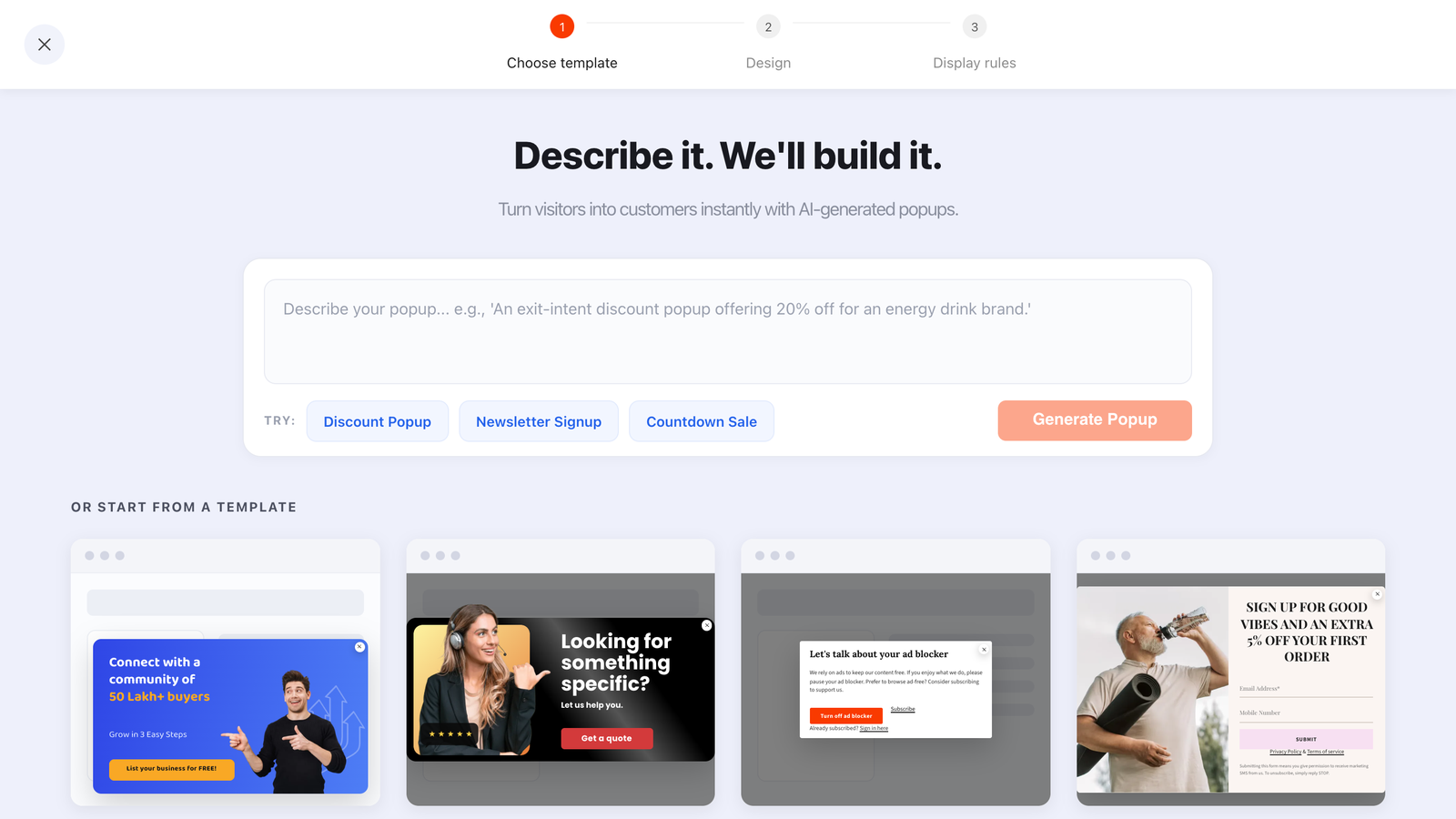
One sentence in, a full draft out. Faster than starting from a blank canvas when you are building six seasonal campaigns at once.
Frequency: how not to burn your traffic in four days
Black Friday traffic is impatient, and a lot of it is landing on your site for the first time. Every popup gets about one chance, and a second unwanted interruption in the same session risks turning a shopper into a bounce. The frequency options are your per-campaign cooldown — once a day, every visit, every session, once every N days, once every N visits, or all pages all the time. The seasonal settings that work:
- Pre-launch: once every 7 days. It is a month-long phase; you have room.
- Teaser: once a day. The date is the message and it is worth repeating daily.
- Announcement: once a day. A four-day sale with a daily announcement is one reminder per shopping session, which is fair.
- Cart save: every session. This one is allowed to be pushy — it fires only on a cart URL, only on exit.
- Post-sale: once every 30 days. It is on a confirmation page; nobody sees it twice anyway.
Two limits to design around. Frequency and the conversion gate are per campaign: someone who joined the early-access list in October will still see the sale announcement in November, because no campaign can suppress a different one. That is fine here — the announcement is information, not a repeat ask — but it is why phase 3 has no email fields. And recognition and frequency counters live in the visitor's own browser storage, so a second device or a private window looks like a brand-new visitor. Assume every popup is seen cold.
The shutdown checklist: what to turn off when the sale ends
Half the damage a seasonal campaign does happens after the season. Work through this on 1 December even if every date window is set correctly — belt and braces costs five minutes.
| Campaign | What happens if you leave it running | Do this on 1 December |
|---|---|---|
| Sale announcement | You advertise a discount code you no longer honour, on every page | Disable it, on top of the expired date window |
| Final-hours popup | "Six hours left" showing in December is the single most credibility-destroying popup possible | Disable it |
| Cart save with the sale code | Support tickets from people whose code was rejected at checkout | Disable, or rewrite the copy without the code and keep it year-round |
| Spin wheel with sale prizes | It keeps handing out codes your store will not accept | Disable it, or swap the prizes for evergreen ones |
| Teaser popup | Announces a date that has already passed | Disable it |
| Evergreen welcome popup | Nothing bad — but if it is still off, you are capturing nobody | Publish and enable it (start date 1 December) |
| Any URL-targeted popup | Points at a sale collection page you have since taken down | Check every Link to destination still resolves |
And the step people forget: get the submissions out before you tidy anything up. Open each campaign's analytics, read the Collected input data table, move the addresses into your email tool. Nothing is emailed to you when a submission arrives — if you have not looked, you do not have the list yet.
What to measure during and after the sale

Every campaign reports its own opens, unique views, clicks, submissions and conversion rate, plus an interactions-over-time chart you can read against the sale calendar.
Four readings, one per phase:
- Pre-launch — conversion. Conversion is submissions ÷ views. If it falls week over week while views hold, the offer went stale before the sale even started; change the reward, not the design.
- Teaser — clicks. There is no field to submit, so clicks are the whole signal. A teaser nobody clicks is a teaser nobody believes.
- Live sale — clicks and shows by device. Read the device split before you blame the copy: if desktop and mobile diverge sharply, the popup is probably too tall for a phone and the fix is layout. The popup design best practices guide covers mobile sizing.
- Post-sale — submissions plus the survey. Read the Collected fields breakdown for top values per field, and use the survey's Drop-off Analysis — which ranks sessions by the last field they touched — to see where people stopped. That view is a survey and quiz feature; a popup's analytics page does not have it.
Do not call it a test. There is no built-in split test, so running two versions of the same popup at once during a sale gives you two numbers with no controlled comparison — the traffic mix changes hourly across Black Friday weekend. Compare a campaign against itself over time, change one thing at a time, and treat the season as one data point you write down for next year.
Build it in ChilliPopup: a 60-minute setup
Six campaigns, about an hour, no code. If the pixel is not on your site yet, start with the one-line install guide — the same script serves every campaign in the plan.
1. Install the pixel and fix the calendar
Install in October, not the week of the sale — that is the step most likely to hit a theme quirk, and you do not want to debug it on the 26th. Then write the four windows down: pre-launch 20 Oct – 19 Nov, teaser 20–26 Nov, live 27–30 Nov, post-sale from 1 Dec.
2. Build the early-access popup
One email field, one promise, exit intent on desktop. Switch the display-frequency rule on — the audience and conversion controls only appear once it is — set frequency to once every 7 days, turn off "show again after conversion", then add the date window. Duplicate it with a 50% page-scroll trigger and a mobile device rule for the mobile variant.
3. Build the three live-sale campaigns
Announcement: 5-second delay, no fields, Link to your sale collection, once a day, 27 Nov to
30 Nov with an end hour of 18:00. Cart save: exit intent, URL contains /cart plus a
second rule for /checkout, every session, 27–30 Nov. Final hours: the announcement again
with new copy, a 30 Nov start hour of 18:00 and a Monday 18:00–24:00 schedule. Publish all three now
and let the dates hold them back.
4. Build the post-sale popup
Page-target your order-confirmation URL, 6-second delay, one email field, once every 30 days, conversion gate off, date window from 1 December. While you are there, give your evergreen popup a 1 December start date too.
5. Rehearse, then leave it alone
Set a throwaway campaign's date window to open in five minutes and close ten minutes later, and watch it appear and vanish on your own site. Once you trust the schedule, the only jobs left during the sale are reading the numbers and mailing your list.
Build your Black Friday campaign before November
Popups, forms, surveys, quizzes and prize games from one editor and one install script — with the date windows and schedules that make a seasonal campaign run itself. Free plan, no credit card required. Paid plans from $29/month.
Start free →Related reading
Frequently asked questions
When should I start running Black Friday popups?
Start the pre-launch phase four to six weeks before the sale — for 2026 that means around 20 October, with Black Friday landing on 27 November and Cyber Monday on 30 November. That early window is for list building only: an early-access signup popup, no discount code yet. The sale announcement itself should not appear until the day the sale actually opens, which is exactly what the date window on each campaign is for.
What should a Black Friday popup say?
Name the offer, name the deadline and name the next click. A live-sale popup that reads 'Black Friday is live — 30% off everything with code BF30. Ends Monday 30 November, 23:59' beats 'Huge savings inside' because every part of it is checkable. Save the email field for the pre-launch and post-sale phases; during the sale itself the job of the popup is to move someone to the sale page, not to collect an address.
How do I make a Black Friday popup turn itself off when the sale ends?
Give the campaign a date window in its display rules — a start date and an end date, each with an hour — and it stops showing on its own when the window closes. For the closing evening you can narrow it further with the weekday and hour schedule, for example Monday 18:00 to 24:00. Every enabled rule is an AND gate, so the date window applies on top of your trigger, page and device rules. Rehearse it before the sale with a window that opens five minutes from now.
How many Black Friday popups should I run at once?
One per moment, not one per idea. During the live sale a typical store runs three campaigns that never collide: a site-wide announcement set to once a day, an exit-intent cart save targeted at URLs containing /cart or /checkout, and a final-hours popup scheduled only for the closing evening. If two of them can fire on the same page at the same time, tighten the page targeting rather than the frequency.
Do countdown timers work on Black Friday popups?
A deadline works; a timer is only one way of showing it. What makes a deadline credible is that it is specific and that it is true — a dated end time in the copy, and a campaign that genuinely disappears when that time passes. A clock that restarts every time the page is refreshed does the opposite, because visitors notice. Put the real date and hour in the headline and let the date window enforce it.
What do I do with the emails I collect during Black Friday?
Read them in the campaign's Collected input data table in the dashboard and move them into your own email tool. ChilliPopup stores submissions and reports on them, but it does not send email and does not push contacts anywhere by itself. Do that before the sale opens rather than after, because an early-access list is only worth building if something actually goes out to it the night before.