Big Cartel is built for people who want to sell their work, not administer a store. There is no app marketplace, no plugin directory and no popup builder — which is exactly why so many Big Cartel shops have no email list at all.
The good news: adding a Big Cartel popup is a one-line job. Your theme is editable, the layout file wraps every page of the store, and a single script tag pasted there covers the whole shop forever. This guide walks through where it goes, the popups worth running on a maker store, how to target Big Cartel's URLs, and the one gotcha that silently kills popups on this platform.
Key Takeaways
- One paste in the theme layout covers every page of the store, forever.
- Changing theme wipes it out. Keep the snippet saved outside Big Cartel and re-paste after any theme switch.
- Big Cartel URLs are clean —
/product/and/category/make page targeting trivial. - An email list is the whole point. On a store with no built-in marketing, the popup is your marketing.
- Keep it quiet. Maker stores are design-led; a full-screen flashing overlay undoes the brand you built.
What Big Cartel gives you, and what it does not
Big Cartel's simplicity is a genuine feature. It also means the marketing layer is entirely up to you:
| Capability | Big Cartel on its own | With a popup script |
|---|---|---|
| Collect emails on the site | Only if your theme happens to include a form | Yes, anywhere you want it |
| Trigger on exit intent, scroll or a delay | No | Yes |
| Show only to new or returning visitors | No | Yes |
| Restrict to certain pages | No | Yes, six URL conditions |
| Stop showing after someone signs up | No | Yes, one switch |
| Conversion reporting | No | Views, submissions, conversion rate |
| Surveys, quizzes and prize games | No | Yes |
If your theme includes a footer signup form, keep it — it costs nothing and catches the people who go looking. But a footer form is a passive net. The reason a popup matters on Big Cartel is that most of your traffic arrives from a link, looks at one product and leaves; a footer form will never see them.
How to add a popup to Big Cartel
Everything third-party on Big Cartel arrives through the theme's code. You paste once, into the file that wraps every page, and you are done.
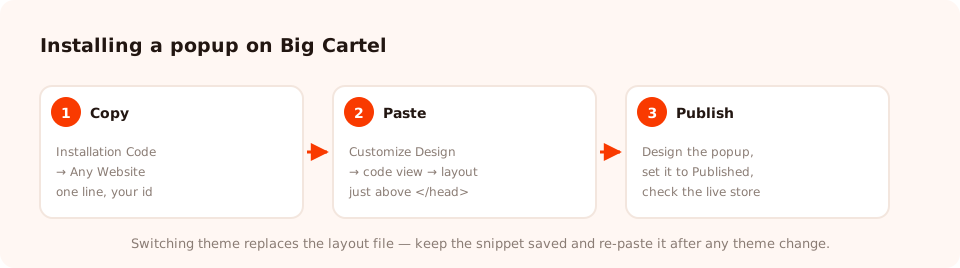
Three steps, one paste. Everything after this happens in the popup dashboard, not in Big Cartel.
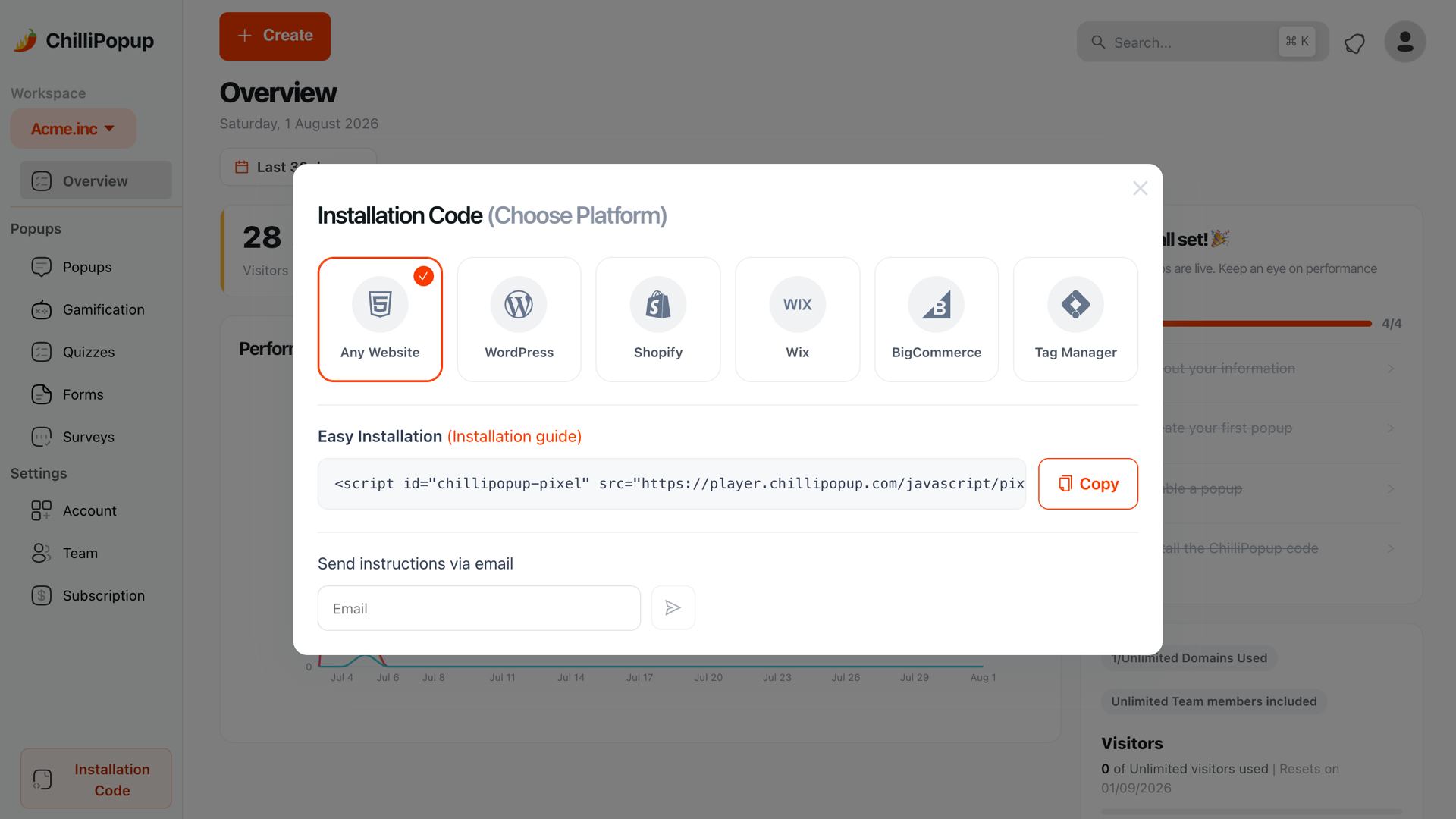
In ChilliPopup, open Installation Code in the left sidebar and choose Any Website. Copy the snippet — it already contains your workspace id.
In your Big Cartel admin, go to Customize Design and switch to the
code view. Open the layout file — the one that contains
<head> and wraps every page of the store.
Paste the snippet immediately before </head>, save, and open your live store in a
private window. Every popup you publish from now on goes live without touching Big Cartel again.
<script id="chillipopup-pixel"
  src="https://player.chillipopup.com/javascript/pixel.js?id=YOUR_WORKSPACE_ID"
  data-api="https://api.chillipopup.com"
  async="true"></script>
</head>
The Big Cartel gotcha nobody warns you about. Switching themes replaces the layout file — and your script tag goes with it. Your popups will stop appearing and nothing in either dashboard will tell you why. Keep the snippet in a note outside Big Cartel, re-paste it after any theme change, and load the store in a private window to confirm.
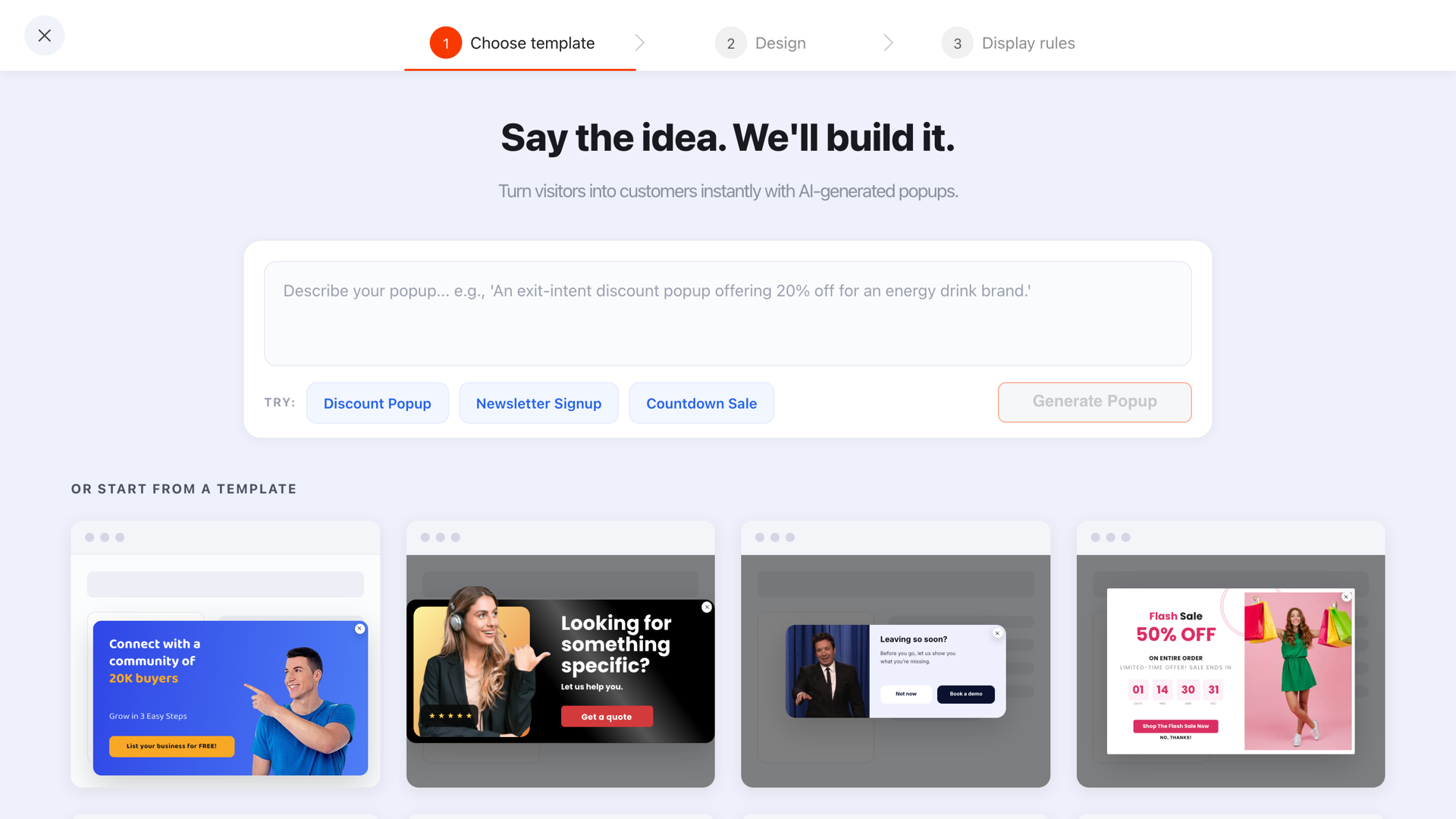
Pick a template or describe what you want, then edit it block by block until it looks like your shop.
Six popups that suit a Big Cartel store
Big Cartel shops are usually run by one person selling a small, changing range: prints, records, apparel, ceramics, zines. That shape rewards a very specific set of campaigns.
- The restock list. The single highest-value popup on a maker store. Small runs sell out; the people who arrive after they do are your warmest possible audience. "Sold out? Get first refusal on the next drop." Target product pages, exit intent.
- The drop announcement. A waitlist before a release, with a date window so it retires itself the moment the drop goes live.
- The welcome offer — or not. Plenty of independent shops should not discount. If that is you, trade something else: an early-access list, a studio newsletter, a print of the process. A popup does not have to hand out money.
- The cart save. Exit intent on the cart page, with the honest objection answered — shipping cost, dispatch time, international delivery.
- The shipping-and-dispatch notice. A slim bar saying "Orders ship every Tuesday" prevents a whole category of support emails.
- The one-question survey. "What should I make next?" Three tappable options on the homepage. Cheap, genuinely useful, and it makes people feel part of the studio.
Match the popup to the shop. Big Cartel stores are design-led by nature. A restrained corner card in your own typeface converts better here than a full-screen overlay with a countdown — the popup is part of the brand, not an ad bolted onto it.
Targeting Big Cartel URLs
Big Cartel keeps its URLs clean and predictable, which makes page targeting easy. Check the address bar on your own store, then use these patterns.
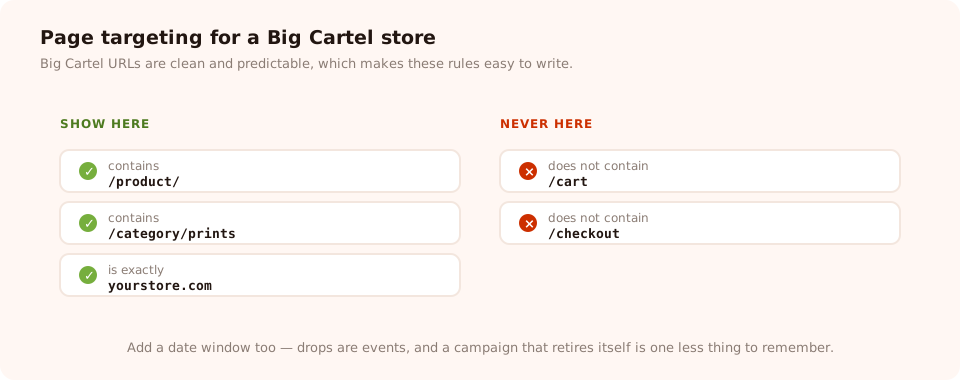
Fire on the pages where someone is browsing; stay off the pages where they are already buying.
| Goal | Condition | Value |
|---|---|---|
| All product pages | contains | /product/ |
| One category | contains | /category/prints |
| Homepage only | is exactly | your store's root URL |
| One specific product | ends with | the product slug |
| Never on the cart | does not contain | /cart |
| Never on checkout | does not contain | /checkout |
Beyond URLs you can narrow by device, by operating system and browser, by a date window with a GMT offset, and by a weekday-and-hour schedule. The date window is the one you will use most on a Big Cartel store — drops are events, and a campaign that retires itself is one less thing to remember.
A worked example: a print studio's restock list
The situation. A one-person print studio. Editions of 50, sold out within a week, and then months of traffic landing on sold-out product pages and leaving.
Campaign 1 — the restock list.
Product pages only, exit intent on desktop and 50% scroll on mobile, new and returning visitors, frequency capped at once every 14 days, "show again after conversion" off.
"Missed this one? Editions are small and they go fast. Leave your email and you'll hear about the next one before anyone else." One email field. Button: Tell me first.
Campaign 2 — the drop countdown.
A slim top bar, all pages, date window set to the seven days before the release, then it retires itself. "New edition of 40, Friday 7pm UK. Subscribers get the link an hour early."
Campaign 3 — what next.
Homepage, 20-second delay, once per visitor. A one-question quiz: "What should the next edition be?" — Landscape / Portrait / Abstract / Something else. One tap, and it tells the studio what to print.
Notice that only one of the three asks for money to change hands, and none of them discount. On a maker store the currency is access, not price.
Give your Big Cartel store an email list
One line in your theme, then popups, forms, surveys, quizzes and prize games from one editor — targeted, measured, and published without touching Big Cartel again. Free plan, no credit card required. Paid plans from $29/month.
Start free →Big Cartel gotchas
- Theme switches wipe the snippet. The big one. Re-paste after every theme change.
- Paste inside the head, not inside another tag. Dropping a script in the middle of an existing element is the usual cause of "my theme looks broken now".
- Test on the published store. Not in a design preview, and always in a private window so your own "seen" history does not hide the popup.
- A custom domain changes your URLs. If you move from a Big Cartel subdomain to your own domain, re-check any targeting rule or per-campaign domain restriction that used the old host.
- Keep one campaign per job. It is tempting to make one popup do restock, newsletter and shipping notice at once. Three small campaigns with three sets of rules will always outperform one crowded card.
Five mistakes on maker stores
- Firing on arrival. Someone who clicked a link from Instagram has not seen the work yet. Let them look first.
- Discounting handmade work by reflex. A 10% code trains your best customers to wait. Offer access instead.
- Leaving "show again after conversion" on. Your most loyal buyers get asked to join a list they are already on.
- Never retiring a drop campaign. A countdown to a date that has passed is worse than no banner.
- Skipping the mobile check. Most maker-store traffic is a phone, from a social link, on a slow connection.
How to tell whether it worked

Each campaign reports its own views, submissions and conversion rate — the reporting Big Cartel does not have.
Two weeks is enough to read three things:
- Views. If they are low, the rules are wrong, not the words. Check the trigger and the URL conditions.
- Conversion rate. Submissions divided by views, compared against the same campaign last month.
- What the list does. The real measure of a restock popup is how many of the next drop's sales came from people on it.
Related reading
Frequently asked questions
Does Big Cartel have a popup app?
Big Cartel does not have an app marketplace in the way the larger platforms do, so there is no popup app to install. What it does have is an editable theme, and any popup tool that ships as a script tag can be added there in about a minute. That is also why the setup is identical no matter which popup tool you choose.
Where do I paste code in Big Cartel?
In the Big Cartel admin, open Customize Design and switch to the code view, then open the layout file — the one containing the head of every page. Paste the script immediately before the closing head tag and save. Because the layout wraps every page of the store, one paste covers the homepage, every product and every category.
Will adding a popup break my Big Cartel theme?
No. The script is loaded asynchronously and renders into its own container, so it does not touch your theme's markup or styles. The one thing to be careful about is where you paste it: inside the head, not in the middle of an existing tag, and never inside a block of your theme's own JavaScript.
What happens to the popup if I change Big Cartel themes?
Switching themes replaces the layout file, which means your script tag disappears with it and every popup silently stops. This catches people out constantly. Keep the snippet saved somewhere outside Big Cartel and re-paste it into the new theme's layout right after you switch — then load the store in a private window to confirm.
Can I show a popup only on certain Big Cartel pages?
Yes. The pixel goes on every page, but each campaign has its own page targeting with six conditions — contains, does not contain, is exactly, is not, starts with and ends with — matched against the URL. Big Cartel uses clear paths for products and categories, so a rule like "contains /product/" is usually all you need.
Will a popup slow my Big Cartel store down?
The script loads asynchronously, so the browser paints your page without waiting for it, and it is a single small file from a static host. On a typical Big Cartel store — which is already lean — it is unlikely to be your slowest asset. Measure your own store rather than guessing.