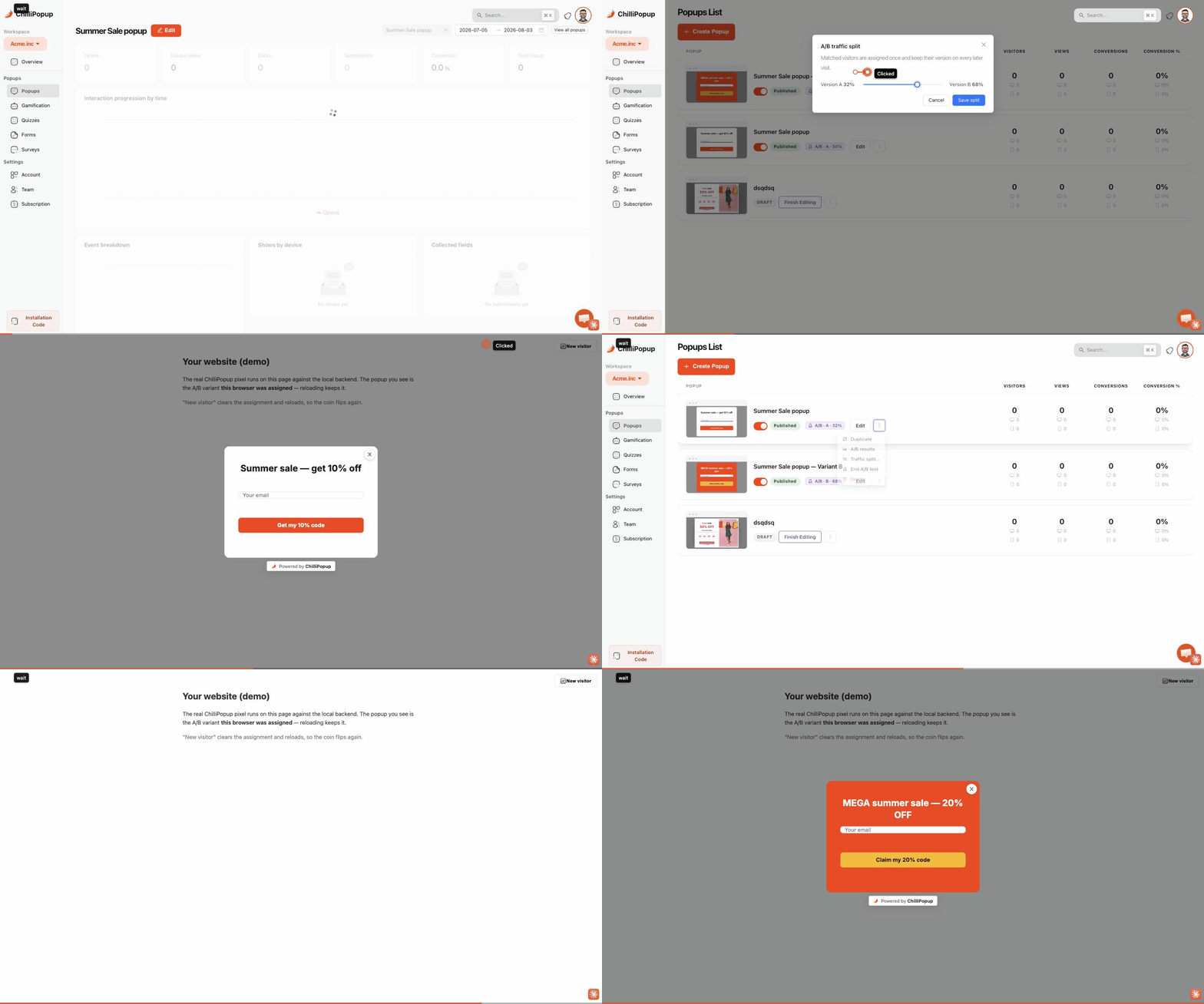
A/B testing a popup means running two versions at the same time, splitting your visitors between them, and letting conversion rate decide which one survives. It is the only way to know whether the headline you argued about for an hour actually matters.
The hard part is not setting the test up — that is a few clicks. The hard part is choosing something worth testing, running it long enough to mean anything, and not fooling yourself when one version pulls ahead on day two. This guide covers all three.
Key Takeaways
- Test one thing at a time. Two changes in one test tells you which version won, never why.
- Offer beats headline beats colour. Test in that order — the return per test drops off a cliff after the first two.
- Small samples lie. Below roughly 100 views per version and 20 conversions in total, a "winner" is noise.
- Both versions must be live — published and enabled — or traffic never actually splits.
- Visitors are assigned once and keep their version on later visits, so returning traffic does not muddy the result.
What A/B testing a popup actually involves
Popup A/B testing, in two sentences
An A/B test runs two versions of the same campaign side by side and splits matched visitors between them by a percentage you choose. Because both versions face the same traffic, the same pages and the same week, the difference in conversion rate is attributable to the one thing you changed.
In ChilliPopup a test is two sibling campaigns: version A is the popup you already have, and version B is a copy you edit. Each has its own design, its own display rules and its own analytics rows — they are simply linked, and a traffic-split slider decides what share of matched visitors gets B. The same mechanism works for forms, surveys, quizzes and prize games, not just popups.
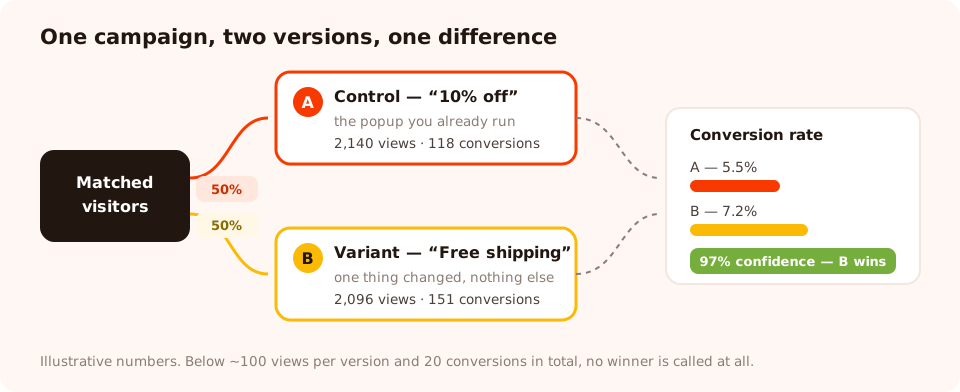
Same traffic, same week, one difference. Everything else is what makes the comparison fair.
Two mechanics are worth knowing before you start, because they explain most confused results:
- Assignment is sticky. A visitor who is put into version B keeps version B on every later visit. Without that, a returning visitor would see A on Monday and B on Thursday, and you would be measuring the pair rather than either one.
- Both versions have to be live. If version B is still a draft, or is disabled, the split does nothing — every visitor sees the one that is actually serving, and you will sit there for a week wondering why B has no views.
What to test first: the priority order
Not all tests are worth running. The return per test falls off sharply, and there is no point testing a button colour on a popup whose offer is the real problem. Work down this list.
| Rank | What to test | Example A vs B | Typical impact |
|---|---|---|---|
| 1 | The offer itself | 10% off vs free shipping | Largest by far — it changes whether anyone wants this at all |
| 2 | The trigger and moment | Exit intent vs 50% scroll | Large — same popup, completely different audience state |
| 3 | The format | Centred lightbox vs corner slide-in | Large on mobile, moderate on desktop |
| 4 | Number of fields | Email only vs email + name | Moderate to large, and it also changes data quality |
| 5 | The headline | Benefit-first vs curiosity-first | Moderate — worth testing once the offer is settled |
| 6 | Button copy | "Subscribe" vs "Send my code" | Small but cheap, and occasionally surprising |
| 7 | Plain vs gamified | Discount popup vs spin-to-win | Large, but check the redemption rate too, not just signups |
| 8 | Imagery and colour | Product photo vs flat colour | Small. Do this last, or not at all |
The rule that makes every test readable: change one thing. If B has a new headline and a new button colour and one fewer field, a win tells you the bundle is better and nothing else. You cannot unbundle it afterwards.
Ten test ideas you can steal
- Discount vs free shipping at the same margin cost. The answer differs wildly by category.
- A number vs a fraction — "$10 off" vs "10% off" on the same average basket.
- Exit intent vs scroll depth on your highest-traffic template.
- One field vs two. Email only against email plus first name.
- Visible decline link ("No thanks, I'll pay full price") vs a plain X.
- Deadline vs no deadline — a countdown on the same offer.
- Specific vs vague promise — "one email a month, new arrivals only" vs "join our newsletter".
- Spin-to-win vs a flat code for the same average discount.
- Popup vs a quiz as the first ask — one tap of segmentation before the email.
- Corner slide-in vs full lightbox on mobile only.
How to run the test properly
Start at a 50/50 split
An even split gets you to a readable answer fastest, because the confidence you can claim is limited by the smaller of the two groups. Uneven splits — 90/10 — are for cautious rollouts of something risky, not for learning. You can move the slider mid-test, but if you do, be aware you have changed the composition of the sample and treat earlier data with suspicion.
Give it a whole number of weeks
Traffic on Tuesday does not behave like traffic on Saturday. Ending a test on a Wednesday after starting it on a Monday over-weights weekday visitors. Run for one, two or three full weeks — and never stop the moment one version pulls ahead, which is the single most common way people talk themselves into a false winner.
Do not touch either version while it runs
Editing version A on day four means the first four days measured a different popup than the last four. If you must change something, end the test and start again. Half a test is worth less than no test, because it comes with false confidence attached.
Check both versions are actually live before you walk away. A test where version B is still a draft looks identical to a test that is running — until you open the results and B has zero views. Publish and enable both, then confirm views are accumulating on each side after a day.
How to read the result without fooling yourself
The results view puts the two versions side by side with views, conversions and conversion rate for the last 30 days, highlights whichever is ahead, and — this is the part that matters — tells you whether the difference is big enough to believe.
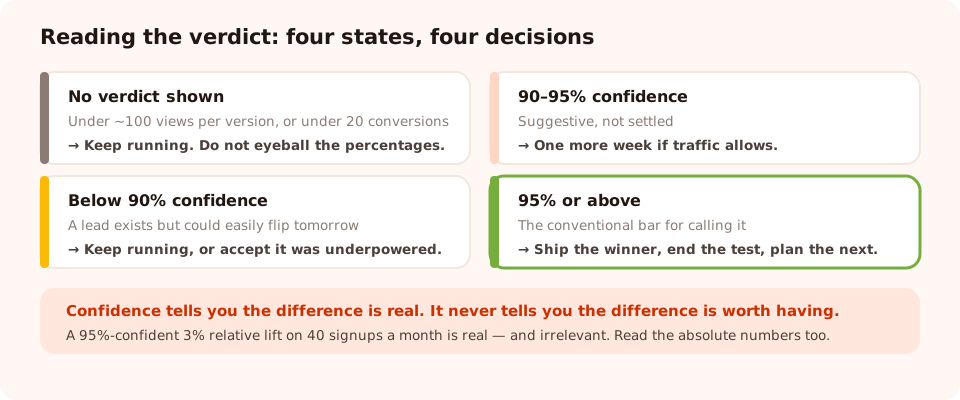
A lead is not a winner. Confidence is what separates a real difference from a coin flip.
The sample-size floor
Below roughly 100 views per version and 20 conversions across both, no winner is declared at all — deliberately. At those volumes, a version can lead by 40% purely by chance, and a tool that cheerfully announces a winner there is doing you harm. If you see "not enough data yet", the honest response is to keep running, not to squint at the table.
Confidence, in plain English
Once there is enough data, you get a confidence figure: the likelihood that the leader's higher conversion rate is a real difference rather than noise. Read it like this:
| Confidence | What it means | What to do |
|---|---|---|
| No verdict shown | Sample is too small to say anything | Keep running. Do not eyeball the percentages. |
| Below 90% | Could easily flip | Keep running, or accept the test was underpowered |
| 90–95% | Suggestive, not settled | Another week if traffic allows |
| 95% or above | The conventional bar for calling it | Ship the winner, end the test, plan the next one |
Note what confidence does not tell you: how big the improvement is, or whether it is worth having. A 95%-confident 3% relative lift on a popup that converts 40 people a month is real and irrelevant. Look at the absolute numbers too.
Conversion rate here is submissions divided by views. That is the right measure for comparing two versions of the same campaign — but it is not revenue. A gamified version can win on signups and lose on redeemed codes. When the test involves different offers, check what happened downstream before you crown anything.
When there is no winner
A tie is a result, and a useful one. It means the thing you tested does not matter on this campaign — so stop arguing about it, keep whichever version is simpler to maintain, and move up the priority list to something that does matter. Most button-colour tests end here, which is exactly why they are last on the list.
How much traffic do you need?
The honest answer: more than most sites think, and the smaller your effect, the more you need. Some rough orientation, assuming a 50/50 split and a popup converting around 5%:
- A large difference (say 5% vs 8%) can become readable in a few thousand views per version.
- A modest difference (5% vs 6%) needs an order of magnitude more, which for many sites means months — longer than the campaign will stay relevant.
- Under a few hundred views a week, A/B testing is not your best tool at all.
If you are in that last group, do not despair — do bigger tests. Test the offer, the trigger and the format, not the button copy. Large changes produce large differences, and large differences are detectable with small samples. And in the meantime, the qualitative signals — where people drop off in a stepped campaign, which values they actually type — will teach you more than an underpowered experiment ever will. Our popup analytics guide covers those.
Test your next popup properly
Duplicate any campaign into a variant, set the split, and read the result with a built-in confidence check. Free plan, no credit card required. Paid plans from $29/month.
Start free →Six ways an A/B test goes wrong
- Peeking and stopping early. Checking daily and stopping the first time B leads is how you reliably discover winners that are not there. Decide the end date before you start.
- Changing two things. You get an answer you cannot generalise or reuse.
- Leaving B unpublished. No split, no data, a week gone.
- Testing during an unusual week. A sale, a viral post or a holiday makes the sample unrepresentative of your normal traffic.
- Different display rules on each version. Then you are testing the rules, not the design — which is fine if you meant to, and ruinous if you did not.
- Declaring a winner on signups when the goal was revenue. Always ask what happened after the submit.
Set up your first popup A/B test
Ten minutes to start, one to three weeks to finish. The step-by-step feature walkthrough — where the buttons are — lives in the help centre: how to A/B test your popups.
1. Pick one thing, and write down your prediction
Choose from the priority table, then write the sentence: "I think B will beat A because…". Writing the prediction first is what stops you rationalising whatever happens afterwards — and being wrong is where the learning is.
2. Create variant B from your existing campaign
Start from the campaign you already run — that is version A, your control. Create the variant and change exactly one thing in it. Leave the display rules identical unless the rules are the test.
3. Set the split to 50/50 and publish both
Even split, and make sure both versions are published and enabled — traffic only splits between versions that are actually serving.
4. Leave it alone for a whole number of weeks
No edits, no early calls. Check after 24 hours that both sides are accumulating views, then close the tab until the end date you already decided on.
5. Read the verdict, ship the winner, start the next test
At 95% confidence or above, keep the winner and end the test. Below that, either run longer or record it as "no difference" and move up the priority list. Either way, write down what you learned — a test you cannot remember the result of was not worth running.
Related reading
Frequently asked questions
What should I A/B test on a popup first?
The offer. Changing what you give people — a discount versus free shipping, a guide versus early access — moves conversion rate far more than any wording or colour change. After the offer, test the trigger and moment, then the format, then the number of fields. Button colour is last on the list because it almost never produces a readable difference.
How long should a popup A/B test run?
One to three full weeks, decided before you start, and always a whole number of weeks so weekday and weekend traffic are represented evenly. Stopping the moment one version pulls ahead is the most reliable way to discover a winner that does not exist.
How much traffic do I need to A/B test a popup?
Enough for at least 100 views on each version and 20 conversions in total before any verdict is meaningful, and realistically a few thousand views per version to detect a modest difference. If your traffic is lower than that, test big things — offer, trigger, format — because large changes produce differences that small samples can still detect.
What does the confidence number in an A/B test mean?
It is the likelihood that the leading version's higher conversion rate reflects a real difference rather than random variation. 95% is the conventional bar for calling a winner. Below that the result can still flip, and no confidence figure at all means the sample is too small to say anything yet.
Can I change the traffic split while a test is running?
You can, but it changes the make-up of your sample, so treat data collected before the change with suspicion. Start at 50/50 and leave it there. Uneven splits are for cautiously rolling out something risky, not for learning which version is better.
Why does one version of my A/B test have no views?
Almost always because it is not live. Both versions must be published and enabled before traffic actually splits — until then every visitor sees whichever one is serving. Check both sides are accumulating views a day after you start.
Do returning visitors see a different version each visit?
No. A visitor is assigned to a version once and keeps it on later visits. That is deliberate: if people flipped between versions, you would be measuring the combination rather than either version, and returning traffic would quietly corrupt the result.