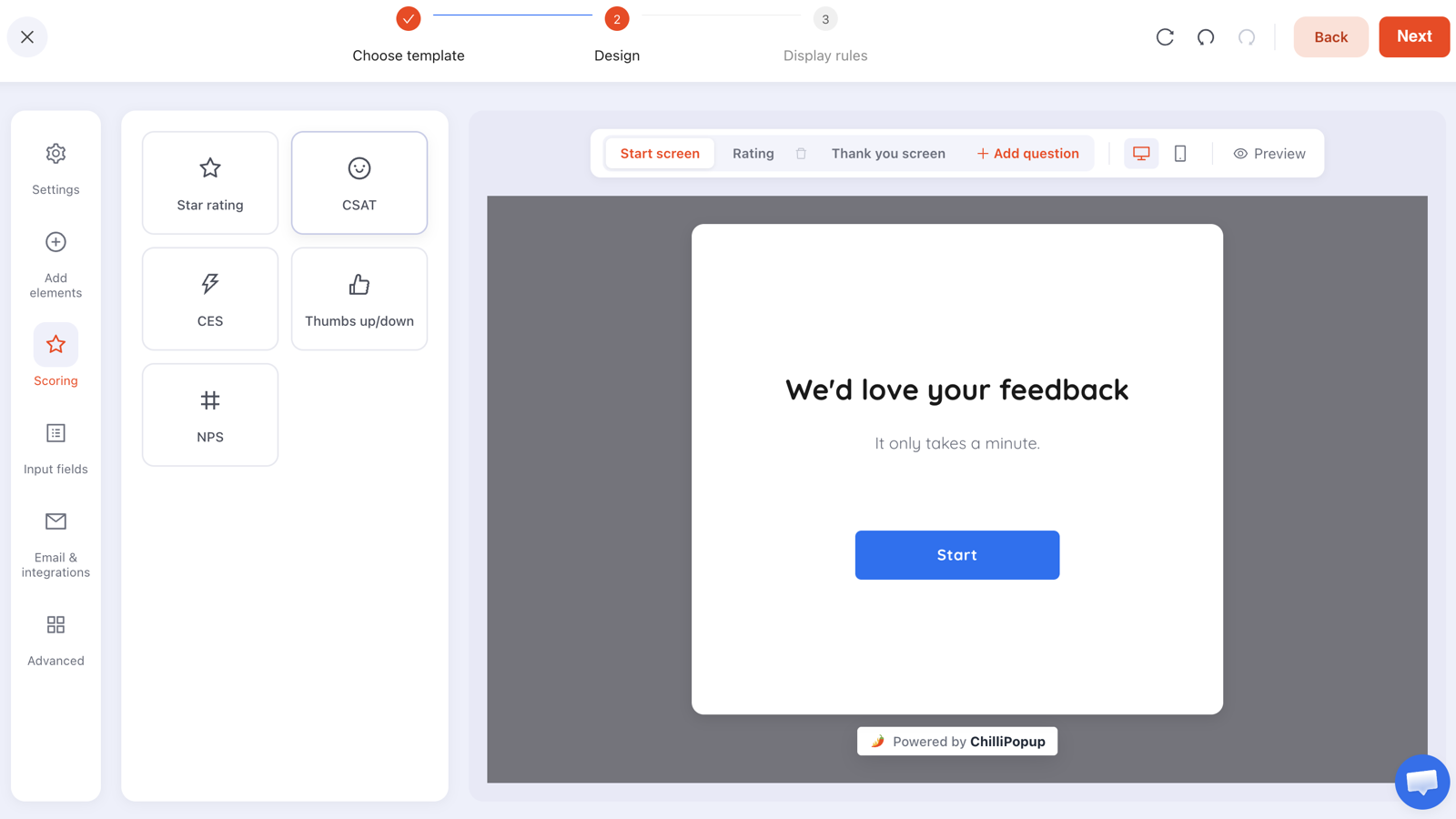
A website poll is a single question shown to visitors on your own site — three to five tappable answers, no email field, done in one gesture. It exists for a specific reason: the people whose opinion you most need are exactly the people who will never start a ten-question survey.
The trade is simple. You give up depth and you get reach. A poll cannot tell you why anybody thinks anything, but it will tell you how a few hundred people split on one question — and that is usually enough to know what to investigate next.
Key Takeaways
- One question, or it is not a poll. The response rate comes from being visibly finishable at a glance.
- Ask only what changes a decision. Say out loud what you will do differently at 70/30 versus 50/50 before you publish it.
- The answer type decides how readable the result is — options for preferences, a scale for opinions, thumbs for yes-or-no.
- Context makes the answer honest. Ask about the checkout after the checkout, not on the home page.
- No email field. The instant you ask for one, it stops being a poll.
Poll or survey?
They are built with the same tool, and the difference is entirely one of ambition. A poll is a survey with one question step, no email input and a thank-you screen.
| Website poll | Website survey | |
|---|---|---|
| Length | One question | Three to eight questions across steps |
| What you get | One data point from many people | A profile from fewer people |
| Email field | Never | Often, so you can follow up |
| Best question | "Which of these?" / "How was that?" | "Why?" / "Tell me about your situation" |
| Typical use | Settle an internal argument with real data | Understand a segment properly |
Run both, in that order. The poll tells you where to point the survey, and the survey tells you what the poll result actually meant. Starting with the long one is how research programmes die.
Choosing the answer type
This decision matters more than the wording, because it decides whether the result is readable at all. You have two families to pick from.
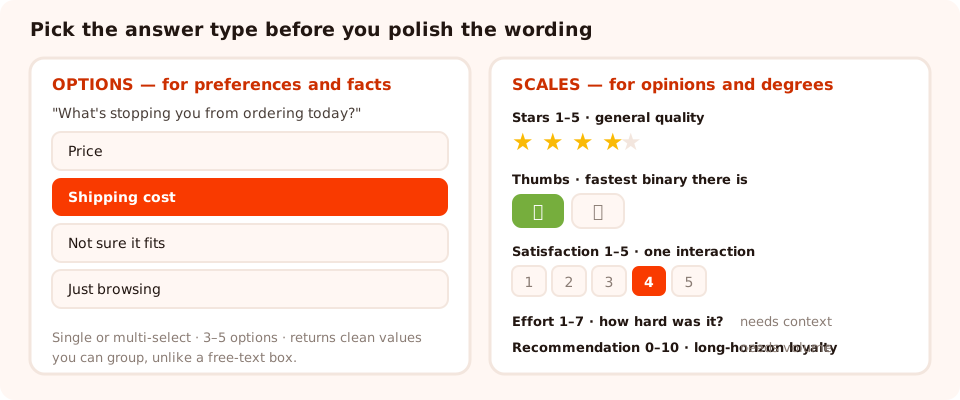
Options for preferences, scales for opinions. Picking the wrong family is what produces a result nobody can act on.
Options — for preferences and facts
A multiple-choice question with three to five labelled options, single-select or multi-select. Use it whenever the answer is a category rather than a degree: which product, which problem, which channel, which of these applies. The result is a clean distribution, and — critically — normalised values you can group, which a free-text box never gives you.
Scales — for opinions and degrees
Five rating widgets, each with an established meaning:
- Stars, 1–5 — general quality. Familiar to everyone, vague by design.
- Thumbs, up or down — the fastest binary there is. Perfect for "was this useful?"
- Satisfaction, 1–5 — how happy someone is with a specific interaction, right after it.
- Effort, 1–7 — how hard something was. The best predictor of whether people come back.
- Recommendation, 0–10 — the long-horizon loyalty score. Needs volume to be readable.
Each of those has its own guide worth reading before you commit to it — the satisfaction survey guide, the recommendation score guide and the feedback survey guide cover when each one is the right instrument.
Do not put a rating scale on a preference question. "How much do you like our new layout, 1 to 5?" produces a number with no meaning and no action attached. Ask "which layout do you prefer?" with two options instead, and the result tells you what to do.
Twelve poll questions worth asking
Grouped by what you are trying to learn. Every one of these has a decision attached — which is the only test that matters.
To understand why people are here
- "What brought you to the site today?" — Browsing · Researching · Ready to buy · Existing customer
- "What are you shopping for?" — the categories you actually stock. Doubles as a segmenter.
- "Is this your first visit?" — First time · Been here before · I'm a customer
To find what is blocking a purchase
- "What's stopping you from ordering today?" — Price · Shipping · Not sure it fits · Just browsing
- "What information is missing from this page?" — Sizing · Materials · Delivery · Reviews · Nothing
- "Did you find what you were looking for?" — Yes · Almost · No
To rate an interaction you just had
- "How easy was that checkout?" — the effort scale, on the order-confirmation page.
- "How happy are you with the delivery?" — satisfaction, in the follow-up.
- "Was this article useful?" — thumbs, at the end of the page.
To decide something internally
- "Which of these would you use most?" — three named features, no "other".
- "Which would you rather have: faster delivery or free returns?" — a genuine trade-off, not a wish list.
- "How often would you want to hear from us?" — Weekly · Monthly · Only for sales. Then honour it.
The wording rule. A poll question has one job and no room for hedging. Avoid "and" — "how easy and enjoyable was checkout?" is two questions with one answer. Avoid superlatives, which pressure people towards the top of a scale. And always include the honest option: "just browsing" and "not sure yet" are real answers that stop people guessing.
Where to put it
A poll's accuracy comes from proximity. Ask about a thing while the visitor is standing in front of it, and you get a considered answer; ask on the home page a week later and you get a guess.
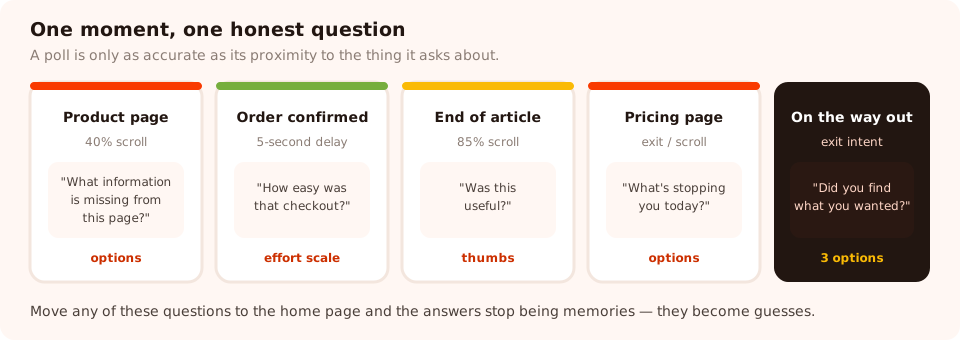
Each moment supports one honest question. Move the same question elsewhere and the answers get worse.
| Where | Trigger | The question that fits |
|---|---|---|
| Product page | 40% scroll | "What information is missing from this page?" |
| Order confirmation | 5-second delay, URL-targeted | "How easy was that?" on the effort scale |
| End of an article | 85% scroll | "Was this useful?" — thumbs |
| Pricing page | Exit intent on desktop, scroll on mobile | "What's stopping you today?" |
| Anywhere, on the way out | Exit intent | "Did you find what you were looking for?" |
Placement is also a format choice. A poll can appear as a triggered overlay, sit inline in the page so it interrupts nobody, or live on its own link you can share in an email or a social post. On a content page the inline version usually wins; on a checkout confirmation an overlay is fine, because the task is already complete.
What to show after the vote
One honest constraint to design around: there is no live results bar that fills in once somebody votes. If you were planning the "72% of readers agree with you" moment, it needs a different approach.
That turns out to be a small loss, and there are three good alternatives:
- Close the loop on the thank-you screen. "Thanks — we read every one of these, and the top answer decides what we build next quarter." It costs one sentence and it is the difference between feeling surveyed and feeling heard.
- Publish the totals later. "We asked 900 of you what was missing from our product pages. Here is what you said, and what we changed." That is a better piece of content than any percentage bar, and it earns the next poll's response rate.
- Offer one link. The thank-you screen is an engaged moment. A single relevant link — the guide, the collection, the size chart — is welcome. A discount code is not, unless the poll was about shopping.
Ask one question, get real answers
Polls, surveys, quizzes, forms, popups and prize games from one editor and one script tag. Free plan, no credit card required. Paid plans from $29/month.
Start free →Reading the results without fooling yourself
A poll gives you three things: a distribution, a sample size and a completion pattern. Read them in that order.
- The distribution. How the answers split. A landslide is actionable; a four-way even split usually means the options were wrong, not that your audience is undecided.
- The sample. A few dozen answers can show you a landslide. A narrow gap needs hundreds. If the difference between first and second place is smaller than it feels, wait.
- Who answered. Everyone who answers a poll chose to. That is a self-selected group, usually skewed towards people with strong feelings — which is exactly why a poll is a pointer and not a verdict.
- Where it appeared. The dashboard funnel — views, interactions, abandons, submissions — tells you whether your placement is reaching enough people to matter. A poll with a great completion rate that only 40 people ever saw has told you nothing.

Views and submissions tell you whether the poll reached anyone; the per-answer breakdown tells you what they said.
One poll is a hypothesis. The correct response to a surprising result is a follow-up question, not a redesign. Polls are cheap enough that you can afford to ask again with better options before you spend anything on the answer.
Six mistakes that ruin a poll
- Asking a question with no decision attached. Interesting is not the same as useful.
- Options that do not include the real answer. Forcing a choice produces confident data that is completely wrong.
- Leading wording. "How much did you enjoy our new checkout?" has already told the visitor what to say.
- Adding a second question. The moment a poll has a second step, it is a survey and it gets survey response rates.
- Asking everywhere. One poll running site-wide on every page turns a research tool into a nuisance. Pick the page where the question is honest.
- Never acting on it. The cost of asking is small; the cost of asking and visibly ignoring the answer is your next response rate.
Related reading
Frequently asked questions
What is a website poll?
A website poll is a single-question survey shown to visitors on your own site — one question, a handful of tappable answers, and no email required. It exists to get a readable signal from people who would never start a ten-question survey, and its whole value comes from being finishable in one gesture.
How is a poll different from a survey?
Length and intent. A survey collects a profile across several questions and usually asks for a way to contact you; a poll collects one data point from as many people as possible. In practice you build them with the same tool — a poll is simply a survey with one question step, no email field and a thank-you screen.
What makes a good poll question?
One that changes a decision. Before you publish it, say aloud what you will do differently if the answer comes back 70/30 versus 50/50. If you cannot finish that sentence, the question is curiosity rather than research. The second rule is that every option must be one a real person would pick.
Can visitors see the results after they vote?
Not automatically — there is no live results bar that appears once a vote is cast. If sharing the outcome matters to you, use the thank-you screen to say what you will do with the answers, and publish the totals later in a blog post or an email. That tends to be more interesting than a percentage bar anyway.
Should a poll ask for an email address?
No. The moment an email field appears, the poll stops being a one-tap question and becomes a signup with an opinion attached, and the response rate falls to match. If you need to reach the people who answered, run a separate follow-up ask later.
How many responses do I need before I trust a poll?
Enough that the gap between options is bigger than the noise. As a rough working rule, a few dozen answers can show you a landslide, a few hundred are needed before a narrow split means anything, and no number of answers fixes a leading question. Treat a poll as a pointer towards the interview you should run next.