Your website already has an audience. Most of it never sees your social posts, because nobody thinks to go looking. A follow popup closes that gap: it asks people who are already reading you to keep in touch somewhere they're active anyway — and unlike an email signup, it costs them one tap and no typing.
This guide covers when a follow ask beats an email ask, the seven placements that work, the copy that earns a tap, the honest measurement problem, and the mistakes that make a follow popup feel needy.
Key Takeaways
- A follow costs one tap. That makes it the right ask where an email form would be too heavy.
- Best placement: the thank-you screen, right after someone already said yes to something else.
- Name the reason to follow. “Follow us” is an instruction; “behind the scenes and first looks” is an offer.
- One platform per popup. Six icons is a decision; one button is a tap.
- Open in a new tab so the visitor keeps their place — and measure clicks, because the follow itself happens off your site.
When a follow is the right ask — and when it isn't
A follower and a subscriber are not the same asset, and pretending otherwise leads to the wrong campaign.
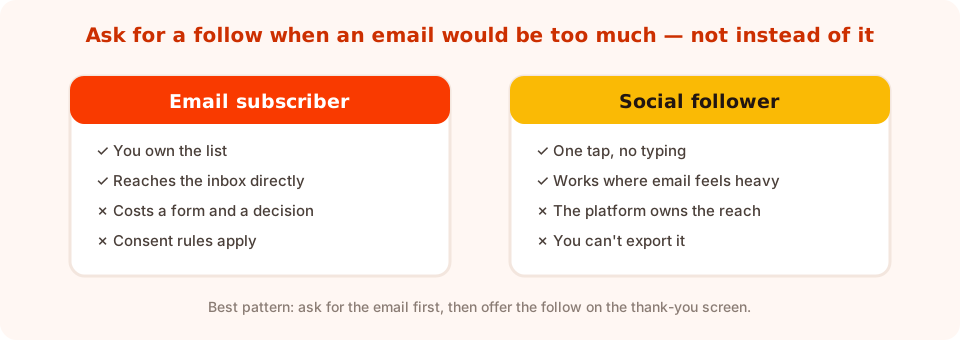
Different assets, different costs. The follow is cheap for the visitor and rented for you.
Ask for a follow when:
- The visitor is warm but not warm enough for a form — a first-time reader who liked one article.
- Your content is visual and belongs on a feed — product, food, interiors, craft, fitness.
- They already converted, and you don't want to ask for a second email address.
- You publish frequently enough that a feed is genuinely a better fit than a weekly email.
Ask for the email instead when:
- You're about to send something specific — a code, a guide, a restock alert.
- The relationship matters commercially. You own an email list; you rent an audience.
- You post rarely. A dormant feed makes the follow worthless to both of you.
The pattern that works best: email first, follow second — on the thank-you screen. You keep the asset you own, and you pick up the follower for free from someone who has already said yes once.
Seven places a follow ask works
1. The thank-you screen (start here)
A popup has its own thank-you step. Someone has just given you their email — goodwill is at its peak, the reward is on screen, and there's nothing else for them to do. Put the follow button there:
“Code's on its way. We post first looks and behind-the-scenes daily — come see.” Button: Follow for first looks.
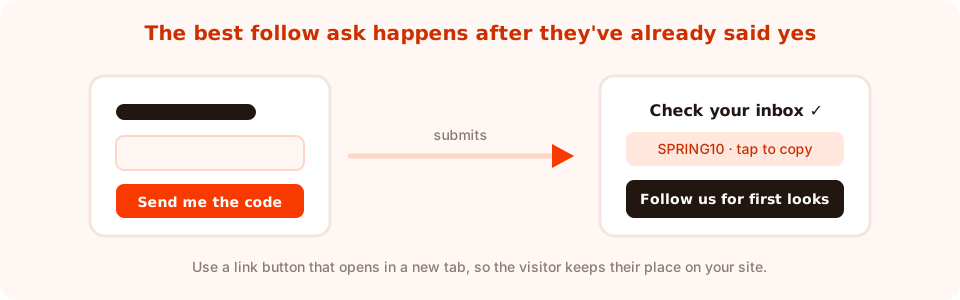
One popup, two outcomes: the subscriber you own and the follower you didn't have to ask twice for.
2. After a game
A spin wheel or scratch card ends on a winning screen. Someone who just won something is in the most agreeable state you'll ever catch them in — add the follow button next to the prize.
3. On the article the follower would like
Page-target a specific content category. On a recipe post: “We post one of these every day.” On an interiors piece: “Room tours, weekly.” The relevance is the persuasion.
4. On the order-confirmation page
A customer, not a stranger. “While that ships — see how it's made.” No email field needed; they've already given you one.
5. As a quiet corner slide-in
Small, bottom-corner, one line and one button, triggered on inactivity or deep scroll. The lowest-pressure version of this campaign, and the one to use if you're nervous about interrupting.
6. Behind a competition
Where your platform's rules permit it, a competition entry that includes following. Check the current rules for the platform you're on before you build it — they change, and some restrict what you can require. Keep the terms visible and honest.
7. On an out-of-stock product page
A dead end you can rescue. “Sold out — restocks get announced on our feed first.” Genuinely useful, and it converts frustration into a follow.
The copy: give them a reason, not an instruction
“Follow us on social media” asks for a favour. Naming what appears on the feed makes it an offer.
| Instruction | Offer | What changed |
|---|---|---|
| Follow us on social media | Restocks get announced on our feed first | Names a benefit they already want |
| Join our community | One recipe a day, no fuss | Sets the format and the frequency |
| Connect with us | Behind the scenes from the workshop | Describes content that only exists there |
| Don't miss our updates | Room tours every Friday | A named cadence beats vague FOMO |
| Like and follow! | See it on real people before you buy | Solves a real pre-purchase doubt |
And pick one platform per popup. A row of six icons is a decision; a single button is a tap. If you genuinely need to promote two, run two campaigns on different pages rather than two buttons on one popup. More on button copy in the popup CTA examples.
How to build it
Mechanically this is one of the simplest popups there is — no form, no validation, one button with a link.
- A button with a link action. Point it at your profile URL. Use the variant that opens the link and closes the popup, so the visitor isn't left with a stale overlay behind them.
- Open in a new tab. The whole point is that they come back. Sending them off your site in the same tab ends the session.
- Your handle, visible as text. Some people would rather search for you than tap a link they don't recognise. Write it out.
- An image block showing the feed's actual content. One representative photo does more persuading than any headline — it shows exactly what they'd be following.
- A frequency cap and the conversion gate off, so it asks once and then leaves people alone.
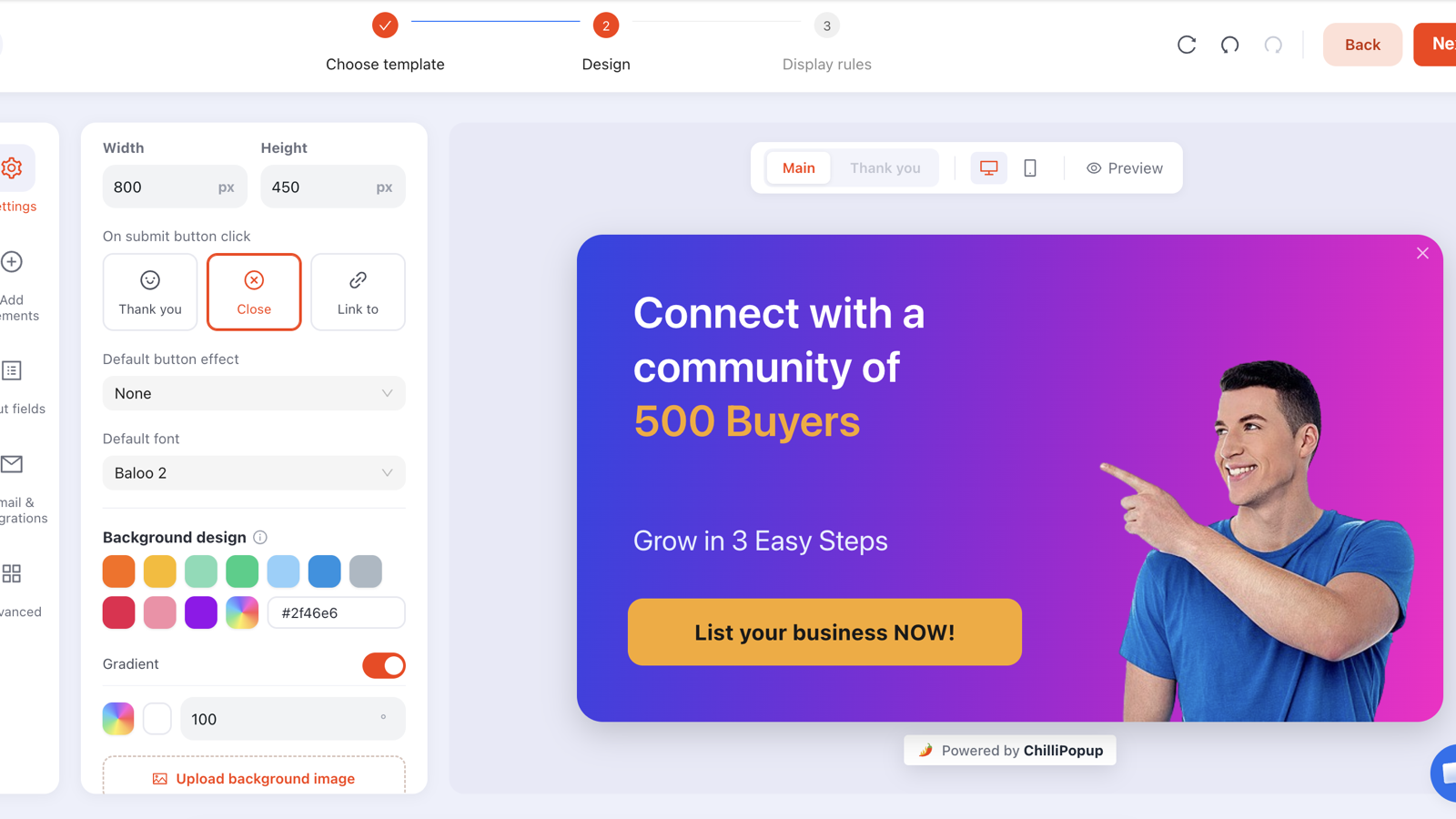
Image, one line, one link button. No form fields at all.
The measurement problem — be honest about it
The follow happens on someone else's platform, so nothing on your site can tell you whether it completed. What you can measure:
- Views — how many people were shown the ask.
- Clicks — how many tapped through. This is your real conversion metric for a follow popup, and it's the number to optimise.
- Follower growth on the platform — check it before you launch and again a fortnight later, and note anything else that changed in between.
Because there's no submission, don't judge this campaign on submissions or conversion rate — those are measuring an event that never happens here. Watch views and clicks, and compare the click rate against itself over time. A UTM parameter or a dedicated link in your profile URL will help attribute the arrivals on the platform side.
The wider metric set is in the popup analytics guide.
A worked example: a small bakery
Two campaigns, both tiny.
1. The thank-you follow. The existing newsletter popup keeps its email field and its discount code. On the thank-you screen: a photo of that morning's bake, one line — “We post what's coming out of the oven every morning” — and a link button, Follow the daily bake, opening in a new tab.
2. The sold-out rescue. Page-targeted to product URLs, exit intent, only when someone is leaving a page for something unavailable: “Sold out by 10am most days. We post restocks the night before.” Same button, no form.
Neither campaign asks for anything new. The first rides on a conversion that was already happening; the second turns a dead end into a follow.
Seven mistakes that make a follow popup feel needy
- Six platform icons. One button, one platform, one tap.
- “Follow us” with no reason. Name what's on the feed.
- Asking on arrival. They don't know you yet. Ask after they've read something or converted.
- Same-tab links. You've just ended the session you spent money acquiring.
- Promoting a dormant feed. If the last post is three months old, fix that before building the popup.
- Replacing the email ask. The list is the asset you own; the follow is the bonus.
- No frequency cap. Nothing looks more desperate than the same follow request on every page.
Build your follow popup in ChilliPopup
Ten minutes, because there's no form to design. If the pixel isn't installed yet, the install guide takes one line of code.
1. Add the follow to your existing thank-you screen
Open the popup you already run, switch to its thank-you step, and add an image, one line of copy and a link button pointing at your profile. Nothing else changes.
2. Write the reason, not the request
Name what appears on the feed and how often. “Room tours every Friday” beats “follow us” every time.
3. Make the link open in a new tab
Use the link action that also closes the popup, and check on a phone that the visitor lands back on your page when they come back.
4. Add one standalone follow campaign
A corner slide-in on your best content category, or an exit-intent popup on out-of-stock pages. Set a frequency cap and turn off “show again after conversion”.
5. Note today's follower count
Write it down before you publish, then read clicks in the dashboard and the platform count again in two weeks. Clicks are the number you optimise.
Add a follow button to a popup you already run
Popups, forms, surveys, quizzes and games from one editor and one script. Free plan, no credit card required. Paid plans from $29/month.
Start free →Related reading
Frequently asked questions
Can a popup grow my social media following?
Yes, because a follow costs the visitor one tap and no typing, which makes it a much lighter ask than an email form. The most effective version is not a standalone popup at all but a follow button added to the thank-you screen of a popup you already run.
Should I ask for a follow or an email address?
Email, when you have something specific to send and when the relationship matters commercially — you own a list and you rent an audience. Ask for a follow when the visitor is warm but not form-warm, when your content is visual, or on the thank-you screen after they have already given you their email.
Where should a follow popup appear?
The thank-you screen of an existing popup is the strongest placement, followed by the winning screen of a game, a content page that matches what you post, the order-confirmation page, and out-of-stock product pages where a restock announcement is genuinely useful.
How many social platforms should a follow popup show?
One. A row of icons turns a tap into a decision. If you need to promote two platforms, run two campaigns on different pages rather than putting two buttons on the same popup.
How do I measure whether a follow popup worked?
You cannot see the follow itself, because it happens on another platform. Measure views and clicks on the popup — clicks are the real conversion metric here — and record your follower count before launching and again a fortnight later. Do not judge this campaign on submissions, because it has no form.
Should a follow link open in a new tab?
Yes. The point of the campaign is that the visitor comes back to your site, and sending them to a social platform in the same tab usually ends the session. Use a button action that opens the link and closes the popup behind it.