An SMS popup is a website popup whose goal is a phone number instead of an email address. It works when three things are true: the visitor gets something worth more than the number, the popup says exactly what you will send and how often, and there is a consent box they have to tick themselves. Get any of those wrong and you don't get a smaller list — you get a list that generates complaints.
This guide covers where the SMS ask belongs (after email, never instead of it), how to write the consent line, six examples with sample copy, and the honest limits: ChilliPopup captures the number and the consent tick, and your own SMS provider sends the messages.
Key Takeaways
- A phone number is the most expensive field on the page. Price it accordingly: bigger reward, fewer other fields, clearer promise.
- SMS goes after email, not instead of it. Take the cheap identifier first, then ask for the number in a moment where you have already delivered something.
- Consent is a separate, unticked, required checkbox that names the sender, the content, the frequency and the way out — never a line of small print you assume covers it.
- The best SMS moments are service moments — delivery updates, restock alerts, early access to a drop that sells out — where the text is the value.
- ChilliPopup does not send SMS. It captures the number and the tick; sending is your provider's job, and you wire the handover before you launch.
What an SMS popup actually is
SMS popup, in two sentences
An SMS popup is a website popup that asks for a phone number so you can text the visitor later, paired with an explicit opt-in the visitor ticks themselves. Structurally it is a normal popup with a Phone Number field and a Checkbox field carrying the consent sentence — the difference is not the widget, it is how much you have to give before the ask is fair.
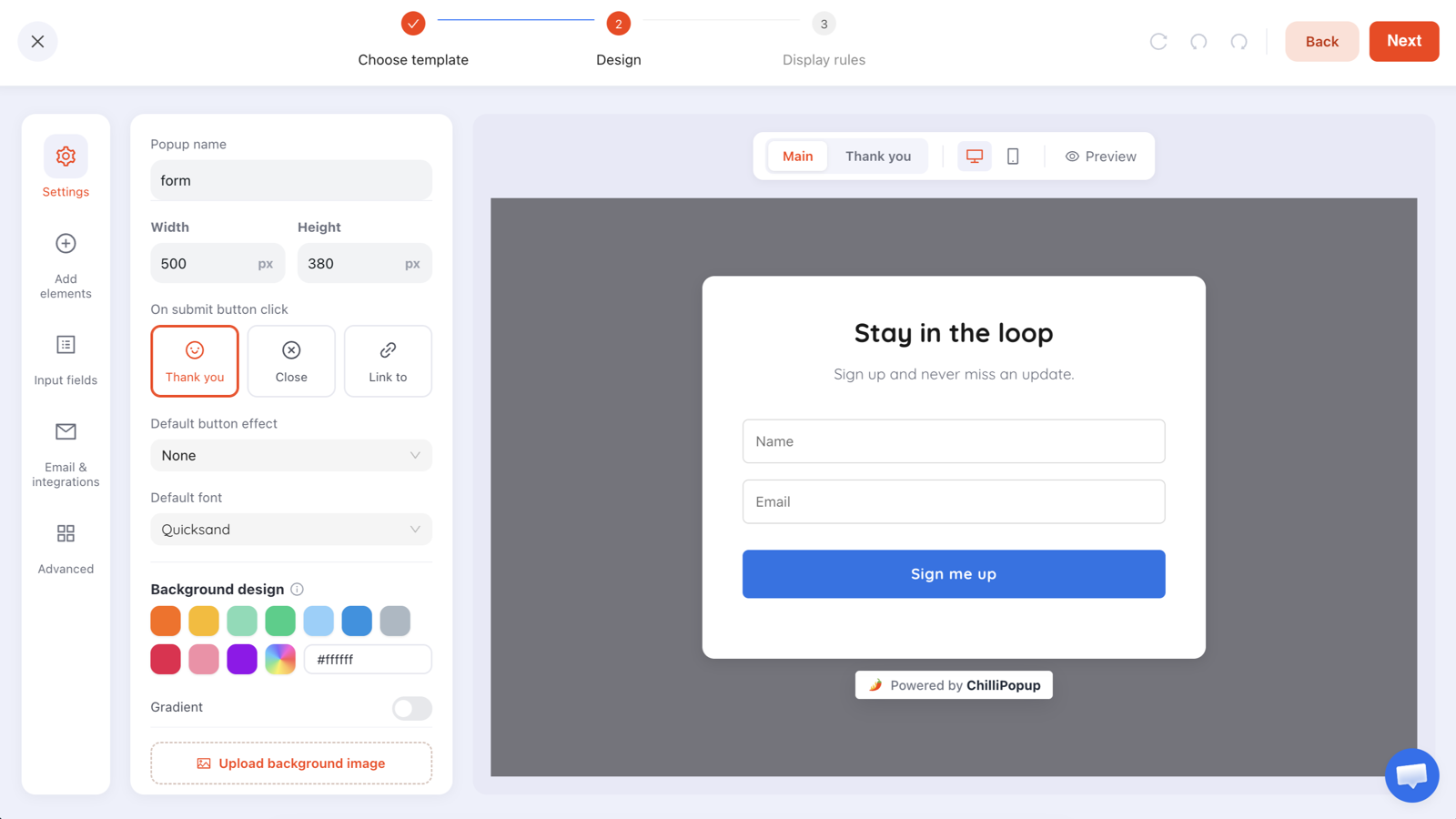
The mechanics are ordinary. ChilliPopup ships eight input types (Text, Email, Phone, Number, Long text,
Dropdown, Date, Checkbox) and twelve ready-made fields, including Phone Number and an
Email Consent checkbox. Each field has a placeholder, a Required toggle, and a
box or underline visual variant. Building the thing takes ten minutes.
Everything difficult about an SMS popup happens before and after that: deciding what you are going to text people, and deciding where in their visit you deserve to ask.
Why a phone number costs more than an email
Email and SMS look like two fields on the same form. To the visitor they are not remotely the same transaction.
An email address is a filter. It arrives in a place they already ignore, at a time they choose, in a list of forty other things. A phone number is a channel with no filter. It lights up the lock screen, it sits next to messages from their family, and it follows them to dinner. When a stranger asks for it, the visitor is not evaluating your discount — they are imagining the worst version of what you might do with it.
| Email ask | SMS ask | |
|---|---|---|
| What the visitor risks | A crowded inbox they already filter | Interruptions on the device they never put down |
| Reward it needs | A discount, a guide, a good newsletter | A materially better offer, or a service they actually want by text |
| Best moment | First visit — exit intent, scroll, time delay | After value has landed — post-purchase, restock, prize claim |
| Consent | An opt-in tick is good practice | An explicit, unticked, required tick is the whole ballgame |
| Cost of getting it wrong | Unsubscribes and a worse sender reputation | Complaints, carrier trouble and regulatory exposure |
| Sensible field count | One field | One field plus the consent box |
The practical consequence is simple: the reward has to carry the ask. If your email popup offers 10% off, the SMS version cannot offer 10% off as well and expect the same result. Either the offer is bigger, or the text itself is the thing they want — the shipping notification, the restock alert, the early link.
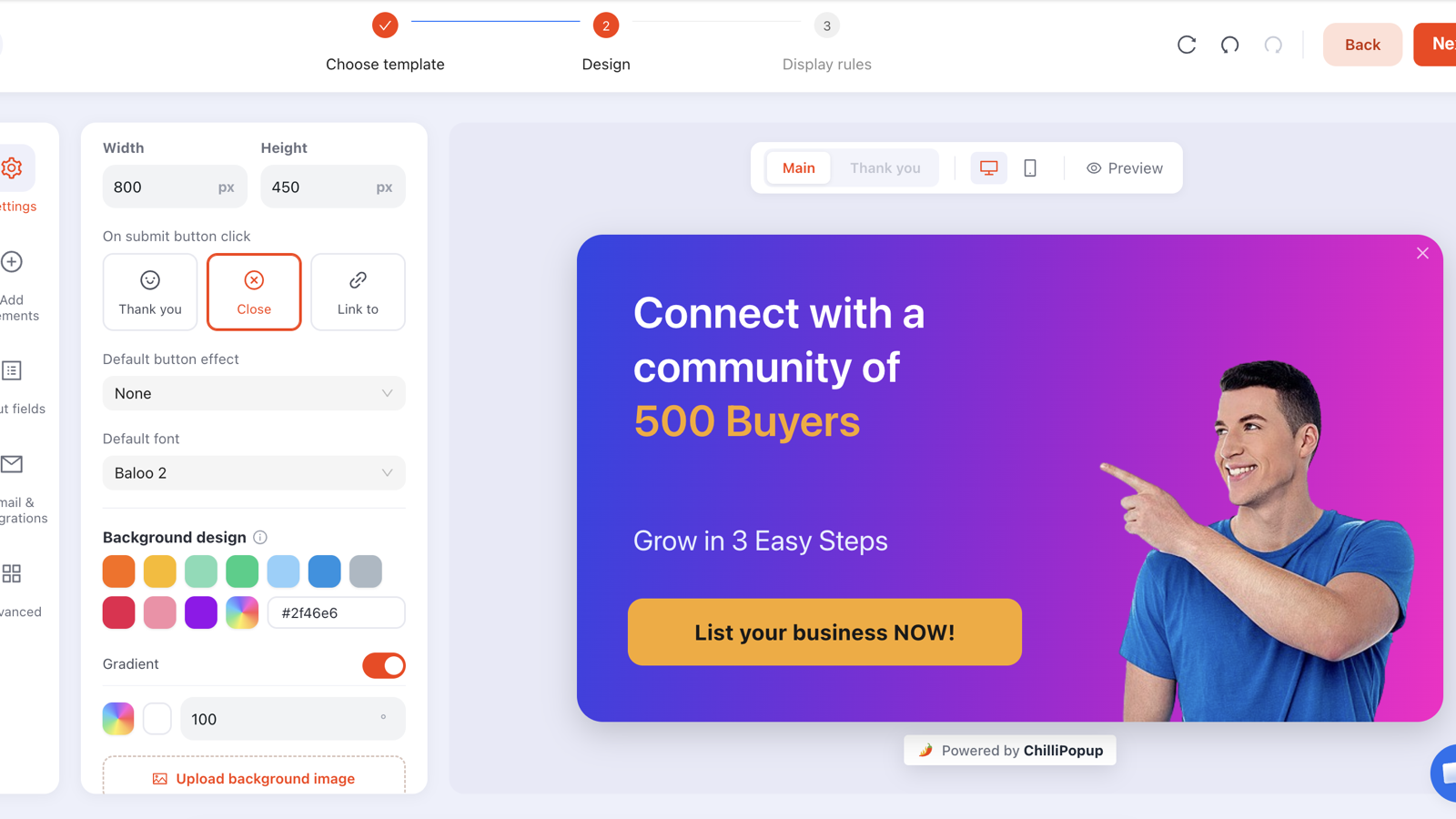
Design the reward first. In an SMS popup the headline and the offer do the persuading; the field list stays as short as you can make it.
The working rule. Ask yourself what you would say if the visitor replied "why do you need my number?". If the honest answer is "so we can market to you more often", you have not earned the field yet. If it is "so we can text you the moment your size is back", you have.
Where SMS belongs: after email, never instead of it
The most common SMS popup mistake is swapping the email field for a phone field on the same popup, in the same moment, with the same offer. You keep the traffic and the offer, and you replace the cheap ask with the expensive one. That trade rarely pays.
Treat capture as a ladder instead — the same idea as progressive profiling, applied to channels:
- Rung 1 — email. One field, first visit, a clear reward. This is the campaign that builds the list; see how to build an email list for the detail.
- Rung 2 — the number, once something has been delivered. After a purchase, after a code has been used, on a restock alert, or on the claim screen of a prize game.
- Rung 3 — nothing. There is no rung 3. Do not follow the phone number with a birthday and a size question in the same breath.
An honest constraint to design around. ChilliPopup has no rule that says "show this popup only to people who submitted a different popup" — targeting is per campaign, and answers are not stitched into a shared contact record across campaigns. So you cannot literally target "existing email subscribers" with the SMS ask. Two things get you the same effect: target returning visitors and page-target a post-purchase URL, and put the campaign's direct link in the welcome email your own email tool sends, so the SMS ask opens for people who are already subscribers by definition.
That direct link is worth dwelling on. Every campaign gives you a copyable link that opens it on arrival. A line at the bottom of your welcome email — "Want your order updates by text? Add your number here" — reaches exactly the audience you want without needing any cross-campaign targeting at all.
Consent, done properly
This section is general good practice, not legal advice. The rules that apply to you depend on where your customers are, which carriers deliver your messages and what you send them, and they change. Read this as a floor to build on, then check your own obligations with someone qualified before you launch.
The five things a consent line should carry
- Who is texting. Your brand name, not "we".
- What the texts are. Order updates? Offers? Both? Say which — and if it is both, that is two separate purposes and arguably two separate ticks.
- How often. A rough, honest number. "About 2 to 4 texts a month" is a promise you then have to keep.
- How to stop. The reply keyword your provider supports.
- That charges may apply. The standard "message and data rates may apply" line.
Three rules that are not negotiable
- The box starts empty. A pre-ticked consent box is not consent in any regime worth respecting, and it is the single fastest way to turn a list into a liability.
- Consent is its own field. Not implied by the submit button, not buried in a link to your terms. Add a Checkbox field carrying your consent sentence, and switch Required on so the popup cannot be submitted without it.
- Marketing consent is separate from the transaction. If someone gives you a number so you can text them a delivery update, that is not permission to text them a sale. If you want both, ask for both — visibly.
A consent line you can adapt.
"Yes, text me order updates and occasional offers from [Brand]. About 2 to 4 messages a month. Reply
STOP to unsubscribe. Message and data rates may apply."
Put that on the Checkbox field, mark it Required, and leave it unticked. If your offers and your
order updates are genuinely different programmes, run two checkboxes and only send what each one covers.
Two smaller points that matter more than they look. First, keep the record: the tick is stored with the submission, so the consent and the number live in the same row in your dashboard's Collected input data table. Don't split them by collecting the number in one campaign and the permission in another. Second, make the popup dismissible. A close button that works, and a visible "No thanks" option, are part of consent being real.
What ChilliPopup does not do. It does not send text messages, and it does not manage opt-outs. If someone replies STOP, that happens in your SMS provider — ChilliPopup will keep the original submission row exactly as it was. Suppression lives with the sender, and that is the part you have to get right operationally, not in the popup editor.
Six SMS popup examples with copy you can paste
Each of these is a separate campaign with its own display rules. The copy is written to be lifted and edited — swap the brand, keep the structure. The usual copy rules apply throughout: one idea, one reward, one button.
1. Delivery updates on the order-confirmation page
Usually the best-converting SMS ask, because the text is a service and the customer has just paid you.
- Headline: "Want your delivery updates by text?"
- Body: "We'll text you when your order ships and when it's out for delivery. That's it — unless you tick the offers box too."
- Fields: Phone Number (required) + Checkbox consent (required).
- Button: "Text me my updates"
- Rules: page URL contains
/thank_youor your confirmation path, Time Delay 3 seconds, frequency once every 30 days, and show again after conversion switched off.
2. Early access to a drop, for returning visitors
Works when your stock genuinely sells out. Do not use it if it doesn't — the promise is the whole offer.
- Headline: "Get first pick. By text."
- Body: "Drops sell out in hours. Subscribers get the link 12 hours early."
- Fields: Email (required) + Phone Number (optional) + Checkbox consent.
- Button: "Join the early list"
- Rules: audience returning visitors, Page Count trigger at 2 pages (counted within the browser session), frequency once every 14 days.
3. The two-step ask: email first, number second
Build this one as a survey so it has real steps. Screen one takes the email and is required. Screen two offers the number and is not.
- Step 1: "Get 10% off your first order" — Email, required. Button: "Send my code".
- Step 2: "Want the code by text too? It arrives in seconds." — Phone Number, optional, plus the consent checkbox. One button: "Finish", with the opt-out written into the copy underneath it — "Leave it blank and we'll email the code instead."
Everything answered arrives as one submission, so someone who leaves the phone field blank and presses the final button still lands as an email signup. Three honest caveats. Steps run strictly in order, so there is no branching and no control that skips a screen — pressing the button with an empty optional field is the opt-out. Someone who closes the popup on step two never submits at all; on a survey that is kept as a partial response, not a signup. And if someone steps back, a text or email field comes back empty and has to be retyped — put the required identifier on the screen they are least likely to revisit.
4. Restock alert on a sold-out product page
The purest form of the ask. The number is not marketing collateral here; it is the delivery mechanism for the thing they came for.
- Headline: "Text me when this is back"
- Body: "One message, the moment it's back in stock. Nothing else."
- Fields: Phone Number (required) + Checkbox consent scoped to this alert only.
- Button: "Alert me"
There are no hidden fields, so the product name will not ride along with the submission
automatically. Two honest workarounds: add a Dropdown field listing the handful of items
that actually sell out, or — cleaner — run one campaign per collection, page-targeted with
contains /collections/boots, so the campaign a number lands in tells you what the
visitor was waiting for.
5. On the claim screen of a prize game
A spin wheel, scratch card, slot machine or claw machine puts the ask after the win: the visitor plays, the claim screen collects their details, and submitting it reveals the prize. That is the easiest place in the whole site to collect an expensive field, because they are claiming something rather than signing up for something. The mechanics are covered in the spin to win popup guide.
- Claim screen headline: "You won. Where do we send it?"
- Fields: Email (required) + Phone Number (optional, labelled "Text me the code — it's faster") + Checkbox consent.
- Button: "Reveal my prize"
The outcome is decided server-side, so the prize cannot be rigged from the browser, and the odds per prize are yours to set.
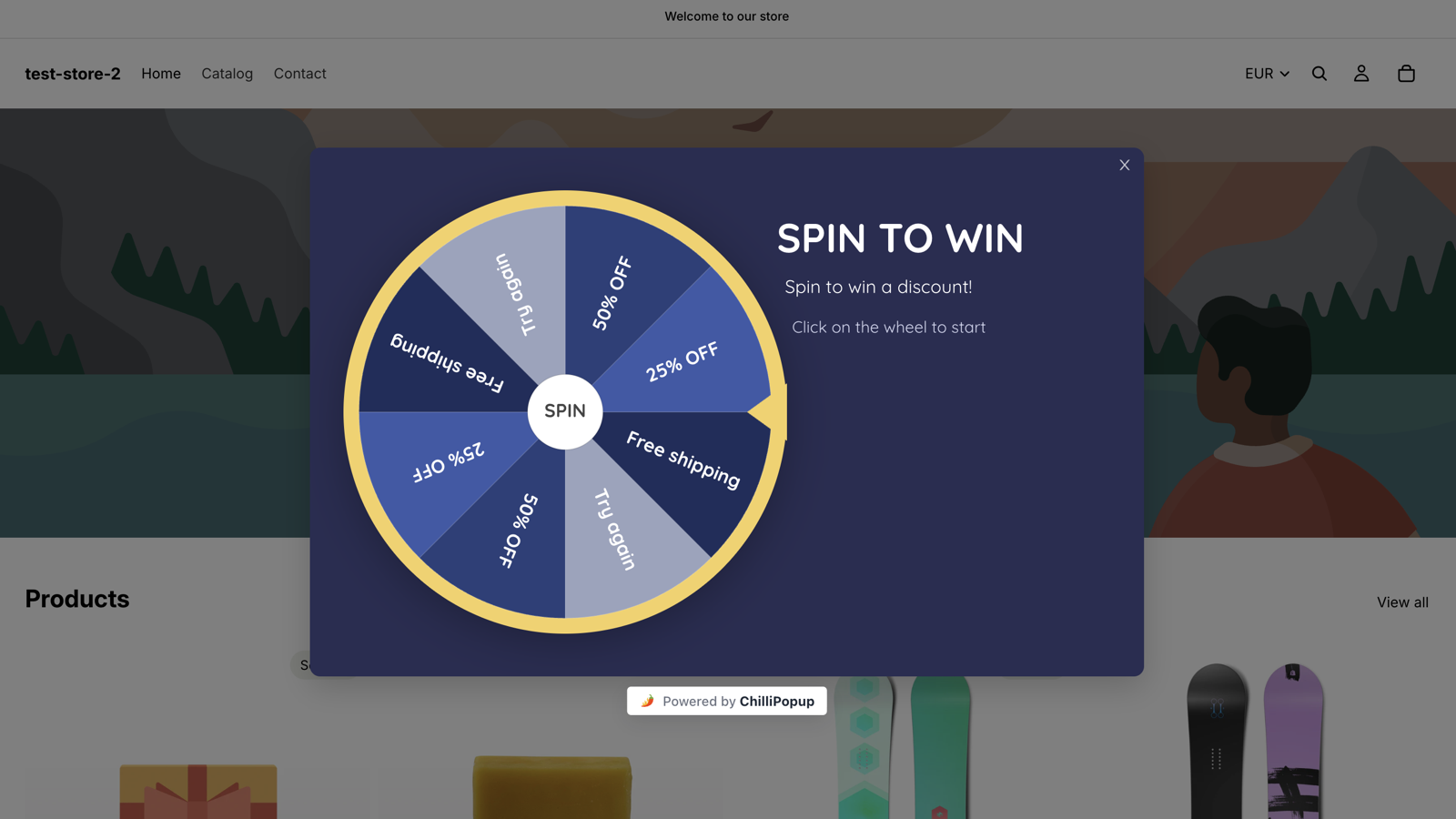
Games move the ask to the moment after someone has won. That is when a phone number stops feeling like a cost.
6. Cart abandonment, on exit intent
The riskiest one on this list, and the one most people build first. It only works if the offer is real and the copy admits what it is doing. See exit intent popups for the trigger detail — and note that exit intent is a desktop mouse behaviour, so use a Page Scroll trigger around 60% on mobile instead.
- Headline: "Leave it with us — we'll hold your cart"
- Body: "Add your number and we'll text you one reminder plus a 15% code. One message. Then we stop."
- Fields: Phone Number (required) + Checkbox consent.
- Button: "Text me the code", with "No thanks, I'll finish now" underneath.
- Rules: page URL contains
/cart, exit intent, once every 7 days, show again after conversion off.
| SMS popup | Trigger + targeting | Fields | Why it works |
|---|---|---|---|
| Delivery updates | URL contains confirmation path, 3s delay | Phone + consent | The text is a service they want |
| Early access | Returning visitors, page count 2 | Email + optional phone + consent | Scarcity is real and time-sensitive |
| Two-step ask | Exit intent or 50% scroll, new visitors | Email required, phone optional | Banks the cheap ask before risking the expensive one |
| Restock alert | URL contains the collection path | Phone + consent | SMS is the only sensible channel for it |
| Prize claim | Game claim screen, after a win | Email + optional phone + consent | The reward is already won |
| Cart abandon | URL contains /cart, exit intent | Phone + consent | High intent, but only with a real offer |
How to keep the SMS form short
Every field you add is another reason to close the popup, and the phone field is already the most expensive thing on the page. Practical ways to keep it short:
- Two inputs is the ceiling. Phone plus consent, or email plus optional phone plus consent. Nothing else.
- Kill the name field. If you are not personalising the first message, it is decoration. If you are, make it optional and put it last.
- Use the Phone field, not a Text field. That is exactly what the ready-made Phone Number field is there for — don't rebuild it out of a text input.
- Write the placeholder like an example, not an instruction. A sample number in your market's format beats "Enter your phone number".
- Only one required field beyond consent. Required is a gate; use it once.
- Design for the thumb. A phone keyboard covers half the screen and the consent line sits right underneath the input. Test the popup on an actual phone before you publish it.
If you want a fast first draft, describe the popup in a sentence and let the AI generator lay it out — then delete the fields it added that you don't need. Deleting is much easier than designing from an empty canvas, and it is a good forcing function for how short the form should be.
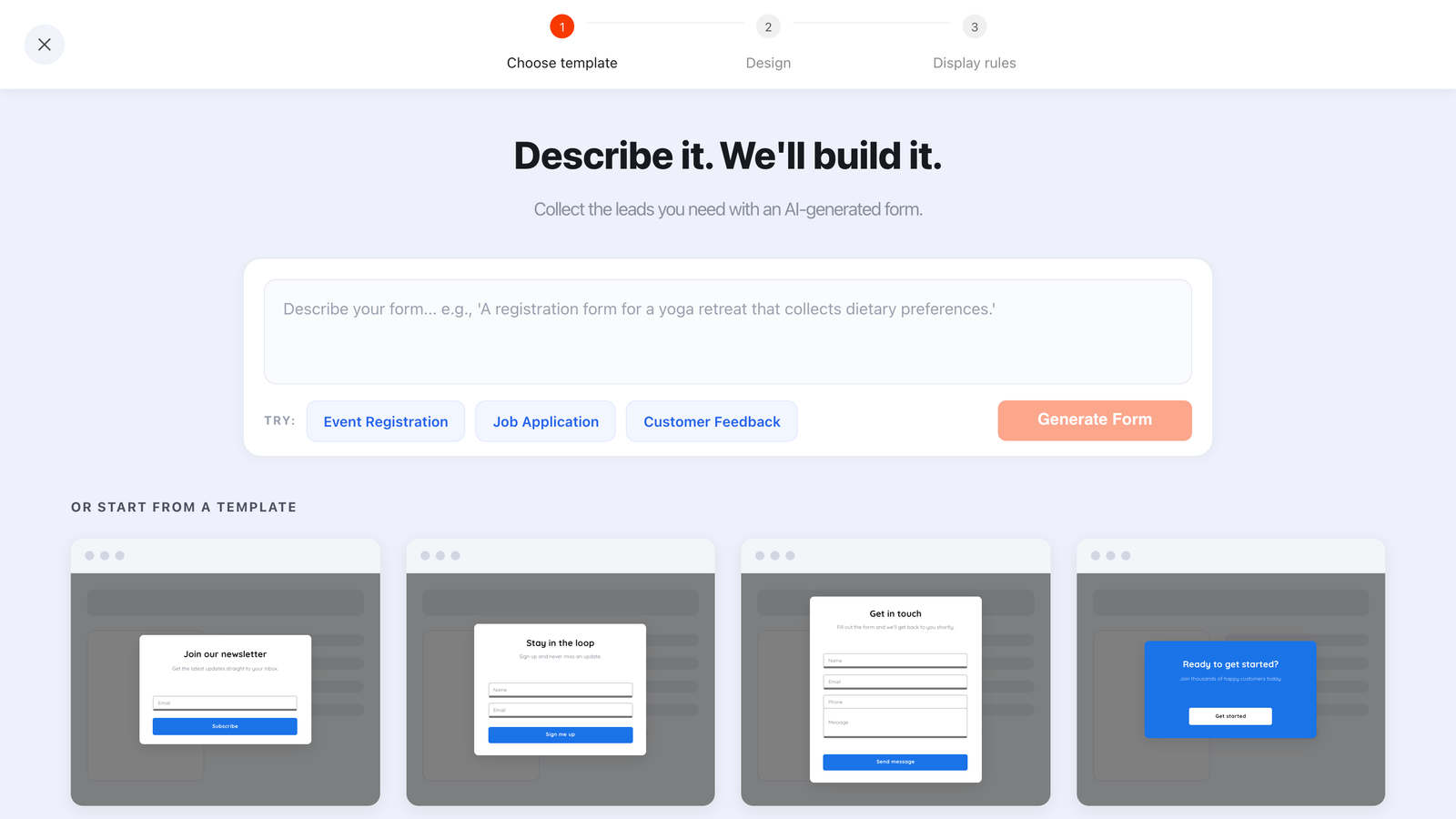
One sentence drafts the layout, copy, colours and fields. For an SMS popup, your job afterwards is mostly deletion.
Getting the numbers out and into your SMS tool
This is the part people forget until launch day. ChilliPopup stores every submission and shows it in the dashboard's Collected input data table, with a Collected fields breakdown of the top values per field. What it does not do: send you an email when a submission arrives, export a CSV, or push the row to an SMS platform. The editor's Email & integrations tab is a placeholder today.
So there are exactly two honest ways to move a number:
- By hand. Open the campaign's analytics, read the Collected input data table, and copy the numbers into your SMS provider on a schedule you actually keep. For a restock alert that runs once a fortnight, this is genuinely fine. For delivery updates, it is not.
- With a few lines of your own JavaScript. The pixel fires a browser event on every submit carrying the submitted data, so you can forward the number and the consent flag to your own endpoint the moment it is captured.
window.addEventListener('chillipopup:submit', function (e) {
  if (e.detail.popupUuid !== 'YOUR_SMS_POPUP_UUID') return;

  var data = e.detail.data;   // check the exact field keys in your
                              // dashboard's "Collected input data" table

  if (!data.smsConsent) return;             // never forward an unticked opt-in

  fetch('/api/sms-optin', {                 // your endpoint, your SMS provider
    method: 'POST',
    headers: { 'Content-Type': 'application/json' },
    body: JSON.stringify({ phone: data.phone, consentedAt: Date.now() })
  });
});
Forms, surveys and quizzes fire their own equivalents — chillipopup:form_submit,
chillipopup:survey_submit and chillipopup:quiz_submit — each carrying the answers
under its own id key (formUuid, surveyUuid, quizUuid), so listen for
the right one. This runs in the visitor's browser, so treat the endpoint as public and validate the number
server-side before you ever text it.
Decide the handover before you build the popup. A phone number sitting in a dashboard nobody opens is worse than no phone number at all — you made a promise, took the data, and delivered nothing.
What to measure
Every campaign gets its own analytics page: Views, Unique views, Clicks, Submissions, Conversion (submissions divided by views), Field inputs, an interactions-over-time chart, an event breakdown, shows by device, and the two collected-data views. Four readings matter for an SMS popup.

Read conversion against the popup's own history, not against your email popup — the two are asking for completely different things.
- Conversion, compared against itself. An SMS ask will usually convert below an email ask. That is expected, not a failure. Compare this campaign to last month's version of this campaign.
- Field inputs versus submissions. If far more people started typing than finished, they reached the phone field or the consent line and changed their mind. That is a copy problem, and it is the most useful signal on the page.
- Shows by device. If mobile views dominate but mobile submissions don't, the layout is fighting the keyboard.
- Collected fields. The breakdown of top values per field is your junk detector. A pile of identical or obviously fake numbers means the field is required in a moment where it should not be.
One thing to know before you look: the funnel, completion rate, average time and Drop-off Analysis views exist for surveys and quizzes, not for popups and forms. So if you build the two-step version of the ask as a survey, you also get drop-off ranked by the last field a session touched — plus partial responses, showing what people entered before leaving without submitting. That is a strong reason to build the two-step version as a survey rather than a popup.
Five mistakes that turn an SMS list into a liability
- Pre-ticking the consent box. It inflates the number you collect and invalidates the permission you claim to have. There is no version of this that ends well.
- Bundling transactional and marketing consent. "Text me my delivery updates" is not permission to send a Black Friday blast. Ask separately, and only send what each tick covers.
- Replacing the email popup instead of adding to it. You trade a high-converting cheap ask for a low-converting expensive one, on the same traffic, for the same offer.
- Breaking the frequency promise. If the box said 2 to 4 messages a month, four is the ceiling — not the average. The frequency line is the only reason they ticked.
- Collecting numbers with no sending plan. No provider chosen, no first message written, nobody owning the handover. The list ages, the context evaporates, and texting it six months later is worse than never having asked.
When not to run an SMS popup at all
- You have nothing to text. No shipping updates, no drops, no time-sensitive offers. SMS is for urgency; without it you are paying a conversion penalty for a channel you will use twice.
- Your customers are spread across many countries. Rules, formats and carrier expectations differ by market. Start with one market you understand.
- You have not built the email list yet. Fix rung one first. An SMS popup on a site with no email capture is optimising the wrong end of the funnel.
- Nobody owns the sending. If the answer to "who sends the first text and when" is a shrug, do not collect the numbers.
Build your SMS popup in ChilliPopup
Forty minutes, five steps, no code beyond the optional snippet above. If the pixel is not on your site yet, start with the one-line install guide — the same script serves every popup, form, survey, quiz and game, so there is nothing extra to embed later.
1. Pick the provider and write the first text
Before you build anything: who sends, what the first message says, how often messages go out afterwards. Those three answers become the consent sentence, so you cannot write the popup without them.
2. Build the popup: two fields, one checkbox
Add the ready-made Phone Number field. Add an email field only if the moment justifies it, and if you do, make email required and phone optional. Add a Checkbox field carrying your consent sentence, switch Required on, and leave it unticked. Give the button a verb that describes the text, not the form: "Text me my updates".
3. Rule it to a moment where value already landed
Page-target the confirmation, cart or collection URL with contains. Add a Time Delay of a few seconds — it always counts from page load — or exit intent on desktop. Switch the display frequency rule on (the audience and conversion controls only appear once it is), pick a cooldown like once every 30 days, and turn off "show again after conversion" so people who already gave you their number stop seeing it.
4. Wire the handover
Either put a recurring reminder in someone's calendar to copy the numbers out of the Collected input data table by hand, or drop the submit-event snippet above onto your site and forward the number to your provider. Submit a test entry yourself and follow it all the way to a received text before you publish.
5. Read it in two weeks, change one thing
Look at conversion, field inputs versus submissions, and the collected values. Then change exactly one thing — the offer, the consent sentence or the moment — and leave it alone for another two weeks. There is no split testing here, so sequential changes and patience are how you learn anything.
Build your SMS popup this afternoon
Popups, forms, surveys, quizzes and prize games from one editor — and one pixel. Free plan, no credit card required. Paid plans from $29/month.
Start free →Related reading
Frequently asked questions
What is an SMS popup?
An SMS popup is a website popup whose goal is a phone number rather than an email address. It normally pairs a Phone Number field with a tick-box where the visitor agrees to receive texts, and it works best when it is attached to a reward or a service the visitor genuinely wants by text, such as a discount, an early-access drop or a restock alert. ChilliPopup collects and stores the number; the messages themselves are sent by your own SMS provider.
Should I ask for a phone number and an email address in the same popup?
Only if the phone number is optional. Email is the cheap ask and it should never be put at risk by a bigger one sitting next to it. The safe pattern is an email field marked required, a phone field left optional, and a separate consent tick-box for texts. If you want both properly, split them: take the email now and ask for the number later, in a moment where you have already delivered something.
Does ChilliPopup send the text messages?
No. ChilliPopup builds the popup, captures the phone number and the consent tick, and stores the submission with the rest of your data. Sending the actual texts is the job of an SMS provider you choose. Plan that handover before you launch: decide where the numbers go, who checks them and how often, because a number sitting in a dashboard nobody reads is a promise you are quietly breaking.
What should an SMS consent checkbox say?
Say who is texting, what the texts are, roughly how often they arrive, how to stop them, and that message and data rates may apply. Keep it to one readable sentence next to the box, make it required so the popup cannot be submitted without it, and never ship it pre-ticked. Rules differ by country and by carrier, so treat this as a starting point and check your own obligations with someone qualified before you launch.
Where does an SMS popup convert best?
After a purchase, on the checkout or order-confirmation page, where delivery updates by text are a genuine service rather than marketing. The next best moments are a restock alert, an early-access list for drops that sell out, and the claim screen of a prize game, where the visitor has already won something and is filling in a form to collect it.
How many fields should an SMS popup have?
One or two, plus the consent tick-box. A phone number on its own, or an email marked required with the phone left optional. Every extra field is another reason to close the popup, and a phone number is already the most expensive thing on the page. Name, birthday and preferences belong on a later ask, once the first text has actually earned you something.