A lead qualification question is one you ask on a website form specifically to decide what happens to that lead next — who follows up, how fast, with what message, or whether anyone follows up at all. If the answer changes none of those things, it is not a qualification question. It is friction.
This guide covers which questions are worth the conversion they cost, how to phrase them so people answer honestly, where to put them so they do not scare anyone off, and how to score the answers without pretending you have a system you do not have.
Key Takeaways
- One qualifier, not five. Pick the single question that most changes what you do next, and ask only that.
- Options beat text boxes — bands and chips give you comparable answers instead of free-text you cannot sort.
- Ask after the value, not before it. A qualifier on the first screen reads as an interrogation.
- Every qualifier costs conversions. The question is whether the sorting is worth more than the leads it loses.
- Score with a rule you can say out loud — three tiers beats a fake points model nobody trusts.
What makes a question a qualification question
Lead qualification, in two sentences
Lead qualification is sorting inbound leads by how likely and how valuable they are, so your follow-up effort goes where it pays. On a website form, that means asking the smallest number of questions whose answers actually change your next action.
The test is brutally simple, and most forms fail it. For every field, finish this sentence: "When the answer is X, we do ___ instead of ___." If you cannot fill both blanks, delete the field. "It's nice to know" is not a use.
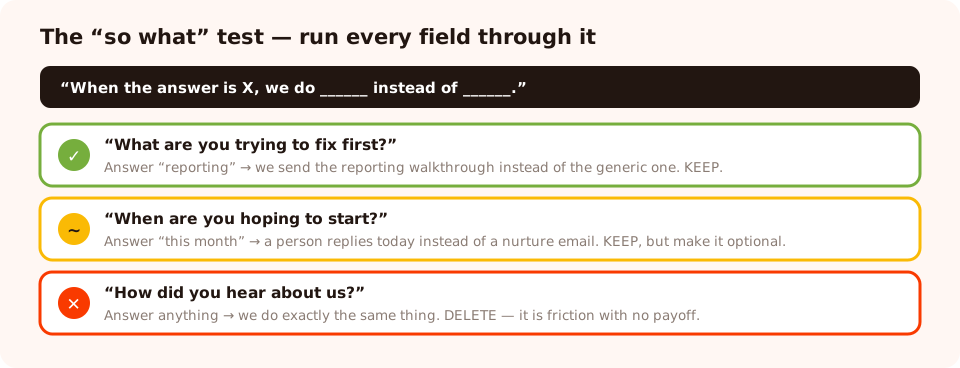
Run every field through this before it goes on the form. Most of them do not survive.
The four things worth qualifying on
Almost every useful qualification question maps to one of four dimensions. You rarely need more than two, and on a first-touch form you should ask for exactly one.
| Dimension | What it tells you | Ask it as | Cost to conversion |
|---|---|---|---|
| Fit | Whether they are the kind of customer you serve | Role, company size band, industry, use case | Low — one tap on a choice question |
| Need | Which problem they actually have | "What are you trying to solve?" with 4 options | Low, and it doubles as routing for your emails |
| Timing | Whether this is now or someday | "When are you looking to start?" with 3–4 bands | Medium — people dislike committing to a date |
| Authority & budget | Whether they can decide and afford it | Budget bands, "who else is involved?" | High — the most expensive question you can ask |
The ranking that matters: fit and need are cheap and useful. Timing is moderately expensive and usually worth it on a demo form. Budget is the most expensive question on any website form, and on a first-touch capture form it is almost always the wrong trade.
Twelve lead qualification questions that earn their place
Fit
- "Which best describes you?" — Founder / Marketing / Product / Agency. One tap, and it changes the language of every follow-up.
- "How big is your team?" — 1–5 / 6–25 / 26–100 / 100+. The cleanest single proxy for deal size in software.
- "What kind of business is this for?" — the ecommerce equivalent: store, agency, marketplace, personal project.
- "Roughly how many orders a month?" — bands, never a number. Nobody knows their exact figure and everyone can pick a band.
Need
- "What are you trying to fix first?" — the single best qualification question in existence, because it is genuinely useful to the person answering it.
- "What are you using today?" — keep the options generic (a spreadsheet / another tool / nothing yet) rather than naming names.
- "What would make this a success in 90 days?" — a text field, but a good one; use it only on high-intent forms where people expect to write.
- "How did this become a priority?" — the "why now" question in disguise, and much easier to answer than a date.
Timing and authority
- "When are you hoping to have this running?" — This month / this quarter / just researching. The third option is what makes people answer honestly.
- "Are you evaluating for yourself or for a team?" — a softer, better-answered version of the authority question.
- "Who else needs to be involved in the decision?" — for demo forms only, and never as a required field.
- "Do you have a budget set for this?" — Yes / Not yet / I'd need to build a case. Three options, no numbers, and the honest answers are far more useful than a fabricated range.
How to phrase them so people answer honestly
Give a safe option
"Just researching" and "Not yet" are not wasted options — they are what make the other answers trustworthy. Remove them and everyone picks the middle, and your data becomes decoration.
Use bands, not free text
A number field asking for team size produces "12", "about 12", "12 (growing)" and "dunno". Four tappable bands produce four values you can sort on. Choice questions also complete in one gesture, which matters enormously on a phone.
Ask about the problem, not the purchase
"What are you trying to fix?" gets answered enthusiastically. "What is your budget?" gets skipped, or answered defensively. Both can end up telling you the same thing about deal size, but only one of them feels like help.
Never make a qualifier required on a first-touch form
A required qualifier converts an interested stranger into a bounced one. Make the identifier required and the qualifier optional — you will be surprised how many people answer an optional question they were never forced into.
Be careful what you make mandatory. Required fields do not produce data, they produce
compliance: ask for a phone number nobody wants to give and you get 0000000000. A junk
answer is worse than a blank, because you will segment on it.
Where to put the qualifier
The same question converts completely differently depending on when it appears. In rough order from best to worst:
- On a screen after the first commitment. A stepped quiz or survey where screen one is a friendly tap and the qualifier is screen two. They have already started, so finishing feels natural.
- On a high-intent form — demo requests, quote forms, contact pages. People expect to be asked things here, and a form that asks nothing looks careless.
- On a later campaign, targeted at returning visitors. You have delivered something first, so the second ask is fair — the approach in our progressive profiling guide.
- After a reward has been won. Behind a prize game, on the claim screen, where the visitor is claiming something rather than filling in a profile.
- On the first screen of a cold capture popup. Almost never right. This is where qualification questions go to destroy conversion rates.
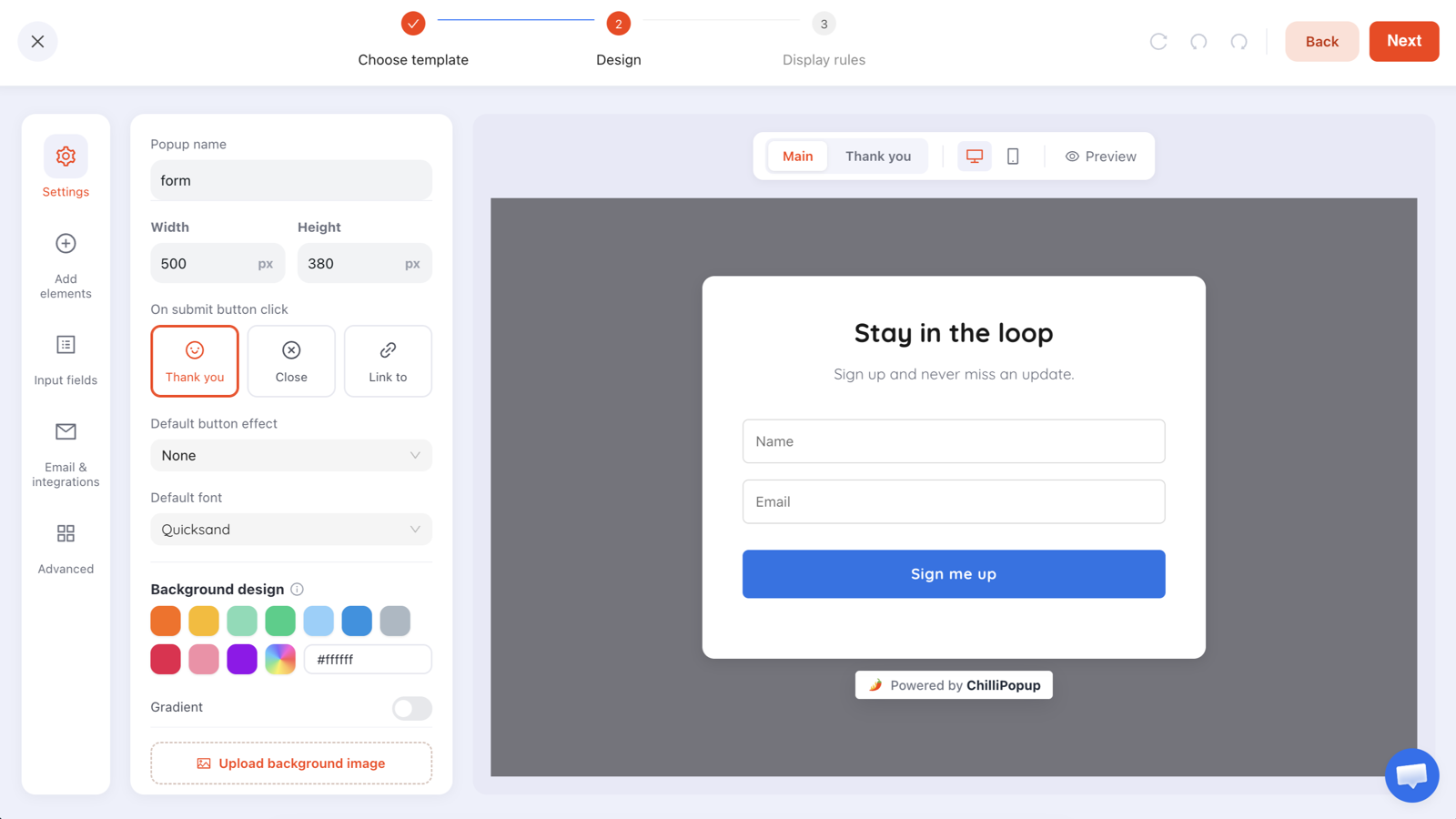
Build the qualifier as options, not a text box — and leave it optional unless the form is genuinely high-intent.
A note for B2B forms specifically: if list quality matters more than raw volume, you can require a business email address rather than asking a qualification question at all. It filters out a lot of noise without costing a single extra field. Just do not switch it on for a consumer store, where it silently rejects every personal address — see mistake seven in our popup mistakes guide.
A worked example: a two-screen qualification flow
A software company runs one demo-request form. Instead of seven fields on one screen, it is three screens:
Screen 1 — need. "What are you trying to fix first?" Four options. No email yet. The visitor has told you the thing they most want to talk about, and it cost them one tap.
Screen 2 — fit and timing. "How big is the team?" with four bands, and "When are you hoping to have this running?" with three, including "just researching".
Screen 3 — the identifier. "Where should we send the walkthrough?" Email, with business-email validation on. One required field, at the end, framed as delivery.
Three screens, four answers, one required field. The same information as the seven-field form, arranged so the expensive parts arrive after the visitor has already invested something.
Build a qualifying form in 20 minutes
Choice questions, email validation, stepped screens and per-question drop-off reporting. Free plan, no credit card required. Paid plans from $29/month.
Start free →Scoring the answers without over-engineering it
Most small teams do not need a points model, and a points model nobody trusts is worse than none. Three tiers, defined in a sentence each, will carry you a long way:
| Tier | Rule | What happens |
|---|---|---|
| Now | Right fit and timing is this month or quarter | A person replies the same day |
| Soon | Right fit, timing vague or further out | Into the relevant nurture sequence, checked monthly |
| Never | Clearly outside what you serve | Newsletter only — and be honest about it |
One honest constraint worth planning around: campaign submissions are stored per campaign, and there is no built-in lead-scoring engine or CRM sync doing this for you. The sorting is a rule you apply when you read or export the answers. That is not a limitation to work around so much as a reason to keep the rule simple enough that a human can apply it in ten seconds.
Six qualification mistakes
- Asking five qualifiers on a first-touch form. You now have excellent data about the four people who finished it.
- Free-text budget fields. You will get "?", "flexible" and "depends" — none of which sort.
- No safe option. Without "just researching", everyone picks "this quarter" and your pipeline forecast becomes fiction.
- Qualifying on something you cannot act on. If the same email goes to every tier, the question was theatre.
- Making the qualifier required. An optional question answered by 60% beats a required one that costs you 30% of submissions.
- Never reading the answers. Check the distribution monthly — a question where 90% pick the same option is telling you it can be deleted.
Build your qualification flow
Twenty minutes. If the pixel is not on your site yet, start with the one-line install guide.
1. Write the one rule you will actually apply
Before choosing questions, write the sentence that decides who gets a same-day reply. The questions you need are exactly the ones that sentence depends on — usually one, occasionally two.
2. Turn each qualifier into three to five options
Bands, not numbers. Include the honest escape hatch — "just researching", "not yet" — or the answers you get will not be worth sorting.
3. Put the qualifier on screen two, the email on screen three
Build it as a stepped survey or quiz so the first screen is a friendly tap. Keep the email required and the qualifier optional, and place the email late so a back-step does not force a retype.
4. Target it where intent already exists
Pricing, demo and high-intent product pages, or returning visitors — not a cold exit-intent popup on the homepage. Set the display rules to match, and switch off "show again after conversion".
5. Read the answer distribution after a month
Delete any question where one option wins by a landslide, and check the drop-off ranking to find the question people quit on. One change, then leave it alone for another month.
Related reading
Frequently asked questions
What are lead qualification questions?
They are the questions you ask on a website form specifically to decide what happens to that lead next — who follows up, how quickly, with what message, or whether anyone follows up at all. The test is whether you can finish the sentence 'when the answer is X, we do this instead of that'. If you cannot, the question is friction rather than qualification.
How many qualifying questions should a form have?
One on a first-touch capture form, and no more than two or three on a high-intent form such as a demo request. Each qualifier costs conversions, so the only ones worth including are those whose answers genuinely change your follow-up. Five qualifiers gives you excellent data about the handful of people who finished.
What is the best lead qualification question to ask?
'What are you trying to fix first?' with four options. It qualifies on need, which is the cheapest and most useful dimension, and it is genuinely helpful to the person answering because it shapes what they get back. It also doubles as segmentation for every email you send afterwards.
Should I ask about budget on a website form?
Rarely, and never on a first-touch capture form. Budget is the most expensive question you can ask — people skip it or answer defensively. If you must, use three options like 'Yes / Not yet / I'd need to build a case' rather than a number field, and place it on a high-intent form where people expect to be asked.
Should qualification questions be required?
No, not on a first-touch form. Make the identifier required and the qualifier optional. Required fields produce compliance rather than data — an unwanted phone number field returns strings of zeros, and a junk answer is worse than a blank because you will end up segmenting on it.
How do I score qualified leads?
Start with three tiers you can state in a sentence each: 'now' for the right fit with near-term timing, 'soon' for the right fit with vague timing, and 'never' for people outside what you serve. There is no built-in scoring engine applying this for you — the rule is one you apply when reading or exporting submissions, which is a good reason to keep it simple enough to apply in ten seconds.