A birthday email is the only message you send all year that is genuinely about the customer. It needs no seasonal excuse, competes with nothing else in your calendar, and lands as a gesture rather than a campaign — which is exactly why so many stores want the field and so few manage to collect it.
The problem is that a birthday is an expensive field. Put it on a cold signup popup and it costs you conversions and returns fake dates. Ask for it at the right moment and people hand it over happily. This guide is about finding that moment.
Key Takeaways
- Never on a first-visit popup. A birthday from a stranger costs conversions and buys you
01/01. - Month and day only. Drop the year unless you are legally required to verify age.
- Name the reward at the point of asking. "We'll send you something on the day" is the whole pitch.
- The best moments are post-purchase, post-win and in-account — all after value has landed.
- Do not collect it if you will not send the email. An unused birthday field is friction plus a data-protection liability.
Why the birthday field is more expensive than it looks
Fields do not cost the same. Once someone has decided to claim a discount, typing an email is nearly free — they always knew you would need a way to reach them. A birthday is different in three ways at once:
- It is not obviously necessary. The visitor can see why you need an email. They have to be told why you need a birthday, and if you do not tell them they assume the worst.
- It feels personal. It sits in the same mental category as a phone number — something you give to people you have decided to trust.
- It is easy to fake. Unlike an email, a wrong birthday has no consequence for the visitor, so a required birthday field on a cold form produces a suspicious pile of 1 January entries.
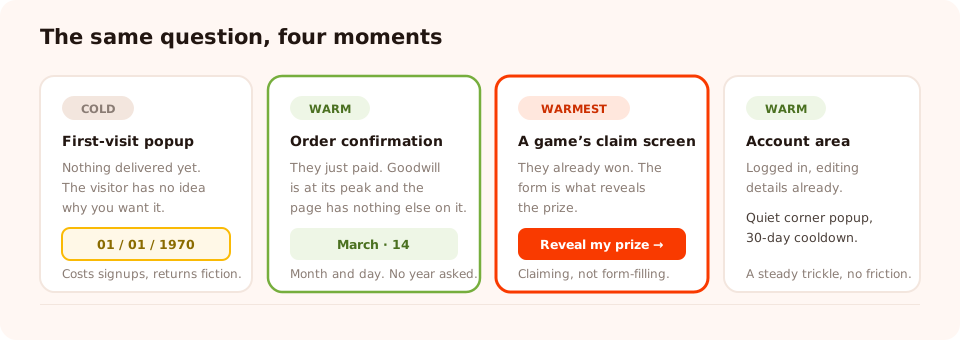
The same field, four moments. What changes is how much value has already been delivered.
Which means the birthday belongs on a later rung of a progressive profiling ladder, not on the first ask. Get the email first; the date can wait a fortnight.
The four moments that work
1. On the order-confirmation page
The customer has paid, the goodwill is at its peak, and they are looking at a page with nothing else to do. A short delay, a URL rule on the thank-you path, and one question:
One more thing — when's your birthday?
We send a little something every year. No, we won't ask for the year.
[ Month ▾ ] [ Day ▾ ] [ Save it → ]
The joke about the year is doing real work: it acknowledges the objection before the visitor has to raise it.
2. As the claim step of a game
This is the strongest one, and the least obvious. On a spin wheel or scratch card, the visitor plays, wins, and then completes a short claim form — and submitting the form is what reveals the prize. Fields that would have destroyed a cold popup are tolerated cheerfully at that moment, because the visitor is claiming something they have already won rather than filling in a form.
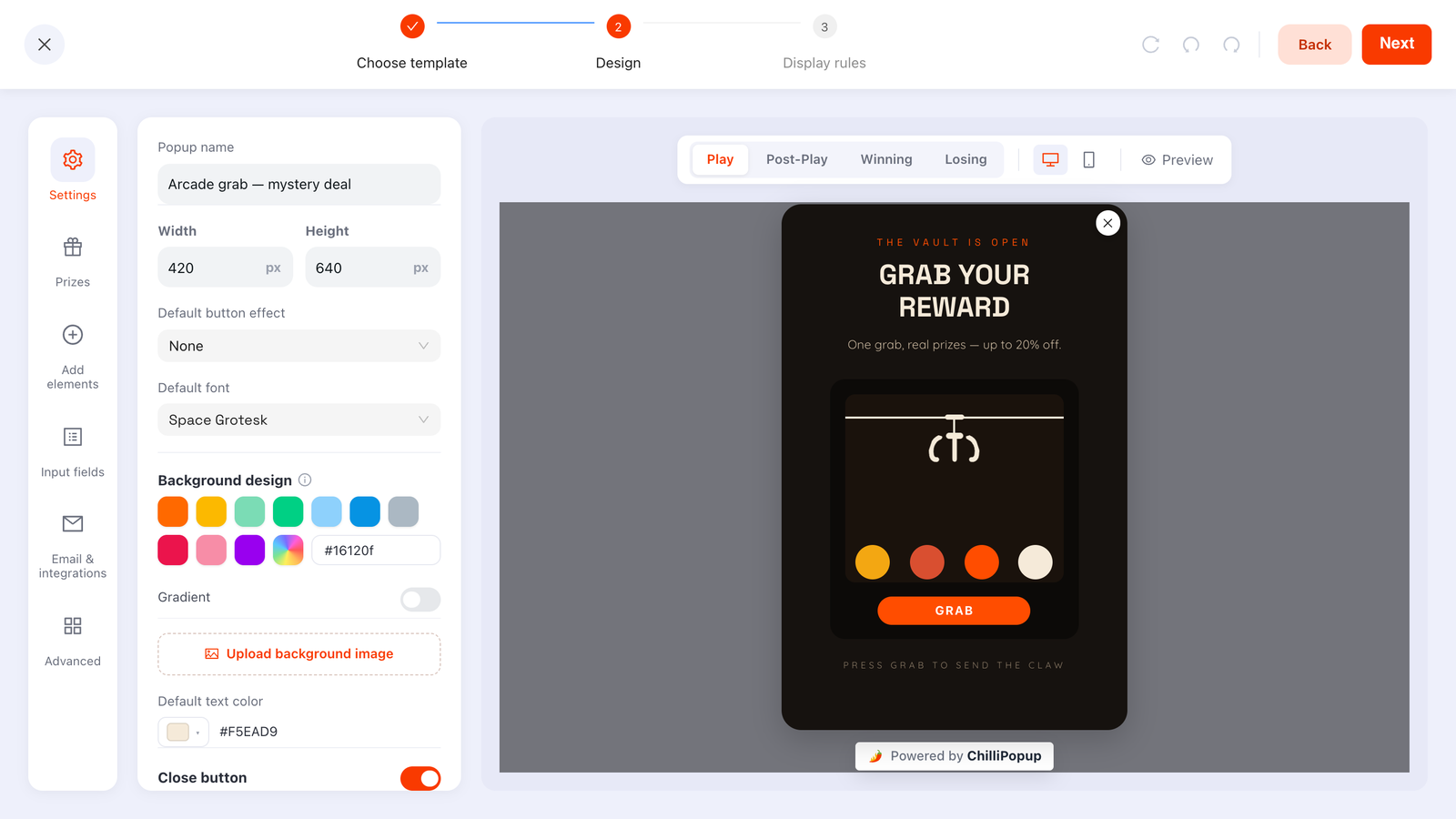
The claim screen is the cheapest place on your entire site to ask for an expensive field.
3. In the account area
A logged-in customer editing their details is already in a data-giving frame of mind. A corner popup targeted at the account URL path — quiet, low interruption, easy to dismiss — picks up a steady trickle without ever annoying anyone.
4. As a second ask to existing subscribers
Everyone already on your list can be asked directly. Send an email whose link opens a birthday-collection campaign when they land, or target returning visitors with a low-frequency corner popup. Both work; the email is better, because the audience is unambiguous.
How to build it
Mechanically this is a small campaign, and the settings do most of the work.
| Setting | What to use | Why |
|---|---|---|
| Fields | Birthday, optional. Email if they might be anonymous | You need a way to match the date to a person |
| Required | No | A required birthday returns fake dates, not data |
| Year | Omit it | Higher answer rate; nothing lost for a marketing use |
| Trigger | A short delay on the right page | The moment is doing the persuading, not the trigger |
| Page targeting | Thank-you page, account path, or none if it is a game | Keeps it out of cold contexts |
| Frequency | Long cooldown — 30 days or more | There is no urgency; pressing looks strange |
| Show again after conversion | Off | Nobody should be asked their birthday twice |
| Position | Corner popup for the quiet placements | Low interruption suits a low-urgency ask |
Keep an email field alongside it unless the visitor is definitely known. Each campaign stores its own submissions, so a birthday collected without an identifier is a date attached to nobody. Asking a subscriber to confirm their email costs almost nothing; guessing which anonymous answer belongs to which contact is impossible.
Say why you are asking, in one line
The single highest-yield line of copy in the whole campaign sits directly under the field. It has to name the reward and set a boundary:
- "We'll send you a treat on the day. That's all we use it for."
- "Members get a birthday gift — month and day only, we promise."
- "So we can send you 20% off during your birthday week."
Because a date of birth is personal data, the purpose should be stated where it is collected, the field should stay optional, and you should not keep it after you stop using it. The GDPR-compliant popups guide covers the wording in more depth.
Collect the fields that need a warm moment
Build popups, forms, surveys, quizzes and games from one editor — and one script tag. Free plan, no credit card required. Paid plans from $29/month.
Start free →What to send, and when
The collection is the easy half. Most birthday programmes fail at the send, in three predictable ways.
- Sending on the day. Nobody reads marketing email on their birthday. Send it three to five days early, and give the offer a window — "your birthday week" — so it can actually be redeemed.
- Sending a discount that looks like every other discount. If your standing offer is 10% off, a birthday 10% off is not a gift, it is your normal email with a candle emoji. Make it materially better, or make it a free item rather than a percentage.
- Requiring a minimum spend. A gift with conditions is not a gift. If the economics only work with a threshold, choose a smaller reward without one.
And the obvious one: if you have no birthday email, do not collect birthdays. An unused personal-data field is friction you paid for and a liability you are storing.
A worked example
A skincare store with a repeat-purchase product runs two campaigns.
Campaign 1 — the scratch card. On collection pages, a five-second delay. The visitor scratches, wins a 15% code, and the claim screen asks for email and birthday month and day, with the line "we'll send you a treat on the day". Submitting reveals the code. The birthday is collected from someone in the middle of winning something.
Campaign 2 — the thank-you page. For everyone who bought without playing, a corner popup on the order-confirmation URL: "When's your birthday? We send a little something every year." Optional, no year, "show again after conversion" off, 30-day cooldown.
The send. Four days before, a free travel-size product with any order that week — no minimum spend. The reward is small enough to give away and specific enough not to look like the weekly promo.
What makes this work is not the copy. It is that both asks happen after the store has given something, and the reward on offer is a real one.
Six mistakes to avoid
- Putting it on a first-visit signup popup. The single most common error, and it costs you conversions on the email you actually needed.
- Asking for the year. Unless you must verify age, it is friction with no payoff.
- Making it required. You will get dates. They will not be true.
- Not saying what it is for. An unexplained birthday field reads as data harvesting, because that is usually what it is.
- Collecting it with no email attached. A date belonging to nobody.
- Collecting it and never sending anything. The worst outcome: friction, a broken implicit promise, and personal data you have no reason to hold.
Set it up, step by step
1. Write the reward first
If you cannot name what arrives on their birthday, stop here — do not collect the field.
2. Ask month and day only
No year. Optional, never required.
3. Pick a warm moment
Order confirmation, a game's claim screen, the account area, or an email to existing subscribers.
4. Add the one line that says why
Name the reward and the boundary, directly under the field.
5. Turn off repeats, set a long cooldown
"Show again after conversion" off, 30 days or more between showings.
6. Send it four days early, with a week-long window
Then check redemptions after the first month before scaling anything.
Related reading
Frequently asked questions
Why collect birthdays from website visitors?
Because a birthday email is the one message a year that is genuinely about the customer rather than about you — it does not compete with a promotional calendar, it does not need a reason to exist, and it is the easiest personalised campaign to run once you have the date. The field is only worth collecting if you actually send that email.
Should I ask for a full date of birth or just the month?
Month and day is enough for a birthday campaign, and asking for the year turns a friendly question into a data-collection exercise people resist. Unless you are legally required to verify age, drop the year — you will get noticeably more answers and you lose nothing you were going to use.
Where should I ask for a birthday?
Never on a first-visit signup popup. Ask after value has been delivered: on the order-confirmation page, as the claim step of a game the customer has just won, in the account area, or as a second ask to existing subscribers. The field is expensive, so it needs a warm moment.
What should I offer in exchange for a birthday?
A birthday reward, stated plainly: "Tell us your birthday and we'll send you something on the day." That is a fair, obvious exchange. Vague promises of "exclusive perks" do not work here, because the visitor is being asked for something personal and wants to know exactly what it buys.
Is a birthday considered personal data under GDPR?
A date of birth is personal data, and combined with other fields it can be identifying, so collect it with a clear purpose stated at the point of collection, keep it only while you use it, and do not require it. A birthday month and day for a marketing email is a modest ask; a full date of birth stored indefinitely is not.
When should the birthday email be sent?
A few days before the day rather than on it, if the reward needs shipping or redeeming — a discount that arrives on the morning of someone's birthday usually goes unread. Give the offer a window of a week or two so it can actually be used.