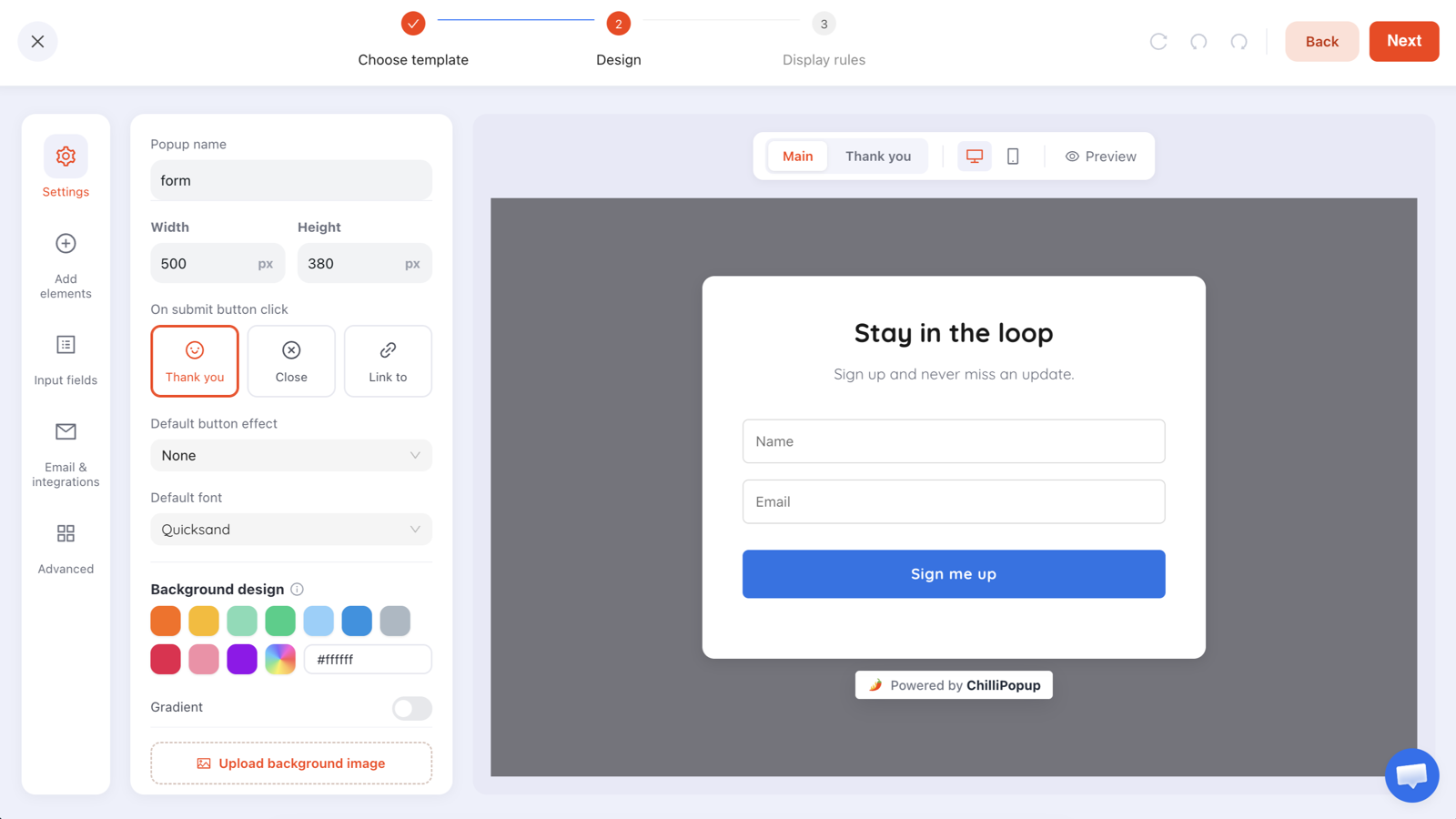
A back-in-stock popup asks one question on a sold-out product page: "want us to tell you when it's back?" One email field, one button. It exists because the visitor standing on that page has already done every hard part of buying — chosen the product, accepted the price, decided they want it — and the only obstacle left is something you control.
Most stores show that person a grey "Sold out" button and let them leave. That is the single most wasteful moment in ecommerce, and it costs about twenty minutes to fix.
Key Takeaways
- Sold-out traffic is your highest-intent traffic. The decision is already made; only availability is missing.
- One popup can serve the whole catalogue — every submission records the page URL it came from, so the product is identifiable without per-product setup.
- One field only. A name or a phone number turns a two-second promise into a form.
- Trigger it on the page, not on exit — and never rely on exit intent, which does not exist on phones.
- Keep the list separate. A restock request is a promise about one product, not a newsletter subscription.
Why sold-out pages convert so well
Think about what a visitor has already done by the time they see "Out of stock". They found the product, looked at the photographs, read the description, checked the price and did not leave. On any other page of your store you are still arguing for the product. Here you are only arguing about timing.
Three things follow from that:
- The ask is tiny relative to the intent. You are not asking someone to subscribe to anything — you are offering to solve their problem when you can.
- The follow-up writes itself. "The thing you wanted is back" is the easiest email you will ever send, and it needs no persuasion.
- The demand data is worth having on its own. A queue of forty people for one size tells your buying decisions something no analytics report will.
The rule of thumb: if a product page can go out of stock, it should never be a dead end. Either capture the request, or recommend a genuinely similar in-stock product. Doing neither is a choice.
One popup, every product
The obvious approach — one popup per sold-out product — collapses the moment your catalogue is bigger than a handful of items. You do not need it, because of one detail worth knowing: every submission is stored with the URL of the page it was sent from.
That single field does the work that a per-product setup would. Build one capture, let it run on your product pages, and the submissions arrive already labelled with the product. Group the rows by URL and you have a waiting list per item, with nothing to maintain when the catalogue changes.
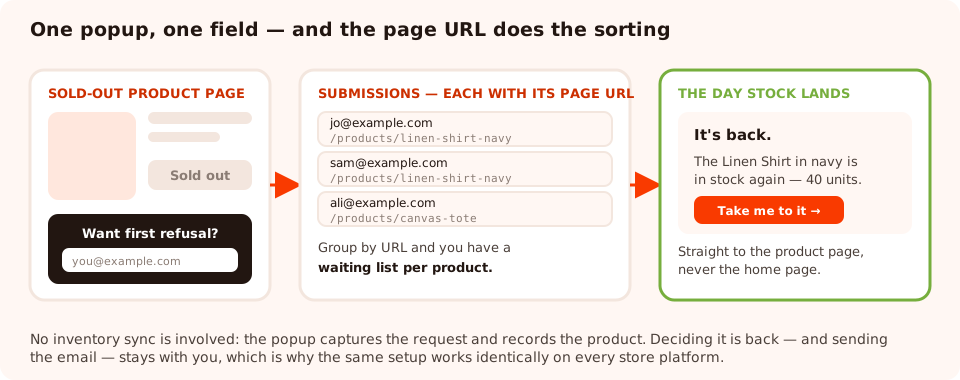
One popup, one field. The page URL on each submission is what turns a single list into a queue per product.
Be clear about what this is not. There is no inventory integration: nothing reads your stock levels, and no email fires automatically when a number changes. The popup captures the request and records the product; deciding an item is back and sending the message stays with you. The upside is that the setup is identical on every platform and survives a re-platform untouched.
Three ways to show it only where it belongs
A restock offer on an in-stock product suppresses a sale you were about to make, so targeting matters more here than in almost any other campaign. Page targeting can match a URL — it cannot read your inventory — so pick whichever of these fits your store.
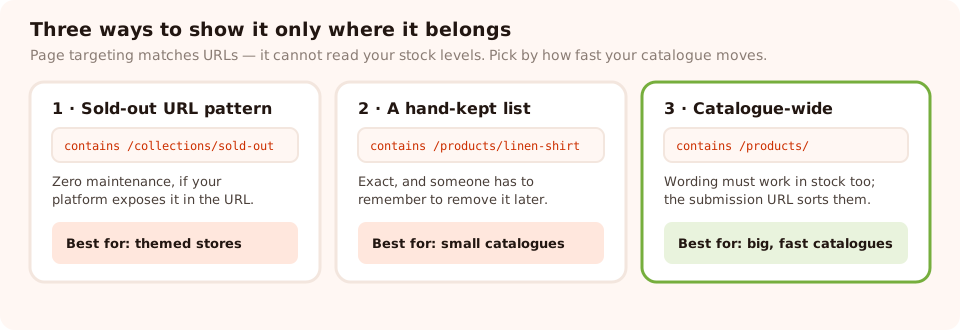
Pick by how often your stock changes and how much maintenance you are willing to do.
| Approach | How you set it up | Best for | The cost |
|---|---|---|---|
| Sold-out URL pattern | Page targeting contains the path your platform uses for unavailable items, or a sold-out collection URL | Stores whose theme routes or tags unavailable products distinctly | Only works if your platform actually exposes that in the URL |
| A hand-kept list | Add each product URL as an is exactly or contains rule when it sells out | Small catalogues, or a handful of items that repeatedly run out | Someone has to remember to remove them on restock |
| Catalogue-wide, filtered later | Target all product URLs and let the submission URL identify the product | Large or fast-moving catalogues | Wording must work on in-stock pages too — see below |
The third option needs one change of framing. If the popup can appear on an available product, it cannot say "sold out" — so make it a notify-me-about-this-product offer instead: "Want first refusal on this one? We'll email you the moment it's back or restocked." That sentence is honest on both kinds of page, which is what makes the approach work.
The copy, in full
Short, factual, and about the product rather than about your mailing list. A worked example you can adapt in a minute:
Headline: Sold out — want first refusal?
Sub-line: Leave your email and you'll hear the moment this one is back. No newsletter, no sharing.
Field: one email input, placeholder you@example.com
Button: Email me when it's back
Thank-you screen: You're on the list. We'll email you the moment it lands — usually within a couple of weeks.
Three details in there are doing real work:
- "First refusal" implies a queue, which is both true and quietly motivating.
- "No newsletter" removes the actual objection. Most people hesitate because they assume this is a subscription in disguise. Say that it is not — and then do not make it one.
- A rough timeframe on the thank-you screen converts a vague promise into an expectation. Only give one if you can keep it.
Do not add a name field. It feels harmless, and it is the difference between a two-second promise and a form. If you want a phone number for SMS alerts, ask on a later contact — never in the same breath as the email.
The display rules that suit it
This is not an interruption campaign — the visitor is already looking at the problem you are solving. Rule it gently:
- Trigger: a time delay of five to ten seconds, or 30–40% scroll. They should have seen the sold-out state before you offer to fix it.
- Don't rely on exit intent. It catches only the people already leaving and it never fires on a touchscreen — which is where most product-page traffic is.
- Pages: product URLs only, using whichever of the three approaches above fits.
- Audience: everyone. A first-time visitor who wants a sold-out product is exactly as valuable as a regular.
- Frequency: once a day at most. Nobody needs to be asked twice in one session.
- Show again after conversion: off. Asking again after someone has already joined the queue reads as if you lost their request.
If you would rather not use an overlay at all, the same capture can sit inline on the page as a form — permanently visible under the sold-out button, interrupting nobody. On a page whose entire purpose has just failed, an overlay is usually welcome; on a busy page, inline is the safer choice.
Stop losing your most qualified visitors
Popups, inline forms, surveys, quizzes and prize games from one editor and one script tag — on any store platform. Free plan, no credit card required. Paid plans from $29/month.
Start free →Sending the alert
The capture is the easy half. The restock email is where the value is actually collected, and the rules are simple:
- Send it the day stock lands, not in the next newsletter. Interest decays fast, and somebody who waited three weeks and then found out late will remember that.
- Link straight to the product, not to the collection or the home page. You have the URL on the submission — use it.
- Say how much came in if it is genuinely limited. "We got 40 back" is scarcity you can prove; "hurry!" is not.
- Keep the list out of your newsletter. They asked about one product. Mailing them a weekly digest turns a good experience into a bait-and-switch and earns you spam complaints from your most engaged customers.
- Retire the queue after you send. One alert per restock per person, then the list is spent.
The same pattern, three other moments
Once the capture exists, three variations cost nothing extra:
- Coming soon. Pre-launch pages where the product does not exist yet. Same field, same promise, different headline — and the queue tells you how much to make. The waitlist popup guide goes deeper on this one.
- Size unavailable. The most common real case: the product is in stock but the size the visitor needs is not. Same popup, wording adjusted to mention the variant.
- Low stock. On the last few units, an announcement rather than a capture — the announcement bar is the right format, because there is nothing to collect.
What to measure
Views and conversion rate are the baseline, but two derived numbers matter more here:
- Requests per product. Group submissions by page URL. The distribution is a demand signal your buying team can act on — and the tail is often more surprising than the head.
- Sales per restock email. The whole point. If the queue is long and the alert converts badly, the problem is the email or the delay, not the popup.
- Conversion rate on the popup itself. This one should be high — much higher than a newsletter signup on the same store. If it is not, the copy is asking for a subscription rather than offering a favour.

Views, submissions and conversion rate per campaign — plus the collected values behind them.
Five mistakes
- Running it on in-stock products with sold-out wording. You have just told a buying customer the thing they are about to purchase is unavailable.
- Asking for a name, a phone number and a size. Every field past the email costs you people who were about to say yes.
- Adding them to the newsletter. Fastest known way to convert goodwill into a spam complaint.
- Never sending the alert. Half of these programmes die here. Put the send in whatever checklist your restock process already uses.
- Sending everyone to the home page. Three weeks later, nobody remembers the exact product name. Link to the page they were on.
Related reading
Frequently asked questions
What is a back-in-stock popup?
It is a small capture form that appears on a sold-out product page and asks for one email address so you can tell that visitor when the item returns. It converts unusually well because the person has already chosen the product — the only thing between them and a purchase is availability.
Does ChilliPopup connect to my store's inventory?
No. There is no inventory sync, and it is worth being clear about that up front. The popup captures the request and records which page it came from; deciding that an item is back and sending the email stays with you and your store or email tool. In exchange, the setup works identically on every platform.
How do I know which product someone asked about?
Every submission is stored with the URL of the page it was sent from. That means one popup can serve your entire catalogue: group the submissions by page and you have a waiting list per product, with no per-product setup and nothing to maintain when your catalogue changes.
Should the popup appear on every product page or only sold-out ones?
Only where the item is genuinely unavailable — a restock offer on an in-stock product suppresses the sale you were about to make. If your platform gives unavailable products a distinguishable URL, target that pattern. If not, add the URLs by hand as items sell out, or run it on product pages and treat the submission URLs as the queue.
What should a back-in-stock popup say?
Name the product state and the promise in one line: 'Sold out — want first refusal?' Then one email field and a button that says what happens, such as 'Email me when it's back'. Add one sentence of reassurance about what you will not do with the address, and stop there.
Is a back-in-stock list worth more than a newsletter list?
Per address, almost always — it is a request for one specific product rather than general interest, and the reply-worthy moment is defined by an event you control. Keep it separate from your newsletter and only use it for the restock it was collected for, unless the person also opted in to marketing.