To build a buyer persona from real data, ask your own visitors two short questions at three different moments — what brought them here, what almost stopped them, and what they couldn't find — then group a few hundred answers by the job people are trying to do. That's the whole method. It costs nothing, takes about an hour to set up, and produces something a workshop persona never does: the actual words your buyers use.
The reason it works is unglamorous. Personas invented in a meeting describe the customer a company wishes it had. Personas built from survey answers describe the one that keeps arriving.
Key Takeaways
- Write your assumptions down first so the research can contradict them.
- Two questions per moment, never a six-question interrogation.
- Open-ended first, multiple-choice second. Words become headlines; options become percentages.
- Group by job, not by demographics. "Buying a gift under $50" is a persona; "35–44, urban" isn't.
- Every persona ends in a deliverable — a headline, an objection to answer, a proof point.
Why most buyer personas are useless
You know the artefact: a slide with a stock photo, a name like "Marketing Mary", an age band, a salary range, and a list of hobbies. It gets made once, presented once, and then nobody consults it again because it doesn't answer any question anyone actually has.
The failure is structural. That persona records who someone is. What you need is:
- The job. What are they trying to get done? "Kit out a first flat", "stop the team missing deadlines", "find a gift for someone difficult".
- The trigger. What happened just before they searched? Something changed, and knowing what tells you where to be.
- The objection. What nearly stopped them? This is the highest-value sentence on your whole site, because it's the one your page has to answer.
- The alternative. What would they have done instead? Often not a competitor at all — often nothing.
- The words. How do they describe the problem when nobody is watching? That's your headline, written for free.
All five are answerable with short questions on your own website. None of them are answerable by guessing an age band.

Five fields, all of them answerable by asking. None of them need a stock photo.
The six questions worth asking
Ask two at a time, never all six. Each one belongs at a different moment, because the honest answer only exists at that moment.
| # | Question | Ask it | What it gives you |
|---|---|---|---|
| 1 | "What brought you here today?" | On arrival, after 30–40 seconds | The job |
| 2 | "What were you doing right before you started looking?" | After purchase | The trigger |
| 3 | "What almost stopped you buying?" | Order confirmation page | The objection |
| 4 | "What else were you considering?" | Order confirmation page | The alternative |
| 5 | "What were you hoping to find that you didn't?" | On exit, product or pricing pages | The gap |
| 6 | "How would you describe us to a colleague?" | To customers, by link, weeks later | The words |
Question 3 is the one to run first if you only run one. The answers arrive from people who did buy, which means every objection they name is one that nearly cost you a sale you were otherwise going to make — and by implication, one that is quietly costing you sales you never see.
Ask in their words, not yours. "What almost stopped you buying?" gets an answer. "What friction did you experience in the purchase journey?" gets a blank stare and an abandoned survey. Write the question the way you'd say it out loud.
Where to put each survey
On arrival: the motivation survey
Fire after a delay of 30–40 seconds or half a page of scroll — long enough that the visitor has oriented themselves, early enough that they haven't found what they came for and left. One open question, one screen, skippable.
After purchase: the objection survey
The most under-used real estate on any store. The customer has paid, they're pleased with themselves, and they're waiting for a confirmation email. Two questions here have a completion rate nothing else on the site can match. Target the order-confirmation URL and add a short delay so it lands after they've read the confirmation.
On exit: the gap survey
Exit intent on desktop for pricing and product pages: "Before you go — what were you looking for that you couldn't find?" Expect fewer answers and blunter ones. Both are useful.
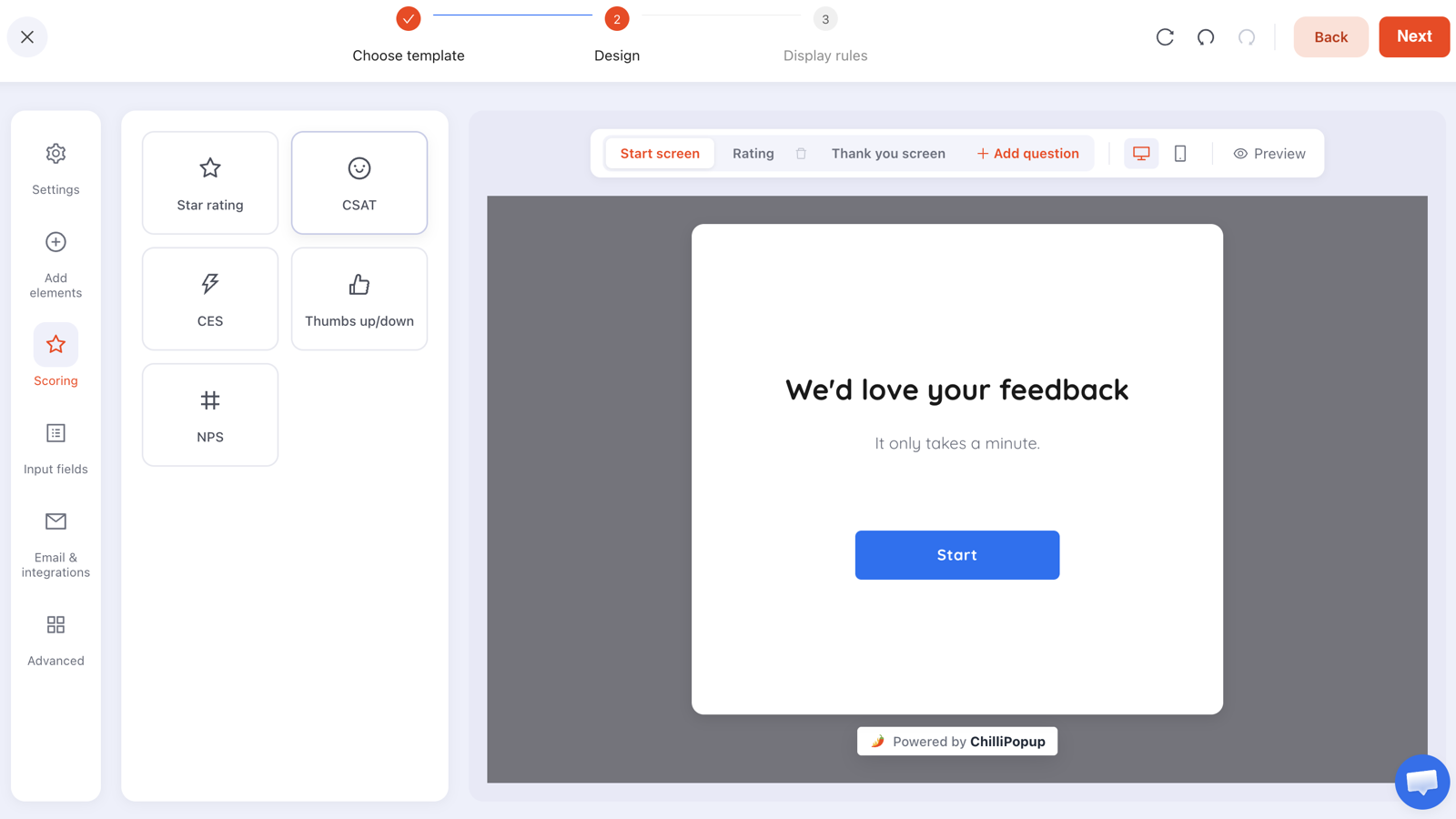
One question per screen. A survey that looks like work doesn't get finished.
How to build them so people finish
Surveys here are multi-step overlays: each question gets its own screen, with a start screen and a thank-you screen around them. Five things decide the completion rate:
- Two questions, maximum. Three is where completion falls off a cliff for research surveys with no reward attached.
- Open first, closed second. Get the free-text answer before you offer options, so you don't lead them.
- Say how long it takes on the start screen — and be honest, because "one question" followed by four is how you train people to close surveys.
- Make the last screen useful. A thank-you that says what you'll do with the answer beats "Thanks!" and costs nothing.
- Don't ask for an email unless you intend to follow up. A research survey that turns into a signup form loses the trust that made people answer.
For rating-style questions, five scoring widgets are available — stars, satisfaction, effort, thumbs and a 0–10 scale — but resist the urge to use them for persona research. A number tells you the temperature, not the reason. Save them for satisfaction measurement, which is a different job.
Steps run in order and there is no branching. You can't ask "if they said A, jump to question 5". For persona research that's rarely a problem — but if you genuinely need different questions for different groups, run two separate surveys targeted at different pages rather than trying to build a decision tree.
Reading the answers without fooling yourself
Free-text answers are read, not counted. Print them, or paste them into a document, and go through in one sitting looking for repeated problems rather than repeated words. Thirty answers is usually enough for the shape to appear; a few hundred before you make expensive decisions.
Three things the dashboard gives you that make this easier:
- The collected-fields breakdown, which shows the top values per field — instant counts for your multiple-choice questions.
- Drop-off by question, which ranks the questions people quit on. A question with heavy drop-off is either too personal or badly worded, and it's telling you something about the audience either way.
- Partial responses. Answers typed before someone left without submitting are still recorded, which on research surveys is often where the bluntest material is.

Completion rate, per-question drop-off and the answers themselves — the whole read in one screen.
Your respondents are not your audience. People who answer surveys are more engaged than people who don't, and post-purchase surveys only reach people who bought. That's fine as long as you say it out loud: this is what buyers think, not what bouncers think. If you want the other half, run the exit survey too.
From answers to two or three personas
Group by the job. Sort your answers into piles where the underlying task is the same, then name each pile after the task. You'll almost always end up with two or three that matter and a long tail you can ignore.
Each persona gets exactly five lines. If you can't fill them in, you don't have a persona yet:
- The job — in their words.
- The trigger — what happened right before.
- The objection — the thing your page must answer.
- The proof — what would settle it.
- The words — two or three phrases, quoted verbatim, that you'll reuse in copy.
A worked example. A homewares shop expected "young professionals furnishing a flat". The survey said something else: the biggest group was buying a gift for someone whose taste they weren't sure about, and the objection wasn't price — it was "what if they don't like it". The persona produced one headline change ("Gifts that are easy to return") and one page change (returns policy moved above the fold). No workshop was going to find that.
What to do with a persona once you have one
- Rewrite one headline using their words, not yours. This is usually the single biggest win and takes ten minutes.
- Answer the objection where it happens — on the product page, in the cart, in the popup that fires on exit.
- Segment your list so each persona gets emails about their own job. The segmentation guide covers capturing that at signup.
- Target your popups per persona: a gift-buyer popup on gift pages, a furnishing popup on the room collections.
- Re-run the survey in six months. Personas rot. What changed is more interesting than the original answer.
Six mistakes in persona research
- Asking six questions at once. Completion collapses and you learn less than two questions would have taught you.
- Only surveying customers. You'll build a persona of people who already say yes.
- Leading questions. "How much did our free shipping help?" is an advert wearing a question mark.
- Counting free text. Read it for meaning; convert it to options later if you need numbers.
- Concluding from twelve answers. Patterns need repetition, and twelve people can all be unusual.
- Building the persona and stopping. If nothing on the site changed, the research was a hobby.
Ask your visitors who they are
Build a two-question research survey in minutes and read every answer, including the ones people abandoned. Free plan, no credit card required. Paid plans from $29/month.
Start free →Related reading
Frequently asked questions
What is a buyer persona?
A buyer persona is a short profile of a recurring type of customer: the job they are trying to do, what triggered the search, what worries them, and what would make them choose you. A useful persona changes what you write and what you show; a decorative one lists an age range and a stock photo.
How do you build a buyer persona without a research budget?
Ask your own visitors. A two-question survey on your site reaches the exact people you want to understand, at the moment they are trying to make the decision, at no cost beyond building it. Run it for a few weeks, group the answers, and you have a persona grounded in evidence rather than in a workshop.
What questions should a persona survey ask?
Six cover most of it: what brought you here today, what were you doing before you searched, what almost stopped you buying, what nearly made you choose someone else, what would have made this easier, and how would you describe us to a colleague. Ask two of them at a time, never all six.
How many responses do you need?
A few hundred before you make expensive decisions, but patterns often appear after thirty or forty free-text answers — especially on the “what almost stopped you” question, where the same three objections tend to repeat almost word for word.
Where should you put a persona survey?
Split it by moment. Ask about motivation on arrival or after a scroll, ask about objections on the order confirmation page while the decision is fresh, and ask about missing information when someone is leaving a product or pricing page.
Are open-ended or multiple-choice questions better for personas?
Both, in that order. Start with open-ended questions so people describe the problem in their own words — that language becomes your headlines. Then convert the recurring answers into multiple-choice options so you can measure how common each one is.