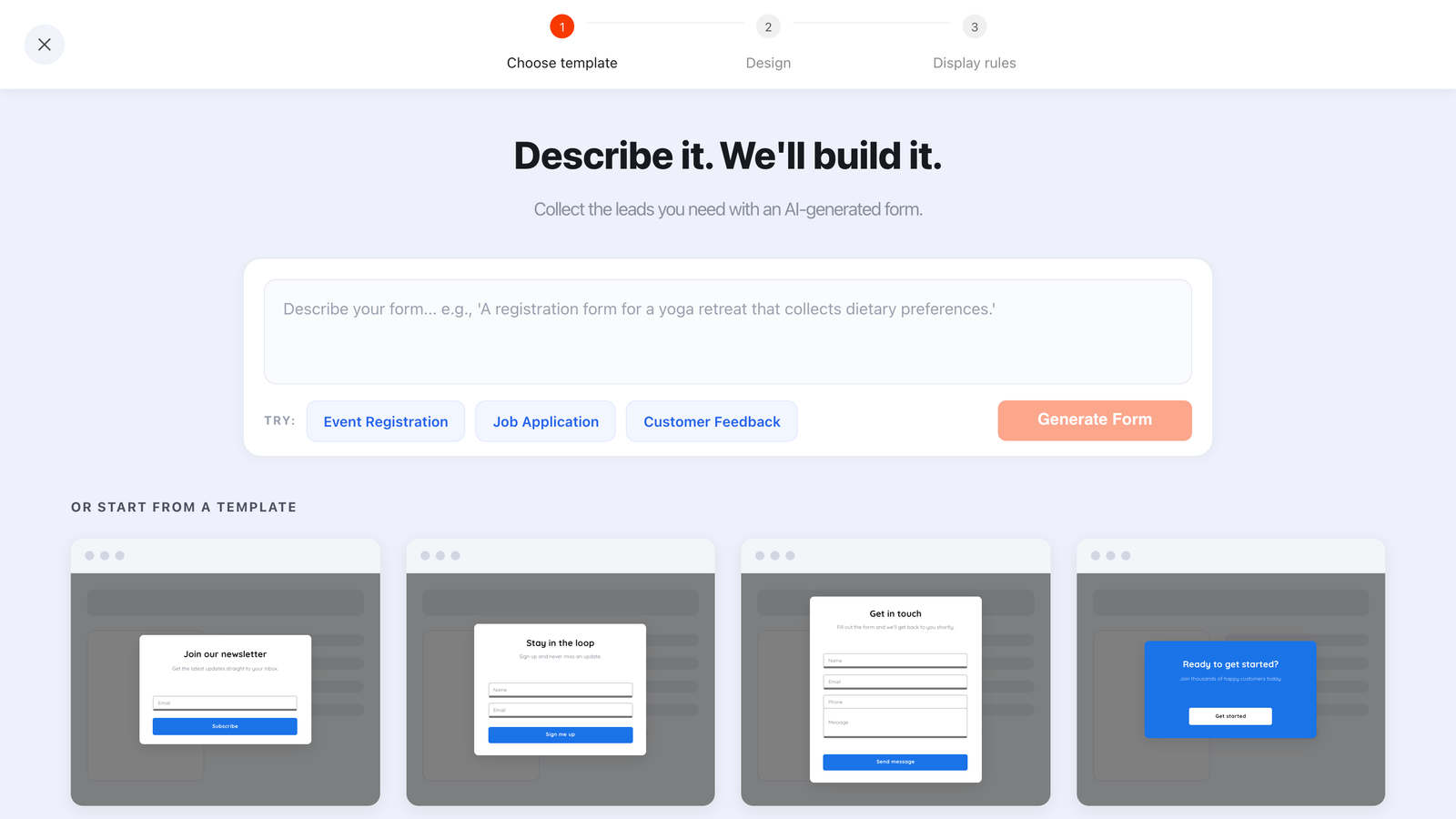
Every popup you build has the same limitation: it can only reach someone who is already on your website. That leaves out most of the places your audience actually spends time — the social bio, the DM thread, the packaging insert, the reply you type to the same question every week.
A shareable form link fixes that. The same form, survey or quiz you'd put on your site can be published as its own hosted page with a public URL and a QR code, so it works anywhere a link works — including places you have no website at all.
Key Takeaways
- Every form, survey and quiz has its own hosted page — a real URL, plus a QR code, in the same panel as the embed snippets.
- No install required. The link works with no website, no theme edit and no script.
- Display rules don't apply to a link, because the person chose to open it. Nothing to configure.
- Attribute by duplication or by asking — the hosted page doesn't record a traffic source.
- Make the linked version shorter. It will be opened on a phone, in a hurry, inside someone else's app.
What a hosted form page actually is
The hosted page, in two sentences
Publishing a form, survey or quiz gives it a page of its own at a public link. Open that link and the content renders full-screen on its own page — no popup, no host website, nothing to install.
Because there's no page to interrupt, none of the display machinery applies. No trigger, no URL targeting, no frequency cap, no new-versus-returning rule. Someone clicked a link expecting a form, and they get a form. That is the whole behaviour, and its simplicity is what makes it useful.
Submissions land in exactly the same place as your on-site campaigns — the same analytics page, the same Collected input data table — so you are not running a second system.
One scope note: hosted links exist for forms, surveys and quizzes. A standard popup is designed to interrupt a page, so it doesn't get a page of its own. If you want a link, build the thing as a form or survey — you can still show it on your site as an overlay afterwards.
Eight places a link beats a popup
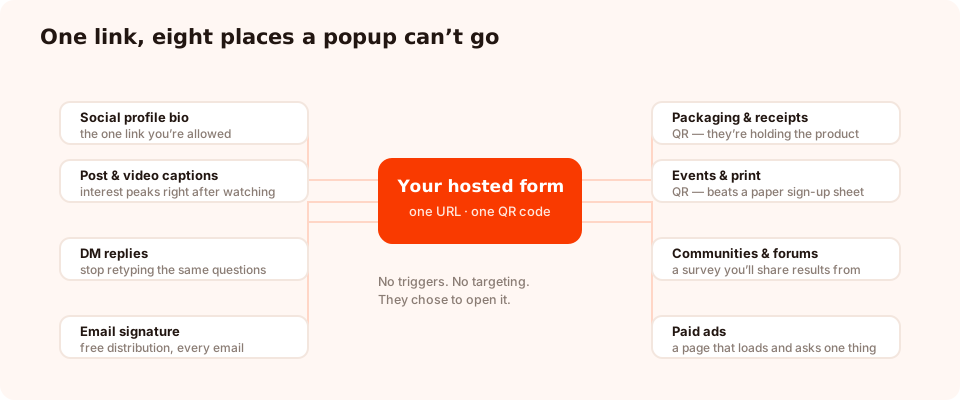
Each of these is an audience that never touches your website before converting.
| Where | What to link to | Why it works |
|---|---|---|
| Social profile bio | A one-field waitlist or newsletter signup | The one link you're allowed — make it collect something |
| Post or video captions | A quiz or survey tied to the post's topic | Interest is highest in the sixty seconds after watching |
| DM replies | An enquiry or booking form | Stops you retyping the same five questions by hand |
| Email signature | A short feedback or booking form | Free distribution on every email you already send |
| Packaging or receipts (QR) | A review request or registration form | The customer is holding the product when they answer |
| Events and print (QR) | A lead-capture form | Beats a paper list and a laptop nobody can reach |
| Communities and forums | A survey whose results you'll share back | Contribution, not promotion — the only thing that survives moderation |
| Paid ads | One question, then the offer | A page that loads instantly and asks one thing |
The DM use case is the sleeper. Any business answering the same enquiry repeatedly in messages — salons, trades, agencies, coaches — can replace a fifteen-message back-and-forth with one link that collects the details up front. It is often the single highest-value form on the account.
When a QR code earns its place
A QR code is generated alongside the link, and it is genuinely useful in exactly one situation: the person is physically present and the alternative is typing a URL into a phone.
Worth it:
- A card in the box, pointing at a review or registration form
- A receipt or invoice footer with a two-question feedback survey
- A table card, menu or shelf edge in a physical space
- An event stand, poster or roll-up banner
Not worth it:
- On a website — the person is already on a device that can click
- In an email — same problem, plus most email is read on the phone you'd scan with
- On a moving vehicle, a video with no pause, or anything more than a few metres away
Test the scan before you print a thousand of them. Scan it from the distance and in the light the real audience will have, on a cheap phone, and make sure the landing form is short enough to finish standing up.
Knowing which channel worked
Here is the honest constraint: the hosted page does not record where a visitor came from, and the analytics have no traffic-source or campaign dimension. If you share one link everywhere, you will know how many people submitted and nothing about which channel produced them.
There are two workarounds, and they're both fine.
Option A — one campaign per channel
Duplicate the form and publish a copy per channel: one for the bio, one for the QR code on packaging, one for the ad. Each has its own link and its own analytics page, so the split is exact. The cost is maintaining several copies of the same questions — keep it to three or four, not twelve.
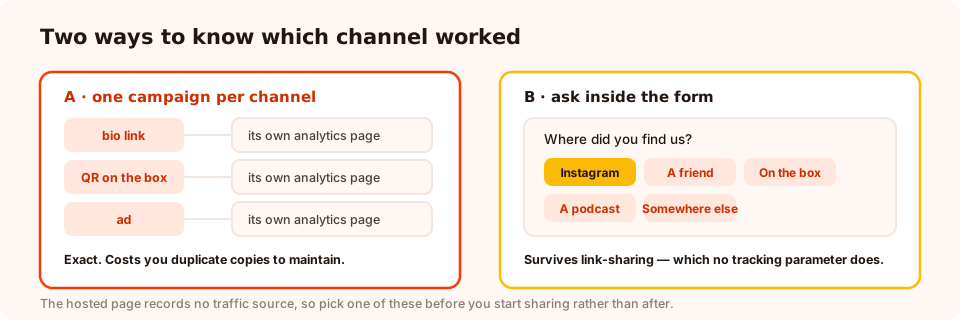
Duplicate for precision, or ask for reach. Most sites end up doing a bit of both.
Option B — ask the question
Add one short choice question to the form: "Where did you find us?" with four or five options in the customer's language. It costs a few seconds of completion rate and it has a real advantage over any tracking parameter — it still works when someone copies your link into a group chat, which is exactly the traffic you most want to identify.
Publish a form as a link today
Forms, surveys, quizzes, popups and games from one editor — and one pixel. Free plan, no credit card required. Paid plans from $29/month.
Start free →The copy that earns the tap
A link is only as good as the sentence in front of it. Nobody taps a bare URL; they tap a promise. Three that work:
| Channel | The line | What it does |
|---|---|---|
| Bio | "Doors open in October — join the list for first pick ↓" | Names the date and the benefit in nine words |
| Caption | "Want the checklist from this video? Link's in the bio — takes ten seconds." | Ties the ask to what they just watched, and caps the effort |
| DM reply | "Happy to help — drop your details here and I'll come back with a price today." | Trades their two minutes for a same-day answer |
Two rules that hold everywhere: say how long it takes, and say what happens next. Those two facts remove most of the reason someone doesn't tap.
Build the linked version differently
The same form is a different proposition on a link than on your site. Assume a phone, in an in-app browser, with less patience than a website visitor and no context around the form to explain it.
- Fewer fields. One or two. There's no page around it to justify a third.
- The context goes inside. On your site, the page explains what this is. On a link, the headline has to do that job alone.
- Every tap counts. Prefer tappable choices over typing wherever the answer is a fixed set.
- Turn on email typo checking. Phone keyboards produce more
gmial.comthan anything else, and a link form has no second chance to correct it. - Say what happens next on the thank-you screen. They have left your world entirely — tell them when to expect you.
Six mistakes
- Sharing a draft link. Only published content is served, so an unpublished form is a dead link in your bio.
- One link everywhere, then wondering which channel worked. Duplicate, or ask.
- A ten-field form behind a QR code. Nobody fills that in while standing up.
- A QR code where a link would do. On screens, it's an extra step wearing a disguise.
- No thank-you message. The visitor is left staring at a submitted form with no idea whether it worked.
- Forgetting the link exists. A bio link pointing at a finished campaign converts nobody. Review it when the campaign ends.
Publish your first link
Twenty minutes, five steps, and no install — though if you want the same content on your website too, the embedding guide covers that half.
1. Build a short form and publish it
Two fields at most, a headline that explains what this is, and a thank-you screen that says what happens next. Publish — drafts don't serve.
2. Copy the hosted link and the QR code
Both live in the share panel alongside the embed snippets. Open the link on your own phone first and read it as a stranger would.
3. Decide on QR or no QR
Physically present and otherwise typing a URL? Use the code. Anywhere else, use the link.
4. Set up attribution before you share
Duplicate per channel, or add one "where did you find us?" question. Doing it afterwards means losing the first weeks of data.
5. Write the sentence in front of the link
Say what they get, say how long it takes. Then submit a test entry and confirm the row lands in the dashboard.
Related reading
Frequently asked questions
Can I use a form without adding code to my website?
Yes. A form, survey or quiz can be published as its own hosted page with a public URL, so you can share it as a link with no website, no theme edit and no script install. It renders full-screen when someone opens it, and submissions arrive in the same dashboard as your on-site campaigns.
Where should I put a form link?
Wherever your audience already is and a website visit isn't: a social profile bio, a post caption, a DM reply, an email signature, a QR code on packaging or a receipt, a community post, an ad destination, or a message you send customers repeatedly. Each of those is a place a popup cannot reach.
Do display rules apply to a shared link?
No, and that is the point. Targeting, triggers and frequency caps exist to decide when to interrupt someone on a page. A link is not an interruption — the person chose to open it — so the content simply renders when the page loads.
How do I know which channel a submission came from?
The hosted page does not record a traffic source, so use one of two workarounds: publish a separate copy of the form for each channel and read them separately, or add one short question to the form asking where they found it. The second is often more accurate anyway, because it survives link sharing.
Are QR codes worth using for lead capture?
In the specific case where the person is physically in front of the thing and the alternative is typing a URL — packaging, a receipt, a table card, an event stand, a poster. Everywhere else, a link is faster. A QR code on a website or in an email is friction pretending to be technology.
Should the linked form be shorter than the one on my site?
Usually. A link is almost always opened on a phone, often inside a social app's in-app browser, in a moment of low patience. One or two fields with a clear promise will outperform the longer version of the same form every time.
Can I use the same form as a link and on my website?
Yes — the same published content can be a hosted page, an inline embed, a button-triggered lightbox and an automatically triggered popup at once. All of it reports into one place, so you are not maintaining several copies of the same questions.